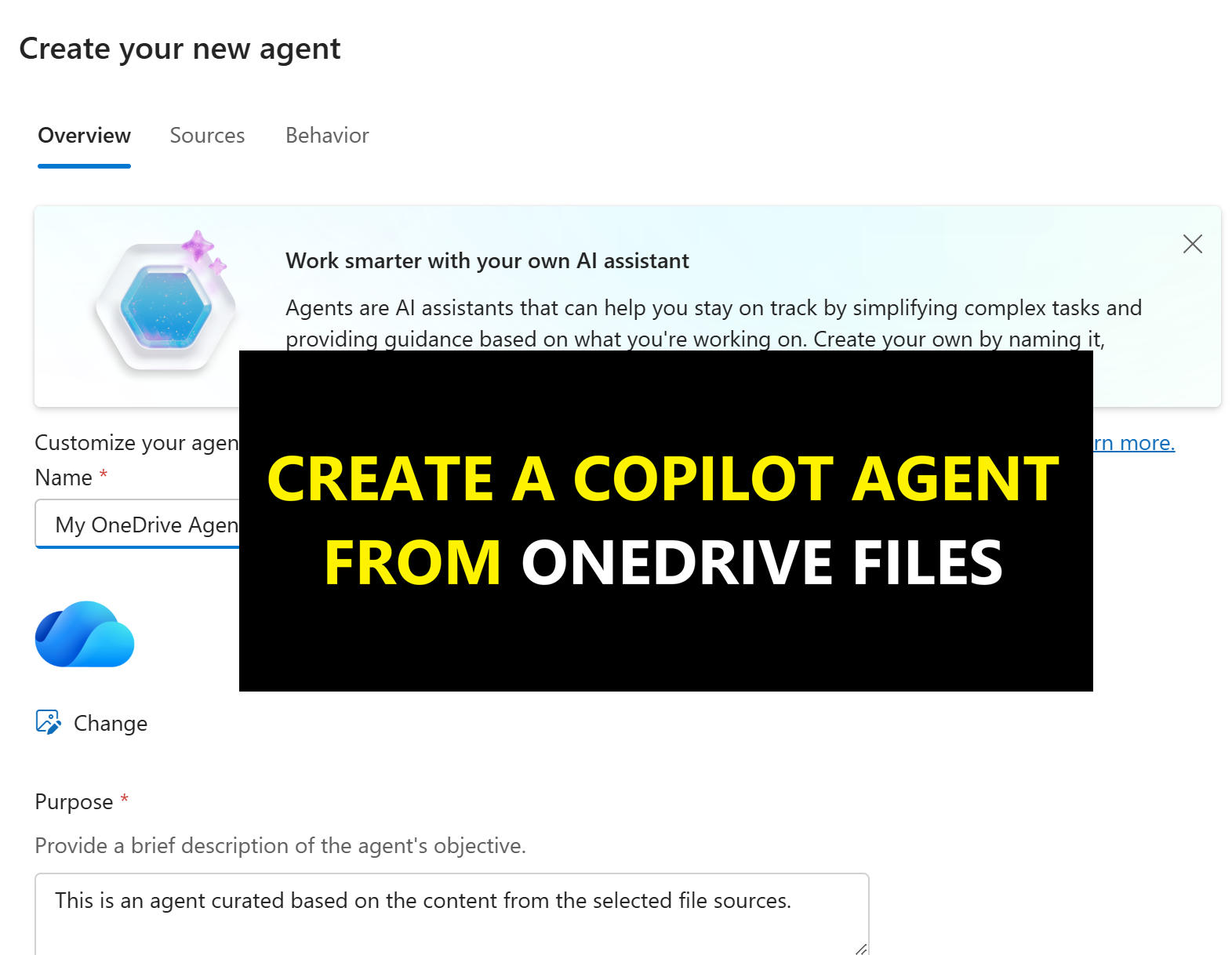

Microsoft has now made it possible to create grounded knowledge “agents” directly from OneDrive. If you’ve not seen this yet, it allows you to select up to 20 OneDrive for Business files and create an agent you can use to ask natural‑language questions across all of those documents at once. You can even share it with others to use.
It’s works just like creating an agent from scratch that is grounded in specific OneDrive files or folders, but you can do it with a quick click create. This is a simple way to create an agent for reasoning over a bunch of project, customer or research files.
It lives directly in OneDrive folder as well as an agent pinned in Copilot Chat… It makes agent building (if you can really call it that very simple and quick).
Once created, it works like any other agent – meaning you can ask questions based on yoru files such as:
- What decisions have we made so far?
- What risks keep coming up across these documents?
- Give me a summary of themes across all project files.
Microsoft describes the result as “complete, grounded responses”, and in the demos and tests I have done so far, that seems about right.
How to create an Agent from OneDrive
To Create an agent from OneDrive (Microsoft 365), head over to your OneDrive and choose a folder. Open it and simply click the “Copilot” button and then “Create an agent”.

Optionally, you can name the agent, change its logo, give it custom instructions, starter prompts and a role.

The agent creates a .agent file in the OneDrive folder.

When you open it, it installs the agent into the M365 Copilot pane which you then need to select to use it.

The agent responds and works like any other agent.

Do we need a OneDrive agent?
I think it demands. You could easily just create a agent and point it a these same OneDrive files. You could also use a Copilot Notebook and drag word files into the Notebook as references.
What the OneDrive agent does, however, from an ease of use and productivity standpoint, is makes it really simple (almost no thinking just click) to create a agent that works across the docs you need and want.
Being able to interrogate the entire project pack in one go is a meaningful step toward the “AI-powered workplace” Microsoft has been forecasting for the last few years.
For organisations already deep into Microsoft 365 and Copilot, this is a simple addition. It won’t change the world but does make Copilot a little more accessible in a really quick and simple way.

Leave a Reply