
If your users Copilot Chat through your Microsoft 365 subscription but don’t have a Microsoft 365 Copilot licence, there is an important change you need to know about.
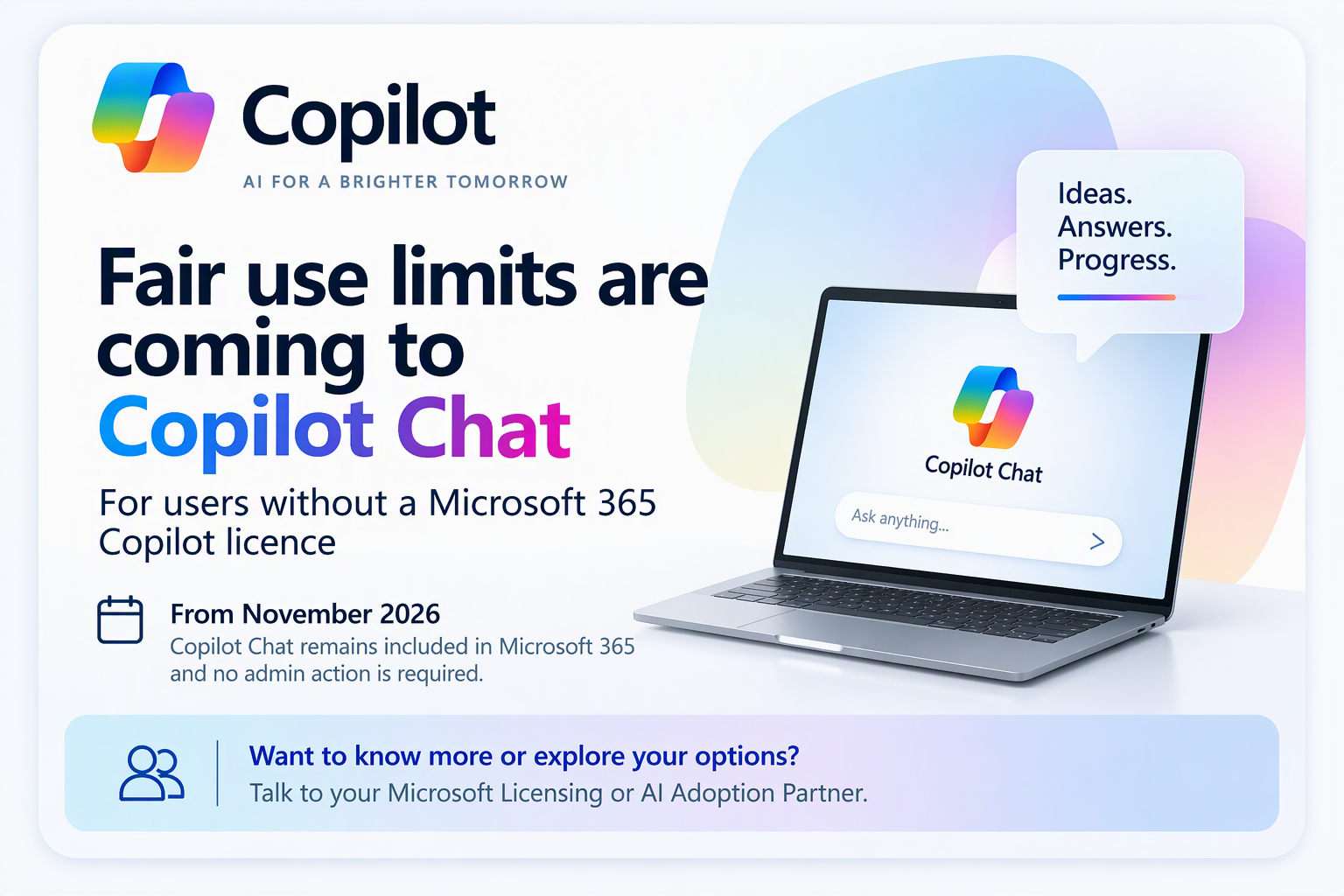
From November 2026, Microsoft is applying fair use limits to additional Copilot Chat features and capabilities for users without a Microsoft 365 Copilot licence in commercial tenants.
For occasional users, the change may make very little difference.
And that last part is important.
This announcement is about Copilot Chat users who do not have a Microsoft 365 Copilot licence.
Copilot Chat isn’t being removed. It remains included with eligible Microsoft 365 subscriptions, and Microsoft says no admin action is required as a result of the change.
So what is actually happening, and if your users are seeing this – what can you do about it?
First, what is Copilot Chat?
Copilot Chat provides secure AI chat for “eligible” users signed into Microsoft 365 with a work account. Copilot Chat is available for users with or without a Microsoft 365 Copilot License but there are differences around feature availability and now, usage.
Copilot Chat provides a useful starting point for activities such as research, summarisation, drafting and everyday productivity, with Microsoft enterprise data protection (meaning nothing you do in Copilot or anything you share with it is used to train their models or for advertising).
That’s one of the reasons it has become such a useful way for businesses to introduce employees to AI without necessarily purchasing Microsoft 365 Copilot licences for everybody on day one and without worrying about data leakage which is a huge problem when users use personal or free tier versions of AI tools like Google, Grok, ChatGPT etc.
It’s important, however, not to confuse Copilot Chat with the additional capabilities provided by investing in paid Microsoft 365 Copilot licence which costs between $17 and $30 depending on your organisation type.
More on that shortly….
What is changing?
Microsoft already uses fair use limits for some Copilot features, such as image generation, for users without a Microsoft 365 Copilot licence.
Microsoft is now extending this approach to additional features and capabilities within Copilot Chat.
The rollout began:
- From 2 Nov 2026 for organisations with 2,000 or fewer Microsoft 365 seats
- From 9 Nov 2026 for organisations with more than 2,000 Microsoft 365 seats.
Again, Copilot Chat remains included with Microsoft 365 subscriptions. This isn’t Copilot Chat being withdrawn or suddenly becoming a separately paid service.
The change affects the availability of certain Copilot Chat features for users who don’t have a Microsoft 365 Copilot licence.
So, what is a “fair use limit”?
Don’t think of this as Microsoft providing every user with a published allowance of, say, 50 prompts each day.
It doesn’t work like that and it is a question I am asked a lot.
Microsoft doesn’t publish specific numerical limits because limits can change as services and capabilities evolve. Availability can also vary throughout the day.
When a user reaches a limit, Copilot notifies them within the product and tells them when that particular feature will become available again.
NOTE: If Copilot is already responding when the limit is reached, the response isn’t interrupted part way through.
It’s better, therefore, to think about capacity-managed access to certain features, rather than a simple daily allocation of Copilot prompts.
What happens if I reach a limit?
The most important thing to understand is that “Reaching a fair use limit doesn’t mean you’ve lost Copilot Chat.”
The affected capability becomes temporarily unavailable and Copilot indicates when it should become available again.
Microsoft says that in most organisations the notification can also provide an option for the user to request a Microsoft 365 Copilot licence.
Your organisation remains in control of that process.
Administrators cannot view or adjust Microsoft’s underlying fair-use limits, but organisations can decide how licence requests are handled. These can be approved or declined through the Microsoft 365 admin centre or routed through the organisation’s own process, which could include your Microsoft Licensing or AI Adoption Partner.
Does reaching a limit mean I need a M365 Copilot License?
Not necessarily – Some people may use Copilot Chat occasionally and find that it continues to meet their needs perfectly well.
Others may discover that AI is becoming a much more significant part of their working day. That’s where I think this announcement is interesting.
If you’re increasingly relying on Copilot for researching information, creating content, analysing information or supporting everyday work, regularly reaching a fair use limit could tell you something useful.
Perhaps you’ve outgrown the starting point.
The question isn’t simply:
“How can I get a bigger limit?”
It should perhaps be:
“Would Microsoft 365 Copilot provide enough additional value for the work I’m doing?”
That’s a much better business conversation.
M365 Copilot is not just Copilot Chat with a bigger limit
This distinction is really important – there is MUCH MUCH more to it that that!
Copilot Chat gives organisations an accessible starting point for secure AI-powered chat.
A M365 Copilot licence provides a broader premium experience, including Copilot across apps such as Word, Excel, PowerPoint, Outlook and Teams, alongside work-grounded experiences that can use the organisational context a user is permitted to access.
Microsoft’s current licensing material also describes premium Copilot users as receiving enhanced capabilities, higher usage limits, advanced AI features and priority access to capabilities that aren’t available to non-licensed Copilot Chat users.
So moving to Microsoft 365 Copilot shouldn’t simply be viewed as paying to remove a Copilot Chat restriction.
The real question is whether bringing Copilot more deeply into someone’s work creates enough value to justify it.
What about smaller businesses?
There’s another option worth knowing about.
Microsoft 365 Copilot Business is Microsoft’s Copilot offering designed for eligible small and medium-sized organisations. The current offer supports eligible Microsoft 365 Business customers up to the 300-seat limit.
The core Copilot experience is intended to provide the same fundamental Microsoft 365 Copilot capabilities, with the differences centred around eligibility, packaging, pricing and the buying route.
If you’re an SMB and aren’t sure which option applies to you, this is a particularly good reason to speak to your Microsoft Licensing Partner rather than trying to decode the available SKUs yourself.
Don’t just think about licensing
This is probably my biggest recommendation.
If your organisation decides to move more users to Microsoft 365 Copilot, don’t make this purely a licensing exercise.
Successful adoption relies on the foundations around the technology.
Before scaling Copilot, organisations should think about:
- Identity and access, including MFA and appropriate access controls.
- Permissions and oversharing, particularly across SharePoint, OneDrive and Teams.
- Information protection, including sensitivity labels and DLP where appropriate.
- Use cases, identifying the roles and workflows where Copilot can create measurable value.
- Training and adoption, so users understand what Copilot can and cannot do.
- Measurement, including whether Copilot is actually improving time, quality or outcomes.
This matters because Copilot doesn’t magically fix existing permissions.
Copilot respects the access a user already has. If content has been shared too broadly, the better answer is to address the underlying permissions and information governance rather than blaming Copilot for surfacing content the user was already able to access.
Security doesn’t disappear because you’re using AI
It’s also worth restating something that sometimes gets lost in conversations about Copilot Chat.
Copilot Chat includes enterprise data protection, and Microsoft states that customer prompts, responses and tenant data aren’t used to train the underlying foundation models.
For Microsoft 365 Copilot, existing permissions, identity controls and Microsoft 365 security and compliance capabilities continue to apply.
Of course, that doesn’t remove the need for proper governance.
People should use Copilot in the same responsible way they use other business systems. Don’t paste credentials, passwords or private keys into prompts. Follow your organisation’s policies for sensitive or personal information. And always review AI-generated content before sending it externally or using it to make an important decision.
What should customers do now?
My advice is fairly straightforward.
1. Keep using Copilot Chat
There is no reason to stop.
Copilot Chat remains included with eligible Microsoft 365 subscriptions and provides a very good way of bringing enterprise-protected AI into everyday work.
2. Explain the change to users
People should know what a fair-use notification means.
It doesn’t mean the organisation has lost Copilot or that someone has done something wrong.
3. Don’t automatically licence everybody
If particular employees are regularly reaching limits, first understand what they’re doing with Copilot and whether it’s producing useful business outcomes.
A Microsoft 365 Copilot licence makes much more sense when tied to valuable workflows and roles than when handed out simply because someone encountered a limit.
4. Get your foundations right
Before significantly expanding Copilot, check identity, permissions, SharePoint and OneDrive sharing, sensitive information, governance and user guidance.
These aren’t glamorous parts of an AI programme, but they’re some of the most important.
5. Talk to your Microsoft Licensing or AI Adoption Partner
And don’t make the conversation simply:
“How much are the licences?”
A good conversation should explore:
What are people trying to achieve?
Which Copilot experience actually fits that requirement?
Is your Microsoft 365 environment ready?
Where could Microsoft 365 Copilot create measurable value?
How should you introduce it safely?
And how will you know whether the investment is working?
Your Microsoft Licensing Partner, CSP or AI Adoption Partner should be able to help you navigate both the licensing choice and the readiness, governance and adoption work needed to make it successful.
The bottom line
The headline isn’t that Microsoft is taking Copilot Chat away.
It isn’t.
The important change is this:
From November 2026, Microsoft is applying fair use limits to additional Copilot Chat features and capabilities for users who don’t have a Microsoft 365 Copilot licence.
Copilot Chat remains included with Microsoft 365. No administrative action is required simply because the new limits have been introduced.
For occasional users, the change may make very little difference.
For people increasingly using Copilot throughout their working day, however, reaching those limits might be a useful indication that it’s time to explore Microsoft 365 Copilot.
Just don’t treat it as a licence upgrade conversation alone.
Treat it as an opportunity to ask where AI is genuinely helping people work differently, whether your organisation is ready to scale it, and where investing in Copilot could produce measurable value.
And if you’re unsure, talk to your Microsoft Licensing or AI Adoption Partner.
That’s exactly the sort of conversation they’re there to help with.

Leave a Comment