

Microsoft Cowork has moved from being in a “free to use” preview tool to General Availability – with an “confirmed price tag” that uses consumption billing. This takes effect from 1st July 2026.

This marks the move from Microsoft Copilot into Agentic Productivity and is far more than just another Copilot Feature. Cowork, marks a pivotal move from early experimentation with AI agents to scalable, real-world customer adoption where it is able to carry high-quality, multi-step reasoning and task execution using the best AI models from leading vendors wrapped into the safety and security of Microsoft 365 eco system.
What is Coplilot Cowork?
For a while now, many of us have been using tools like Microsoft 365 Copilot at work. Since its conception in early 2023 to release in 2024, it has evolved massively and is now fantastic for assisting with tasks – brainstorming, co-creating documents, spreadsheets, emails and documents as well as helping us to understand vast amounts of information, do complex research tasks and data analysis and be the framework and platform for being agents via Agent Builder and Copilot Studio. In short, M365 Copilot is all about “helping us do a task.”
👉🏻 I have full step by step on Cowork if you need it 👈🏻
Copilot Cowork, represents the next evolutionary step. Cowork is an agentic system designed not just to assist, but to execute. The new mantra when we work with Cowork is “go and do this work for me.”
With Cowork, you can delegate complex, multi-step business processes to Cowork, grounded in your business context, with the full backing of Microsoft’s security and compliance framework, ethical AI principals and Enterprise Data Protection commitments.
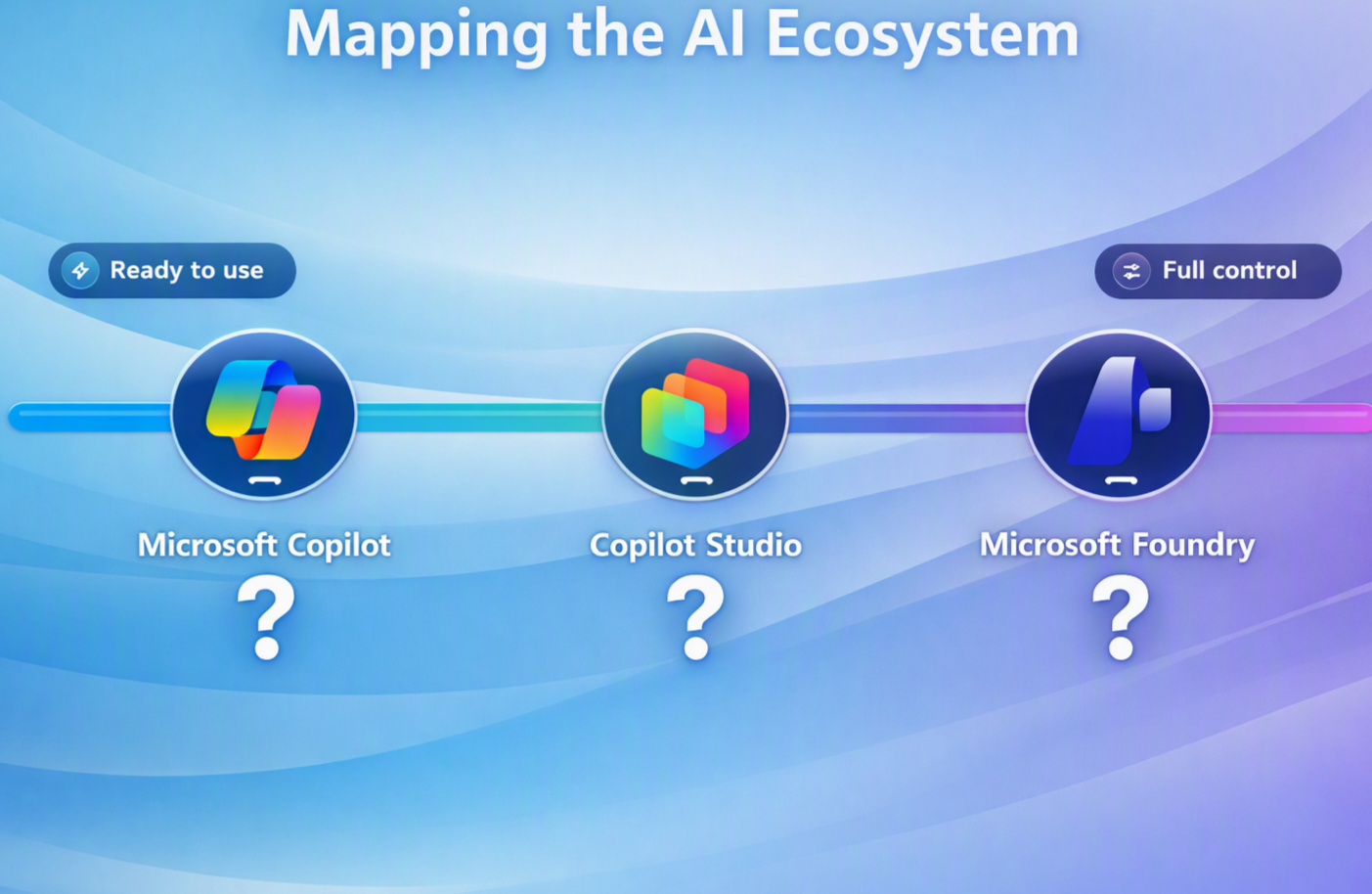
To put it in context with Microsoft’s wider AI strategy and comparison:
- Microsoft 365 Copilot: Your personal assistant. Helps do tasks quicker and easier.
- Cowork: Your delegate/assistant. Goes and does multi-steps work for you and can event keep track and report back on its progress.
- Microsoft Scout (in early experimental phase): Your proactive supporter. Stays on top of your work without you even asking.
This is not designed to be a full blog on Cowork (I covered that here), but they key takeaway is that Cowork does not replace Microsoft 365 Copilot – it sits along site it and supercharges it (and costs extra), unlocking a new class of use cases that were previously out of reach.
Microsoft recently stated that over 80% of organisations plan to integrate AI agents in the next one to three years, with a staggering 1.3 billion agents expected to be deployed by 2028. Cowork is part of Microsoft’s strategic play to capture this massive emerging market.
How is Cowork Priced?
Unlike M365 Copilot which is based on a per-user seat count license, Cowork uses usage-based billing and will need to form part of your MSFT FinOps Services!
Those used to building agents in Azure AI and Copilot Studio will be used to the approach of Copilot Credits, but for others, the most significant part of this announcement, especially for leaders focused on budget and ROI, is the shift to this usage-based billing model.
With Cowork, there is no simple per-user-per-month fee for this level of advanced AI. Instead, consumption is tied directly to usage.
So, in short: Copilot Cowork requires both a Microsoft 365 Copilot license and usage-based billing with Copilot Credits.

There are three primary ways to pay:
- Pay-As-You-Go: The ultimate in flexibility. You pay for what you use, ideal for piloting and understanding your usage patterns without long-term commitment.
- Use your organisation’s Copilot Studio Credit Packs
- Prepaid Commitment: For organisations with more “predictable” usage, this annual commitment offers the lowest per-credit cost, allowing for better budget management.
How much does Cowork Cost?
Microsoft has created an initial Cowork Cost Calculator here where you can pop in user personals and quantities and it will spit out a drought monthly cost for Copilot Credits needed. https://aka.ms/CustomerCoworkEstimator
I’ve also built an HTML version built on this XLS which you can access below.
Cowork is billed in “Copilot Credits,” a cost metric used (think AI currency) that will be used across multiple Microsoft AI services (not just Cowork).
Using the calculations Microsoft provided which is based on all up-usage averages, Microsoft have defined 3 types of prompts: Light Medium, Heavy. They have also defined 4 types of user personas Knowledge Worker, Customer Facing Knowledge Worker, Technical Worker, Manger/Senior Manager.
Using this, assume you have a scenario where might have say:
- 20 Knowledge Workers
- 20 Customer facing Knowledge Worker
- 10 Technical Workers
- 10 Managers/Senior Leaders
The in this scenario is estimated at around $13,700 per month ($164k p/a) in Cowork usage for those 60 users based on the assumption of Cowork task complexity. This usage/cost is based on data from their Global Frontier customers over the last few months.

In the example above – 50 people across an organisation with “reasonable” expected use and we are looking at at cost of around $10k per month if we use PAYG billing. I credit on PAYG is approx US $1c
What impacts Cowork Cost?
The cost of a Cowork “task” (in credits) will depend on several factors:
- The AI models used :– which AI model(s) ran the task. A top tier model costs more per unit per work than a lower tier model.
- Context retrieval: – how much of your work data has it had to find, read, process and across email, chat, OneDrive, SharePoint etc using Graph or MCP.
- Calls to Tools: The different actions, skills etc the task does. A task that creates content in text or MarkDown costs less than one that creates four word documents a 14-Slide PowerPoint deck and web-dashboard.
- Time it takes to complete the task: How long it runs, it is scheduled etc., The longer the task takes to run, the more it costs.
In the calculator Microsoft has provided, they define a few different workloads to help us “estimate our cost usage).
Sometimes, depending on the ask, Cowork might run several tasks in parallel as the example below:

Cowork Task examples – Light, Medium & Heavy Tasks
The tools Microsoft provide to help “us” estimate costs based on the size and complexity of your tasks. Now Microsoft has based these on these categories.
- Light: Typically, a quick prompt, limited reasoning, and one of fewer outputs. These are typically 100-300 credits – $1 – 3$
- Medium: Multiple sources over varying different time scales, requires reasoning, critical thinking, running, several tasks/skills at the same time, and creating different outputs such as email and a document. These typically consume between 400 and 700 credits $4-$7
- Heavy: Broad aggregation over longer time frames, running multiple tasks and skills together, recurring scheduled tasks, deep reasoning, multiple input sources and many output types. Recursive perfection. 700+ credits – over $7!
In reality this is a spectrum of categories that you can use to do some modelling.
Ask Cowork “how much” a task just cost
You can also ask Cowork at the end of (in middle of a prompt/task) how much that session/task has cost and it will tell you. Simply type “/cost” in the prompt.

In the example below, I created a webpage dashboard of upcoming teaching and SEN events in London (for my wife’s company) using a brandkit we had already created in Copilot Create.

Depending how you pay for consumption, you will typically pay between $0.008 to $0.01$ per credit. Buying packs is of course cheapest option.
That means the task above would cost me between $0.8c and $1c
This move to consumption-based pricing is a clear signal that AI is utility, much like cloud computing. It also means that Financial Operations, or FinOps, is now an essential discipline for managing AI spend. Microsoft does seem to recognise this, and will be providing what they say is “best-in-class FinOps tooling” to provide visibility, forecasting, and control over costs directly within the Microsoft Admin Center (MAC).
How to Set up Cowork Cost Control
Microsoft have added a new Cost Management Section into the Copilot section of the Microsoft Admin Centre so you can monitor and set pricing limits across the organisation and a people level.

Microsoft say that their Agent and AI usage data reports can have up to a maximum of 72 hours latency.
This will need to managed and there will be a need for guardrails and policies in place as to audit, control and monitor these costs to determine who uses what Al tools for what reasons and also a way to define the value of their Al usage.

CSP partners (good ones anyway) will or should include this as part of any cost management service they provide. If you manage yourself then you’ll need someone looking at this.
Billing must be linked to an Azure Subscription. Copilot Studio credits packs can also be used as you can see in my configuration above. These currently apply to both WorkIQ API usage and Cowork usage.
Note: If your M365 billing is managed by a CSP partner or MSP they will manage and help you with this.
Ensuring Healthy Cowork Usage
The transition of Cowork from its early “free” ‘Frontier’ phase to consumption based General Availability means that businesses need to make some choices fast.
For organisations who were part of the Frontier Preview program, Microsoft has provided a grace period until 30th June 2026 to transition to the new usage-based billing model to ensure uninterrupted service.
This is a critical, immediate action item for those early adopters.
Interestingly, many people myself included at times have defaulted to Cowork as their primary Copilot interface, when Copilot Chat or M365 Copilot is often the better tool for the job. It’s a case of Think Before You Prompt – as choosing the right Copilot for the right task matters just as much as crafting the prompt itself. There’s a real role for organisations to help people build that muscle. Microsoft’s rumoured Super-App should help here, intelligently routing between Researcher, Analyst, and Cowork — but it’s not here yet.”. This has not mattered until now, but now’s there a usage cost to think about.

What help to Organisations get?
Microsoft will naturally be using their partners to help organisations navigate through this and to prepare, plan and execute the next phase of their (Microsoft) AI strategy which fall into a number of categories:
- AI Advisory: Helping businesses develop an AI strategy, redesign processes, and identify high-value use cases for delegation.
- Deployment & Governance: Ensuring that as businesses start delegating tasks to AI, it is done securely, with the right governance and cost controls in place.
- Building Solutions: Creating and managing custom agentic solutions tailored to a customer’s specific operational needs.
- Adoption & Change Management: Driving the cultural shift required to get teams to trust and delegate (trust) work to AI, and then tracking the return on that investment.
I expect new tranches of Partner funding to be available to help customers as Microsoft move into their FY27 fiscal next month.
Cowork – my Final Thoughts
The official launch of Microsoft Cowork is certainly a defining moment. It’s the point where AI moves from being a clever assistant to a genuine, autonomous digital colleague capable of executing complex work. Its also the point where Microsoft introduced usage-based billing on top if the base Copilot license which underscores this shift, treating advanced AI as a scalable utility that delivers direct, measurable value.
As IT leaders, our challenge is no longer just about understanding AI, but about re-imagining our operating models.
We must now ask ourselves: “What complex processes can we delegate? How can we empower our teams to work alongside these new digital colleagues?” and “when do we need Cowork vs regular Copilot”. The last one is important as I already see people “just defaulting” to Cowork when Copilot Chat is more than capable.. This leads back to education, training and guard rails..
The organisations that master this new paradigm of work – leveraging FinOps to manage cost and a strategic approach to delegate tasks – will not just be more efficient; they will fundamentally outpace their competition. of course, some organisations have this in hand and may have establish FinOps practices, where as others will want to lean on their Microsoft partners for help.
The question of really being able to price/evaluate and justify AI work delegation is made possible by Cowork’s usage billing.
Will your organisation pay for Cowork, just use Copilot or not sure yet?
Leave a Reply