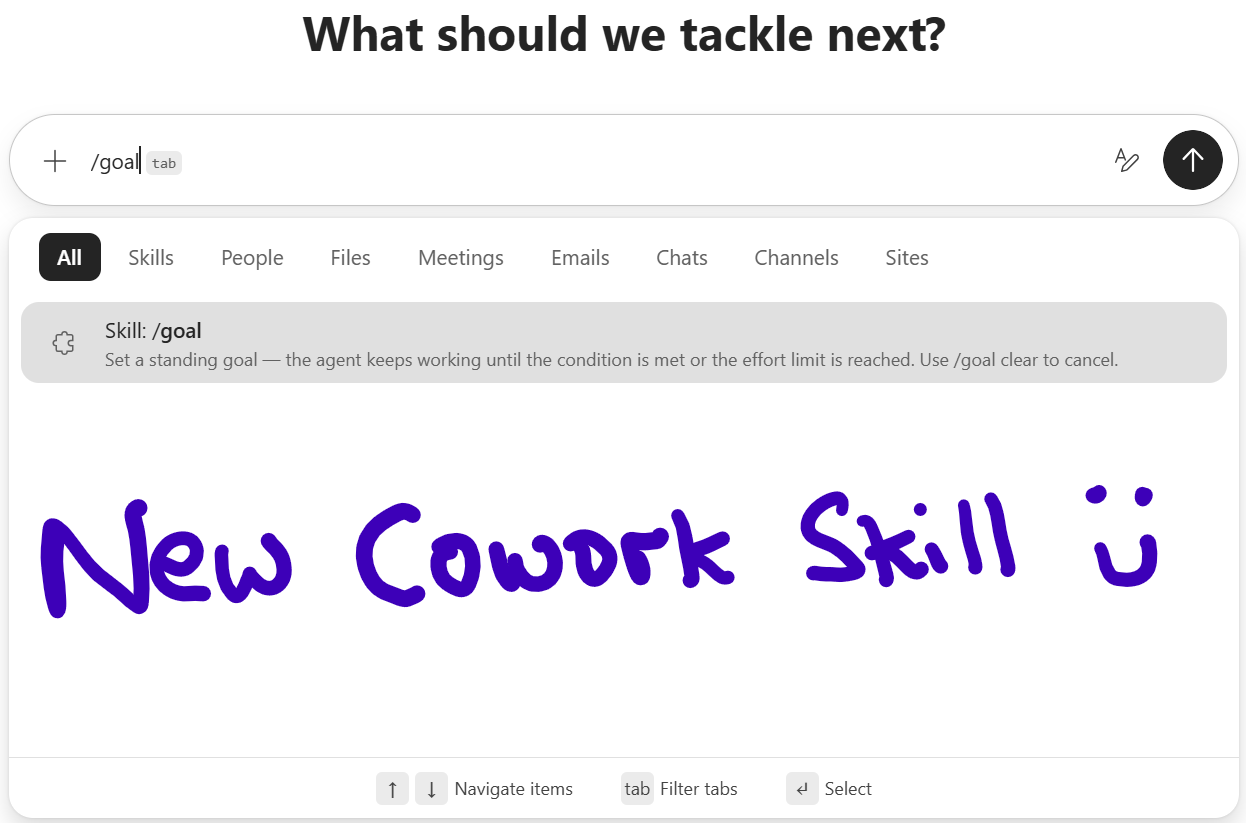

Microsoft has quietly added a new “Goals” skill to Copilot Cowork, and it is one that changes how you think about multi‑step work…
Whilst not an away on agent like Scout, the new /goal skill gives Cowork a standing objective to work toward, rather than a single prompt to respond to. It is simple in concept but significant in impact.

This post breaks down what /goal is, how it works, and why it matters for anyone using Copilot Cowork to drive ongoing work.
What are Cowork Skills?
Cowork skills are predefined or custom sets of instructions that guide Copilot Cowork to perform tasks across Microsoft 365 applications. They allow the AI to execute multi-step workflows, such as sending emails, scheduling meetings, creating documents, posting in Teams, or conducting deep research, without requiring repeated manual input. Skills can be built-in, covering common tasks like Word, Excel, PowerPoint, PDF, Email, Scheduling, Calendar Management, Meetings, Daily Briefing, Enterprise Search, Communications, Deep Research, and Adaptive Cards etc.
When Cowork uses the skill it breaks the task into steps, executes them, and pauses for approval before sensitive actions like sending emails etc. Skills can operate across Outlook, Teams, SharePoint, OneDrive, and other integrated tools, connecting data and automating repetitive workflows. You can monitor progress, make adjustments, and approve outputs, ensuring control over the AI’s actions
What the goal skill does
The /goal skill lets you set a persistent target for Cowork. Instead of giving it a one‑off instruction, you define the outcome you want and let Cowork keep working until one of two things happens:
– The goal condition is met
– The effort limit is reached
This is not a loop and not a background agent. It is a standing objective that Cowork continues to pursue across steps, checks, and refinements.
You can clear it at any time with:
/goal clear
`
Why I like this new goal skill
Until now, Cowork has been reactive or can run as a schedule. You can ask for something, it does it, and then it waits for the next instruction. /goal shifts that dynamic.
It gives Cowork:
– A target
– A stopping condition
– Room to keep moving without needing constant prompts
This makes Cowork behave more like a junior colleague working toward an outcome, not a tool waiting for the next command.
A Practical Example
You can track an existing goal (Cowork will search through content to see where you are at) or start a new one, for example:
“Help me achieve my goal of launching a new Brand and content for my wife’s Autism Consultancy Business.”
This is exactly the kind of multi‑asset, multi‑step alignment task that normally requires repeated prompting. With /goal, Cowork can keep checking, adjusting, and validating until everything matches the defined objective.
When you create a new goal, Cowork might ask you clarifications in order to set it up and track its progress. In my example I was asked:

Cowork was smart enough to detect that I did already have a brand for my “own” business not my wife’s one:

It then told me how it was going to track my goal:

and set the goal up…

As you can see /goal is designed for scenarios where you want Cowork to keep going until the work is done, not just until the next prompt.

I now of course need to complete this goal but great to see it understand what I am trying to do and track it for me….
I can track the progress of the goal my just typing “goal”

How CoWork Tracks your Goals
Cowork tracks the goals, from what I have seen so far, by looking for signals such as emails, files, brand kits, meetings etc that appear to relate against the actions and tasks in the goal. You can update the goal manually by just telling Cowork that you have done a certain thing and it will take that into account.

When You Should Use /goal
Here are the situations where /goal makes sense:
- When you have multiple outputs that must stay aligned
- When you want Cowork to keep iterating until a condition is met
- When you want to reduce repetitive prompting and asking
- When the definition of “done” is more important than the steps to get there
If you are already building custom skills or workflows, /goal gives you a new way to orchestrate them.
How to Try It
In Cowork, simply type:
/goal
`
Then describe the outcome you want Cowork to pursue. It will take it from there.
It’s new, so let me know in the comments how you get on…
How does Goals follow up?
Not sure on this one yet – I can ask it with a scheduled prompt, but do not beleive will AUTO trigger today.. Its easy to ask Cowork to check every morning, noon and evening the status of my goal and send me an email or teams message!

Leave a Reply