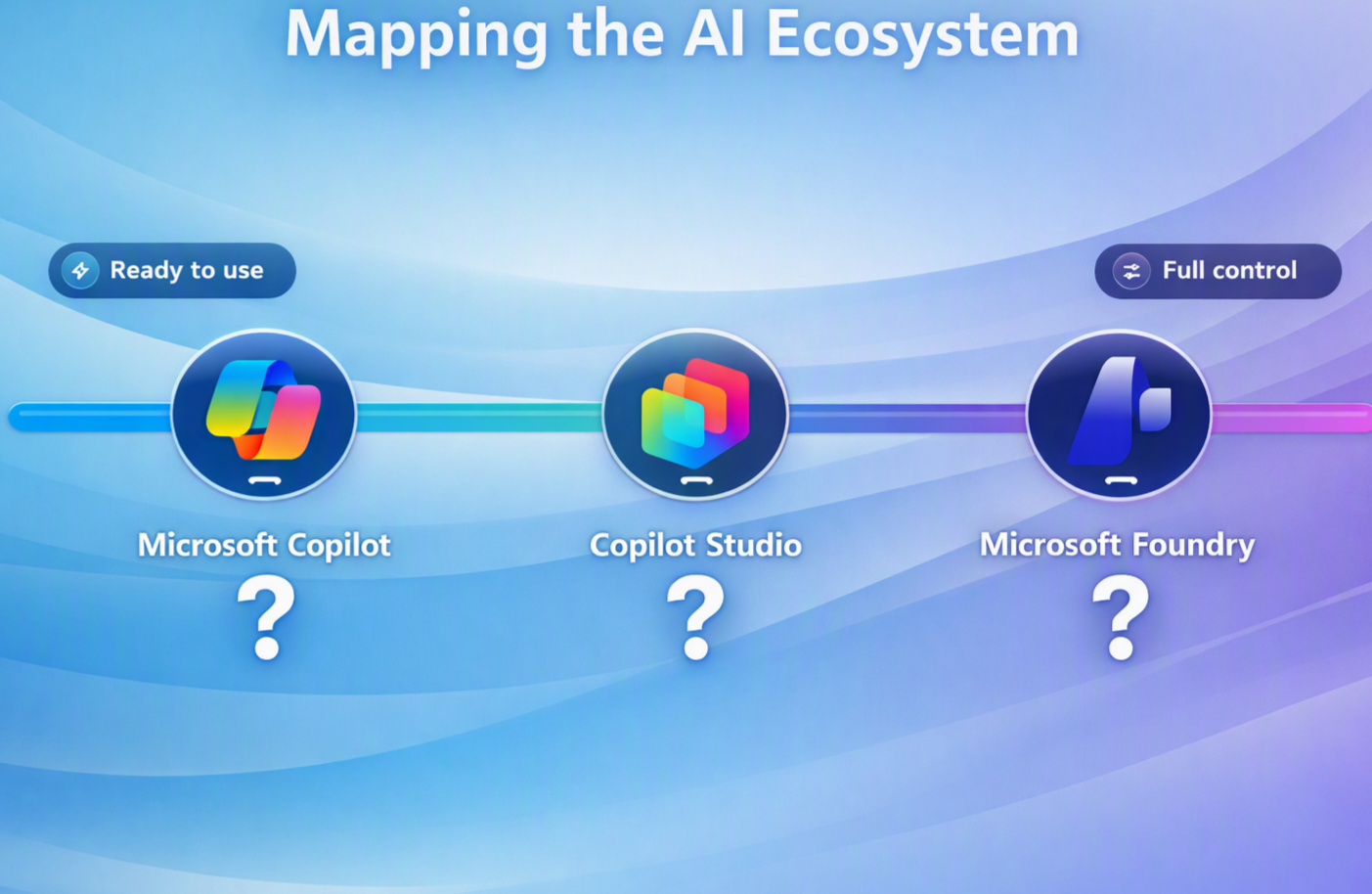

“What’s the difference between Microsoft 365 Copilot, Agent Builder, Copilot Studio and Azure AI Foundry?” – As organisations move from experimenting with AI to embedding it across their business, one of the most common questions I hear is:
Think of what to use as a maturity and capability journey – they solve different problems and are often most powerful when used together.
They typically form three layers of an AI solution maturity strategy:
- Microsoft 365 Copilot helps people work smarter.
- Agent Builder (included as part of M365 Copilot) helps people create specialised AI assistants for themselves or their teams with no-code.
- Copilot Studio helps organisations build professional AI workflows and agents that perform work for teams or company wide.
- Azure AI Foundry helps developers create bespoke AI applications and advanced AI solutions.
Let’s look a little deeper at where each fit.
Microsoft 365 Copilot: AI for Everyday Work
Microsoft 365 Copilot is the AI assistant embedded into the tools employees already use every day, including Outlook, Teams, Word, Excel, PowerPoint and Microsoft 365 Chat.
Its primary purpose is to help individuals become more productive by reducing time spent on repetitive or information-heavy tasks.
Copilot – Typical Use Cases
Meeting Productivity
Instead of taking notes during a Teams meeting, Copilot can:
- Summarise discussions
- Highlight decisions
- Capture actions
- Answer questions about what was said
Document Creation
Users can generate first drafts in seconds.
Email Management
Copilot can summarise lengthy email threads, draft responses and identify actions.
Knowledge Discovery
Employees can ask questions across organisational information and connected business data.
Copilot is Best For
- Individual productivity and critical thinking / sounding board
- Knowledge workers
- Content creation and review
- Personal and Team Meeting effectiveness
- Information discovery and research
Agent Builder: Creating Subject Matter Expert Agents
Within Microsoft 365 Copilot, users can create their own specialised agents using Agent Builder. Think of this as a Copilot Studio Light. It is a totally no code solution.
Rather than acting as a general-purpose assistant, these agents are focused on a specific area of expertise, process, team or business function.
Think of Agent Builder as giving Copilot a specialisation.
Agent Builder – Typical Use Cases
AI Governance Agent
An agent trained on:
- AI policies
- Governance frameworks
- Risk guidance
- Approved tools
Employees can ask: “Can I use AI to process customer data?” or “What is our policy on using public AI services?”
Sales Knowledge Agent
An agent that understands:
- Customer case studies
- Propositions
- ROM documents
- Vendor programmes
A salesperson can ask: “Show me examples of Network projects delivered in financial services.”
HR Assistant
An agent trained on:
- Policies
- Benefits information
- Onboarding documentation
- Employee guidance
Project Delivery Assistant
An agent that understands:
- PMO frameworks
- Templates
- Methodology
- Delivery standards
Agent Builder is Best for
- Personal agents
- Team knowledge agents
- Subject matter expertise
- Rapid agent creation
- Business users and AI champions
Agent Builder is not designed for
- Complex workflow automation
- Enterprise integrations
- Autonomous business processes
A useful rule of thumb is:
Copilot helps you do your work.
Agent Builder helps you create a specialist Copilot.
Copilot Studio – AI Agents That Perform Work
If Microsoft 365 Copilot helps people work better, Copilot Studio helps organisations create agents that perform work. It can work across different apps and connectors (including MCPs), leverage different AI models such as Open AI, Anthropic, Space X, Gemini and many many more.
These agents can do far more than answer questions. They can connect to systems, trigger actions, orchestrate workflows and automate processes.
Copilot Studio: Typical Use Cases
Service Desk Agent
An agent that can respond and take action such as:
- Reset passwords
- Create tickets
- Check ticket status
- Guide users through troubleshooting
Sales Operations Agent
An agent that can:
- Gather information
- Update CRM records
- Generate proposals
- Trigger approvals
Employee Lifecycle Agent
An onboarding or offboarding agent that coordinates multiple systems and activities.
Autonomous Business Agents
An agent that monitors a mailbox, categorises requests, creates tickets, updates systems and provides status updates automatically.
Copilot Studio is Best for
- Business process automation
- Departmental agents
- Enterprise workflows
- System integrations
- Autonomous operations
Copilot Studio is not designed for
- Bespoke AI application development
- Advanced AI engineering scenarios
A useful rule of thumb is:
Agent Builder creates agents that know things.
Copilot Studio creates agents that do things.
Azure AI Foundry: Building AI Solutions
Azure AI Foundry is Microsoft’s platform for designing, developing, evaluating and operating enterprise AI systems. This is full end to end solution development. Think of it as an AI factory. Like Copilot Studio it can work across hundreds of different AI models from providers as Open AI, Microsoft, Anthropic, Space X, Gemini and many many more.
This is where organisations move beyond productivity and workflow automation to create entirely bespoke AI-powered applications.
Foundry – Typical Use Cases
Industry-Specific AI Platforms
Such as:
- Legal document analysis
- Insurance claims review
- Healthcare assistance
- Financial risk assessment
Multi-Agent Systems
Several agents collaborating together to achieve an outcome.
For example:
- Research agent
- Analysis agent
- Validation agent
- Recommendation agent
working together as part of a business process.
Custom AI Products
Software vendors developing commercial AI solutions frequently use Foundry as the underlying platform.
Advanced AI Applications
Applications requiring:
- Custom models
- Specialist tooling
- Complex orchestration
- Advanced evaluation
- Enterprise governance
Foundry is Best For
- AI Engineers
- Developers
- Software vendors
- Data Scientists
- Enterprise AI teams
Foundry is Not Designed For
- Everyday productivity scenarios
- Simple low-code automation
- Creating agentic code and applications
A useful rule of thumb is:
Copilot Studio automates business processes.
Azure AI Foundry builds entirely new AI-powered capabilities.
How They Work Together
The real value comes when organisations combine all of these capabilities.
Layer 1: Microsoft 365 Copilot
Employees become more productive.
Layer 2: Agent Builder
Teams create specialist knowledge agents.
Layer 3: Copilot Studio
The organisation automates business processes and creates enterprise agents.
Layer 4: Azure AI Foundry
Developers build strategic AI solutions and platforms.
A user may start with Microsoft 365 Copilot, interact with a specialist agent created using Agent Builder, trigger a Copilot Studio workflow and ultimately consume information generated by a solution built in Azure AI Foundry, all within a single experience.
A Simple Analogy
| Technology | Analogy | Purpose |
|---|---|---|
| Microsoft 365 Copilot | Driving a car | Personal productivity |
| Agent Builder | Customising your car | Creates specialised capabilities |
| Copilot Studio | Running a transport company | Automates services and operations |
| Azure AI Foundry | Designing and building vehicles | Creates entirely new products and capabilities |
Final Thoughts
These technologies are not alternatives. They represent different layers of Microsoft’s AI ecosystem.
- Microsoft 365 Copilot improves individual productivity.
- Agent Builder enables anyone to create specialist AI agents.
- Copilot Studio automates business processes and orchestrates work.
- Azure AI Foundry enables the creation of sophisticated AI applications and products.
Most organisations will start with simple agents in Agent Builder to explore and create team-specific expertise, then move to low code solutions that need deeper customisation with Copilot Studio to automate business processes.
As AI maturity grows and requirements become greater or need finer controls, Azure AI Foundry becomes the platform for building transformational AI solutions and competitive differentiation.
Leave a Reply