Automatic Alt Text on Copilot+ PCs: A Small Feature with a Big Accessibility Impact

Microsoft has rolled out a useful update to the Office Suite apps like Word, Excel and PowerPoint which creates automatic, “on‑device” Alt Text generation for images. This is a great way of helping content become more inclusive by providing automatic (but editable) descriptions of images, graphics, graphs etc. This helps screen readers and also AI tools better understand documents.

Alt Text Auto Generation is for Copilot + PCs only

This great feature leverages the on-chip NPU of Copilot+ PCs and is currently not available on older (non-AI) PCs. Sometimes the most valuable improvements are the ones that make good practice the default — especially for accessibility and inclusion.

Image of someone with hands in air emotionally speaking

This is a great way of ensuring content becomes meaningfully accessible by default.

You don’t need to do anything to enable this feature. You will need to be running the latest version of the Office apps on your device.

  • Word, Excel and PowerPoint now generate Alt Text instantly as you insert images.
  • The processing for this happens on‑device, so nothing is sent to the cloud.
  • It’s currently only for Copilot+ PCs, taking advantage of the NPU
  • Authors can still edit or override the generated text, keeping humans in control.

How to get free security updates for Windows 10

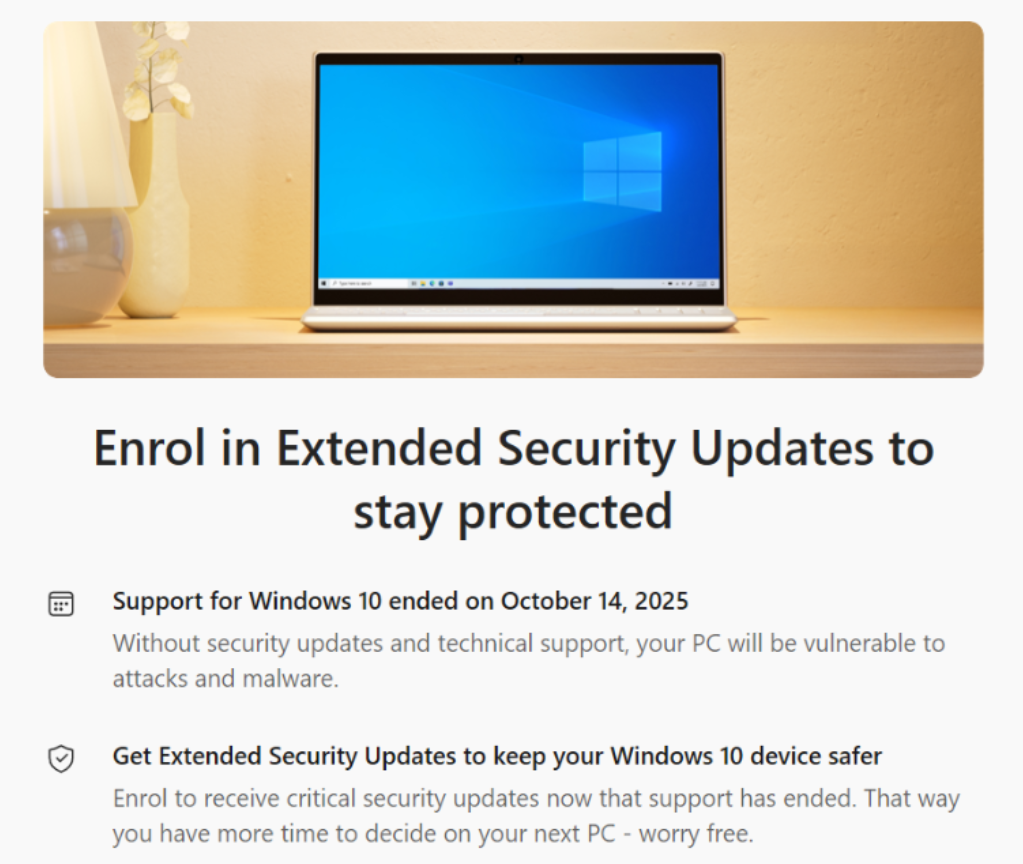
If you are a home/consumer user using Windows 10 – because you are unwilling to, or unable to (due to hardware restrictions) to upgrade to Windows 11, and not able or wanting to buy a new modern PC, this blog shows you how to take advantage of Microsoft’s free Security updates for Windows 10 until 13th October 2026.

First…head over to Windows Update. Here you may be offered the last Windows Update, but will also see the option to “enroll in extended security updates”.

Click [enroll now].

Microsoft will check your eligibility – must be Windows 10, must not be a corporate device (therefore not Active Directory or Entra ID Joined) and must be a licensed version of Windows.

Assuming you see the message above (which you should), click [Enrol].

Thats it – enjoy free Windows 10 updates until 13th October 2026 whilst you get ready to upgrade, buy a new device or move off Windows to another OS as Windows 10 will be 11 years old when your free security updates expire…

Windows 10 came out in 2015…..that’s an old OS now – older than COVID-19 🙂

GPT-5.2 now available in Microsoft 365 Copilot

Microsoft has just (11th Dec) started rolling out OpenAI’s GPT‑5.2 across Microsoft 365 Copilot and Copilot Studio, marking another significant leap in AI-powered productivity.

The differences between GPT5 and GPT5.2 provide “a significant upgrade in performance across various metrics”. For example, GPT-5.2 has achieved higher scores on benchmarks like ARC-AGI2 and GPQA Diamond which indicate improved abstract reasoning and scientific knowledge. In coding tasks, GPT-5.2 outperformed GPT 5.0 and 5.1 in accuracy and speed. The model also excelled on CharXiv Reasoning an AIM 2025 scores which measures LLMs capabilities in advanced mathematics and problem-solving.

The update delivers two models under one banner:

  • GPT‑5.2 Thinking, ideal for deep reasoning and complex problem-solving, and
  • GPT‑5.2 Instant, tailored for everyday tasks like writing, translation, and learning – all now integrated into Work IQ for actionable insights across emails, meetings, and documents.

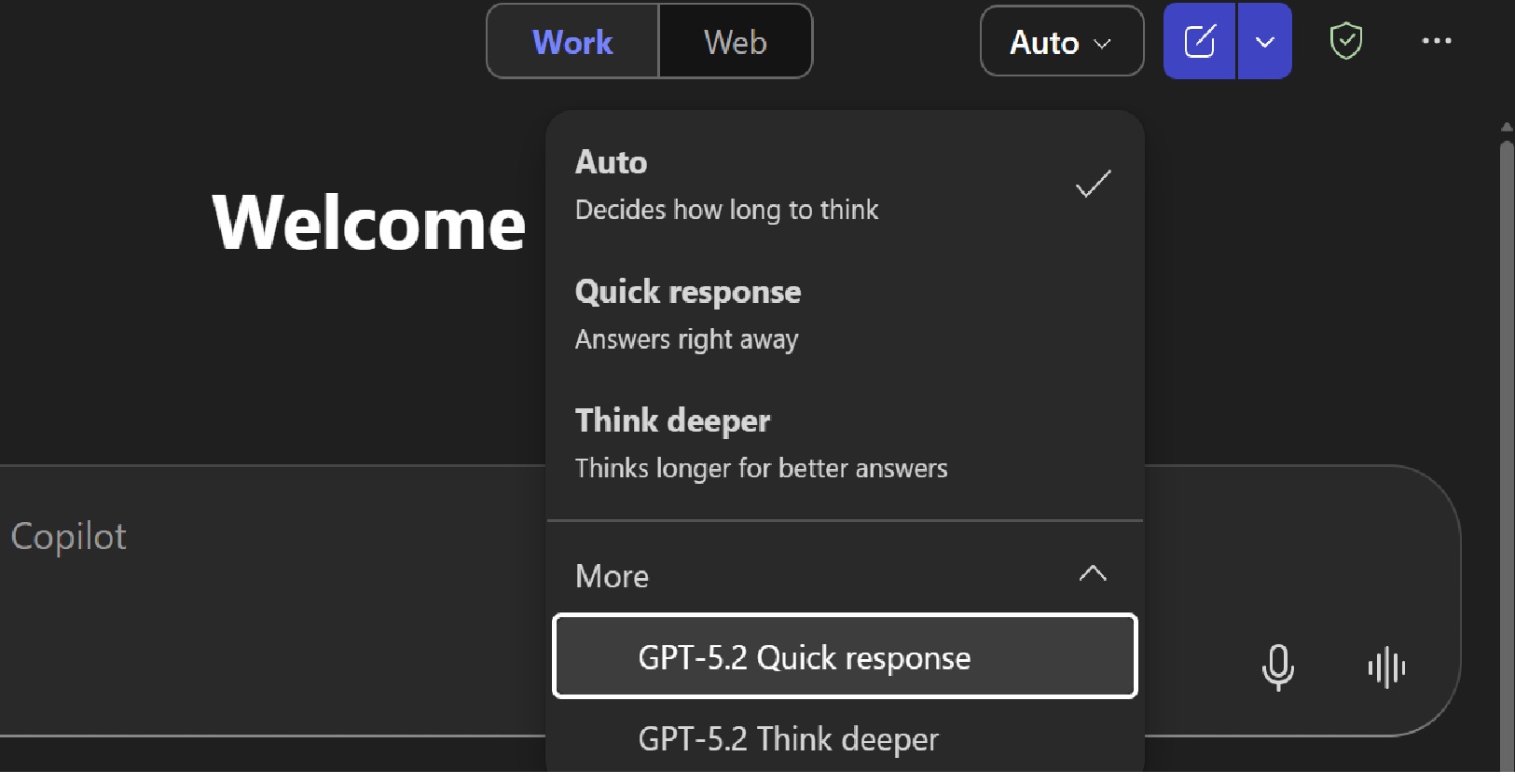
    Within Microsoft 365 Copilot, (as this rolls out), users are able to manually select GPT‑5.2 from the model menu in both Copilot Chat and Copilot Studio, enabling smarter decision-making for tasks such as:
  • Preparing insights ahead of meetings.
  • Conducting comparisons and analysis such as market research of reviewing reports.
  • Extracting strategic takeaways linked to objectives and milestones.
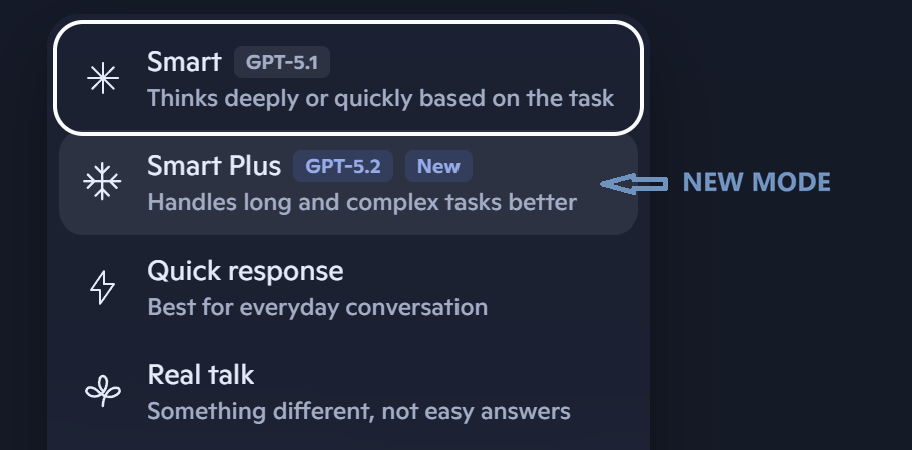
Model Selection for GPT5.2 in Copilot Chat

Microsoft has sad that Copilot Studio agents will transition automatically from GPT‑5.1 to GPT‑5.2 in early-release environments and early in 2026, the default model in Copilot Chat will shift from GPT 5 to GPT5.2

These improvements therefore deliver improvements for tasks requiring complex reasoning and problem-solving skills. How their fair in day to use will be down to you as user to evaluate and determine. For now – we get the choice to dip in and out.

This rapid launch reinforces Microsoft’s commitment to offering model choice allowing users to access the latest innovation tuned for enterprise-grade security, compliance, and performance.

When the Cloud Sneezes: a look at the ‘Outage Season’

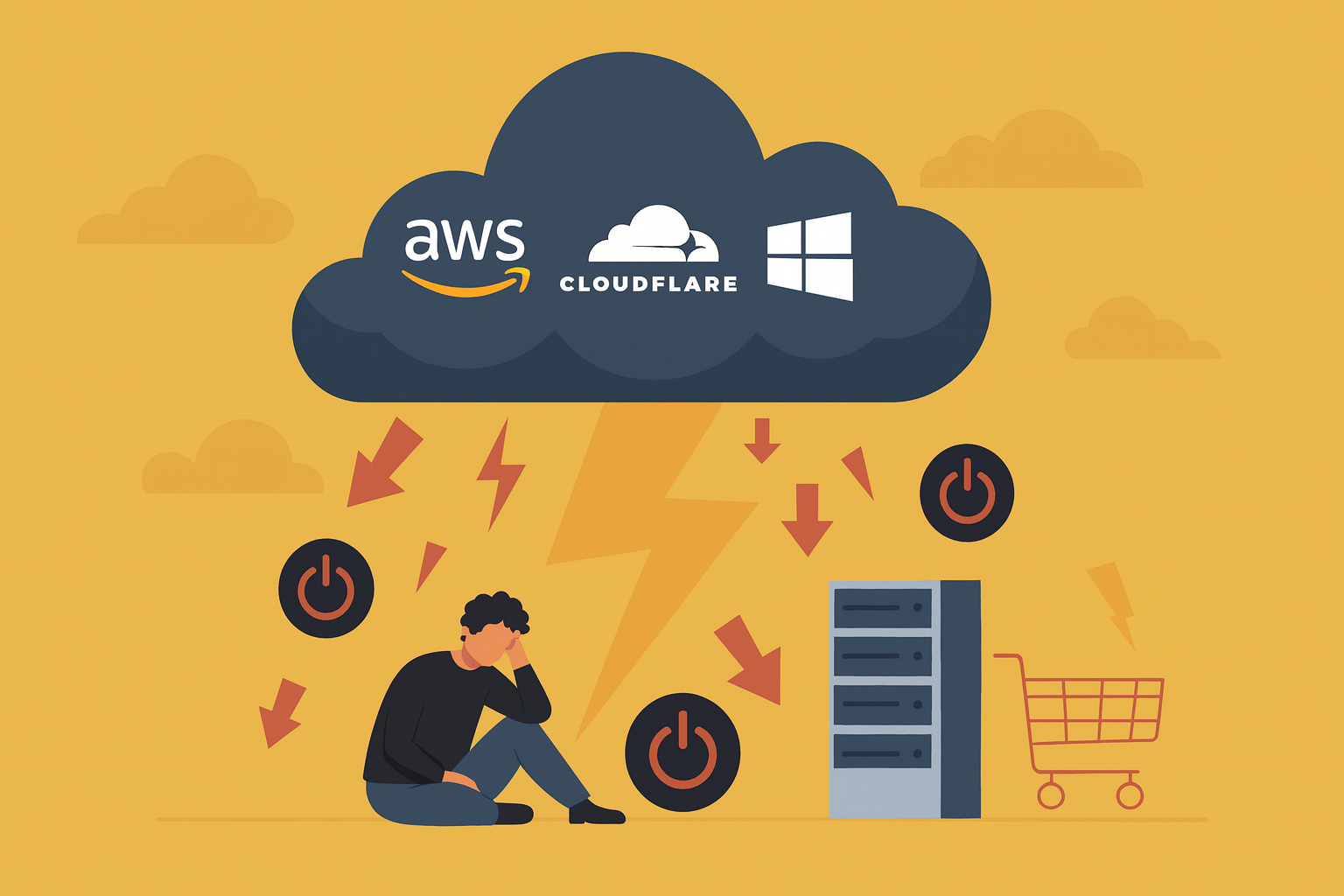
The past few months have been a bruising reminder that even the biggest cloud providers can stumble. AWS, Microsoft Azure, and Cloudflare have all suffered major outages, disrupting any services that rely on them from websites to shopping sites to CRM and Finance systems and AI tools. For businesses (and their customers / users) there cause huge problems, lower confidence, impact services and reputation. Many are asking what happened, why and what can be done about it?

The Outages – What Happened?

There’s been a fair few this autumn, some causing performace issues, others huge impacts bringing  down lots of services. Most recent examples include:

  • Amazon Web Services (20 October 2025): A DNS automation bug in the US‑East‑1 region corrupted internal records for DynamoDB, cascading into failures across Lambda, API Gateway, and thousands of downstream apps which then replicated across other regions. 
  • Microsoft Azure (29 October 2025): A faulty configuration in Azure Front Door’s CDN nodes caused global downtime, impacting Microsoft 365, Xbox Live, and airline systems. 
  • Cloudflare (two recent ones – 18 November & 5 December 2025): According to their support pages, the first outage was the result of a bot‑management configuration file which got too big and grew beyond expected limits, crashing traffic‑handling software worldwide. The recent one last week, was different, caused by a firewall update triggered a bug, disrupting almost a third of (29%) of HTTP traffic globally. 


Whilst we hear a lot about cyber threats (similar to the CrowdStrike problem a couple years ago) these were not cyber-attacks or capacity limit failures. They were internal configuration and metadata errors. This may have been bad change management, inadequate fail back and validation controls or something else!

What are these Providers doing about it?

As you’d imagine, these major cloud providers need to tell their customers what is going on, provide assurance as to their stability and ability to recover. Following these, each have (and remember every cloud service does suffer outages from time to time for a number of reasons) has a requirement to update customers on the root cause and long term strategies to improve resilience. As an example:

  • AWS have said they are rolling out their “Route 53 Accelerated Recovery” and will be partnering with partnering with Google Cloud for multi‑cloud failover. This will be part of their premium resiliency services.
  • Microsoft have committed to strengthening their change‑management processes, checks and controls and are publishing detailed post‑mortems.
  • Cloudflare, in similar vein to Microsoft, are adding extra guardrails to monitor more controls and configuration parameters to prevent issues such as oversized configuration files. They are also committed to improving their Web app firewall testing and failover services.

How can organisations can be better prepared

It’s always tough when a business relies on Cloud providers to host and power their business as their hands can be tied and them left a little helpless when outages or performance issues occur – often it’s the visibility (or lack of) of what is happening that is most daunting for organisations and for IT. Whilst the benefits of cloud are not being disputed here, businesses can find themselves in tricky situations, having to answer to their customers, the board and shareholders as outages to their business can cause everything from mild inconveniences to value and reputational damage.

A multi cloud strategy can of course help, mitigating some of the impact of an outage of one, a hybrid (on prem/cloud) approach can do the same, but each of these add huge amount of complexity to their infrastructure management and cost so it’s about weighing up the impact and cost vs impact cost.

So, what else can organisations do then?

Visibility and Early Warnings

With any cloud service, it is often the visibility (or lack of) of what is happening that is most daunting for organisations and for IT. Just like tsunami warnings or those sniffles you get that let you know you have a cold or flu coming, there are services that can provide a holistic view across all your cloud services and help IT understand the continuous, predicted and previous performance and reliability of such services.

Cisco ThousandEyes as an example, is an incredible powerful service that provides end‑to‑end visibility across Internet Service Providers (ISPs) SaaS, and all cloud providers.

It helps detect outages early and quickly, can pinpoint root causes (DNS, CDN, SaaS, routing), and prove whether performance issues or service outages are external or internal. There are also plug-ins for desktops devices and browsers that can do this for remote and cloud users.

ThousandEyes also offers digital experience monitoring for apps like Microsoft 365, Service Now, Salesforce, and Zoom, and they have AI‑driven insights to flag risks before they cascade.

It can’t fix it as such, but if do have failovers, contingencies or DR in place, it can help organisations prepare, understand where the issue is and how to help communication with leadership, customers and other stakeholders and sooth the stress (slightly) of diagnosing the issues.

Failover Services

Of course, visibility and understanding are great but depending on how big the risk and cost of these outages, many organisations (many giant content providers do this) are looking at ways to add more contingency, failover, etc.

Where the issues are with DNS or content delivery providers, many organisations look at leveraging Multi‑CDN/DNS providers with auto Failover. This can help keep traffic flowing by rerouting when one provider fails. 

These tools often provide their own native cloud monitoring. Whilst not as in-depth as Thousand Eyes, they will typically provide dashboards that provide telemetry and status of these services and can instigate failover automatically or on-demand.

Cloud providers also provide their own status and performance monitoring tools often with in-depth telemetry but limited of course to their own platforms.

Chaos Engineering

This is really the approach, organisations will ypically employ as part of their DR/BC planning. Chaos Engineering is essentially the process organisations use to simulate outages to enable them to validate (and improve) their recovery plans before the real thing happens. This of course needs cultural buy-in, a continuous improvement approach and awareness across different aspects of their environment to ensure the impact of such outages can have. Again – visibility tools can help.

Insurance Safety Net

Even with resilience tools in place, redundancy and well architected fail-over solutions, outages will always happen, and this can mean lost revenue. Many “tech” insurers offer cyber insurance with many also offering “business interruption cover”, compensating for lost earnings due to outages caused by IT fails. I’ve not gone into details here, but some of these include:

  • Hiscox UK: Offers optional cyber business interruption cover, including income loss if systems fail. 
  • Clarke Williams Insurance Brokers: Provides Dependent Business Interruption (DBI) coverage for third‑party service failures, such as internet or cloud outages. 
  • Grove & Dean Insurance Brokers: Offers cyber insurance with explicit business interruption protection, covering lost income due to downtime from cyber incidents. 

This means UK businesses can not only plan for resilience but also insure against the financial impact of outages. Of course, a continuous increase in outages may increase these insurance premiums….

Conclusion

The cloud outages at prove that cloud isn’t “always on”, despite the various up-time (sometimes financially backed) SLAs providers promise. Providers are tightening controls, but businesses must assume failure and design for resilience. Whilst observability tools like Cisco ThousandEyes can’t stop an outage, they do help you see them faster, understand them better, and recover more effectively.

Combined with multi‑cloud strategies, failover planning, chaos testing, and cyber insurance with business interruption cover, organisations can turn inevitable outages into manageable events — protecting both operations and earnings.

More Anthropic Models coming to Microsoft Copilot

Microsoft is making a major change to how AI models are integrated into Copilot experiences. From 7 January 2026, Anthropic’s models will be enabled by default for Microsoft 365 Copilot licensed users, moving away from the current opt-in setting to a standard feature under Microsoft’s own contractual terms rather than Anthropic’s.

What’s Changing?

  • Default Enablement: Anthropic models, which were previously optional, will now be switched on by default for most commercial cloud customers. UK and EU/EFTA customers will find this OFF by default, requiring manual opt-in for others it will be ON.
  • Microsoft Sub processor Status: Anthropic is now a Microsoft sub processor, meaning its operations fall under Microsoft’s Data Protection Addendum and Product Terms (previously Anthropic use was under Anthropic own Commercial Terms).
  • Admin Controls: A new toggle should now be active in the Microsoft 365 Admin Centre.

Why It Matters

This update extends Microsoft’s enterprise-grade data protection standards to Anthropic-powered Copilot features and makes more of a secure broker around AI models with less of a dependance on just Open AI. Working with companies like Anthropic in this “AI sub-processor” approach ensures:

  • Contractual Safeguards: Anthropic operates under Microsoft’s direction and compliance frameworks.
  • Choice and Flexibility as well as ensuring access to specific models to perform the best tasks drive quality and refinement to Copilot.
  • Enterprise Data Protection: Your data remains covered by Microsoft’s commitments, including the DPA and Product Terms.

Why Microsoft Is Adding Anthropic Support

Microsoft’s goal is to give organisations more choice and flexibility in Copilot experiences. Anthropic’s Claude models are known for strong reasoning and safety alignment, which complements Microsoft’s own AI capabilities. By onboarding Anthropic as a subprocessor, Microsoft can:

  • Offer advanced generative AI features in Word, Excel, PowerPoint, and Copilot Studio.
  • Maintain consistent compliance and security standards across all integrated models.
  • Enable customers to select external models for specialised use cases without sacrificing enterprise-grade protections.

Regional and Cloud Exceptions

  • UK & EU/EFTA: Toggle remains OFF by default; admins need to opt in.
  • Government & Sovereign Clouds: Anthropic models are not yet available.

Controlling access to other AI Provides like Anthropic

To do this, head to the Admin Centre, Go to Copilot, Settings and choose Data Access Tab

Decide if to enable (or disable)

Looking Ahead

This change signals Microsoft’s commitment to expanding AI capabilities responsibly by leveraging the best model for the job or task. Enabling Anthropic (and other models) unlocks richer functionality – especially in Word, Excel, PowerPoint, and Copilot Studio – while maintaining strong data protection standards and still giving organisations choice.

Microsoft 365 Price Changes: Preparing for July 2026

With over a 1,000 new features and updates across the Microsoft 365 stack in the last couple of years, Microsoft has confirmed that the commercial Microsoft 365 suite will undergo pricing increase from July 1, 2026.

This follows “adjustments” to Personal and Home subscriptions at the end of the summer, and now the Enterprise/Commercial side is being reshaped to reflect the growing set of features delivered in the suite especially around AI and Security which have both had significant investments and updates.

For customers, partners, and technical teams, the key is not just to note the new numbers, but to understand how to plan ahead, optimise licensing, and make sure you’re getting the most value from the platform. 

Updated Microsoft 365 Pricing from July 2026

Microsoft 365 SuiteCurrent List PriceList Price (July’26)% Increase
Business Basic $6.00$7.0016.67%
Business Standard$12.50$14.0012%
Business Premium$22.00$22.000%
Office 365 E1  $10.00$10.000%
Office 365 E3$23.00$26.0013%
Microsoft 365 E3$36.00$39.008.33%
Microsoft 365 E5$57.00$60.005.26%
Microsoft 365 F1$2.25$3.0033.33%
Microsoft 365 F3$8.00$10.0025.0%

What’s Driving the Change

As usual with such price changes, they will apply globally with local market adjustments for our commercial products and nonprofit pricing will be adjusted in line with commercial pricing

Microsoft is pointing us to understand and recognise the value and breadth of new features delivered across the suite. Recent additions include: 

  • Copilot Chat (which always has the latest AI models available at no cost) now embedded across Word, Excel, PowerPoint, Outlook, and OneNote, with inbox and calendar understanding plus Agent Mode for iterative document and presentation creation.
  • Microsoft Loop and Copilot Notebook feature as well as huge updates and simplification of add on suites.
  • Security improvements such as Defender for Office P1 expanded to E3, URL checks added to E1 and Business SKUs, and Security Copilot embedded directly into Defender, Entra, Intune, and Purview for E5 customers.
  • Management tools like Intune Remote Help, Advanced Analytics, and Intune Plan 2 now included in E3/E5, with Endpoint Privilege Management and Cloud PKI in E5. 

Looking Beyond the Price

Whilst many will look at this and think “wow that’s already expansive”, it’s important to look beyond this as just a greedy cost increase.

Microsoft like to remind us of the extent of new features added across the stack and the value these product suites still bring.

New capabilities added (c) Microsoft

Whilst many will naturally re evaluate the value proposition (which they should), it is worth considering the wider business value of Microsoft 365 and this is a good time to take stock, keep calm and review the value of the suite and your other technology and subscription investments.

  • Consolidation of tools: Many organisations still pay for third-party add-ons for endpoint management, analytics, or security. With the Intune Suite now bundled into E3/E5, there’s an opportunity to simplify and reduce spend. 
  • Security Copilot: AI-driven security capabilities are now part of the platform, reducing the need for separate tools and helping teams respond faster. 
  • Integrated management: A single, consistent approach to endpoint, identity, and compliance reduces complexity compared to juggling multiple vendors.

Re-Evaluating the Business Value.

Via your Microsoft Partner, it’s worth looking beyond the cost and looking at structured tools like a business case builder to quantify the impact and refresh the value of the software tools you use across the business. It’s also worth looking at all your other subscriptions to see what duplicate products/tools you have as well as what tools you own but don’t use (or even know about).

These help weigh not just the headline subscription costs, but the wider opportunity to consolidate vendors, reduce duplication, and strengthen compliance…and adopt what you have invested in! 

Security and compliance are prime areas for this conversation. 

  • IDC forecasts global security spending will reach $377 billion by 2028, growing at over 12% year-on-year. Much of this spend is fragmented across multiple point solutions, with organisations often layering overlapping tools for endpoint, identity, and compliance. 
  • Gartner projects worldwide information security and risk management spend will hit $213 billion in 2025, rising to $292 billion by 2028. At the same time, Gartner highlights that enterprises are juggling more SaaS applications than ever, with tool sprawl creating duplicate spend, compliance blind spots, and security risks. 

Whilst there is an argument for not putting all ones “security eggs” in the same basket, many organisations have many duplicate security and compliance tools. This is not just a financial issue – it creates operational drag. Multiple consoles, inconsistent policies, and siloed reporting make it harder for IT and security teams to respond effectively. 

In contrast Microsoft 365’s integrated approach with Intune Suite for endpoint management and Security Copilot embedded across Defender, Entra, Intune, and Purview offers a path to reduce reliance on third-party add-ons. Consolidation here can mean:

  • Lower total cost of ownership by retiring duplicate tools. 
  • Improved compliance posture through consistent policy enforcement. 
  • Simplified management with fewer contracts, renewals, and integrations to maintain. 

Preparing for the change

  • Talk to your licensing partner to understand the impact on your organisation.
  • Explore price lock-in options on longer-term SKUs to mitigate the increase – before July 26. 
  • Optimise and right-size your licensing to ensure you’re not paying for unused features. 
  • Review where Microsoft 365 can replace standalone products from endpoint management to security to unlock better value and integrated management.
  • Use a business case builder to model the cost of current third-party tools against the integrated capabilities now included in Microsoft 365.