What is Microsoft 365 Copilot?

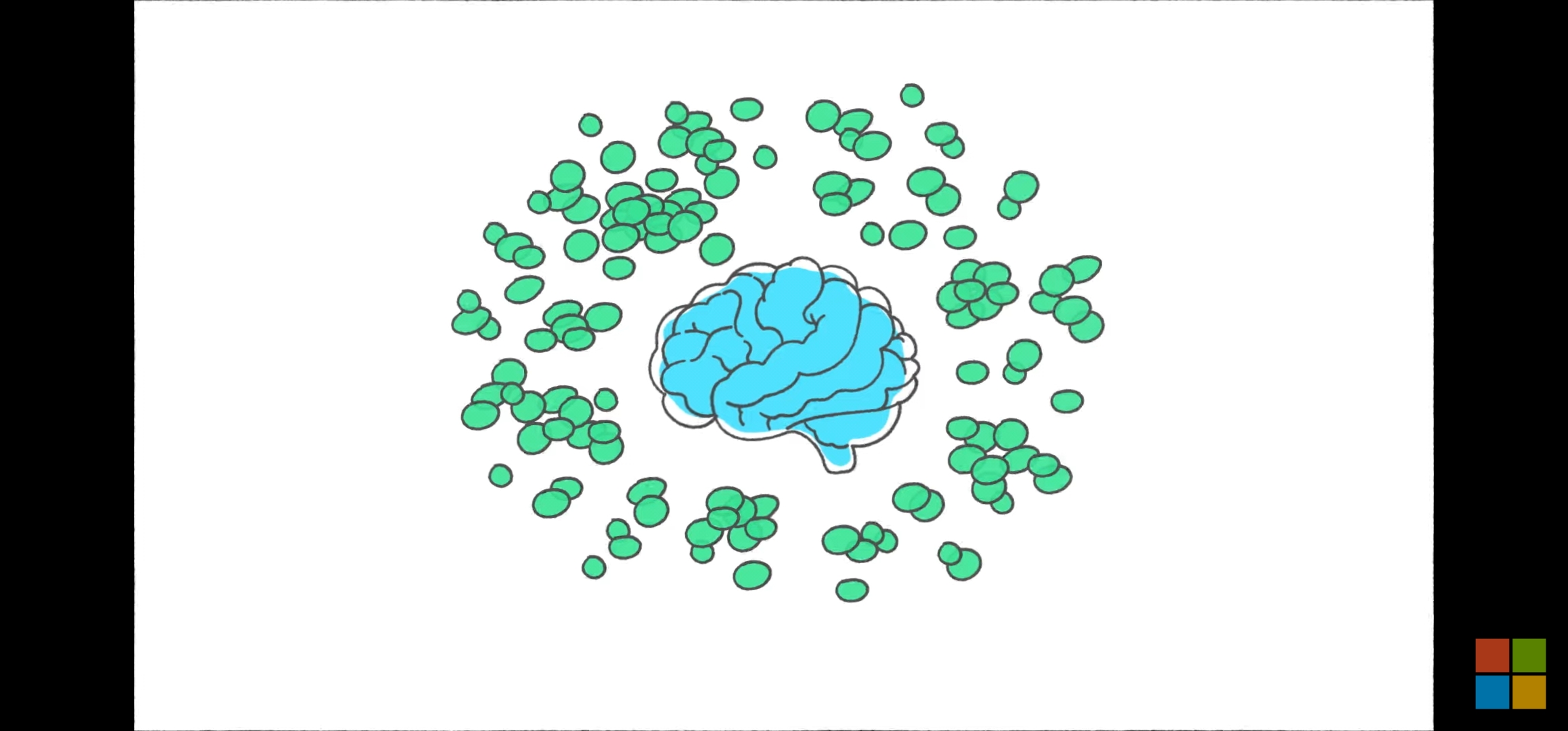
Microsoft has just announced Microsoft 365 Copilot, which will combine the power of large language models (LLMs) along with user data and signals from the Microsoft Graph โ€“ calendar, emails, Teams chats, documents, meetings etc.

In the sizzle style launch, Microsoft showed how Microsoft 365 Copilot will transform the power of Microsoft 365 apps and be able to turn an individualโ€™s words into the “most powerful productivity tool on the planet“, while leveraging Microsoftโ€™s existing commitments to data security and privacy.

Microsoft described existing AI systems as autopilot systems. Microsoft hopes to differentiate is by offering tools that use AI in a way to support human workers with humans at the center with that they called Copilot.

โ€œWeโ€™re moving from autopilot to Copilot. As we build this next generation of AI, we made a conscious design choice to put the human at the centre of the product. Today is the start of the next step in this journey, with powerful foundation models and capable copilots accessible via the most universal interface โ€“ natural language โ€“ which will radically transform how computers help us think, plan and act.โ€

Satya Nadella | CEO | Microsoft.

Microsoft 365 Copilot isnโ€™t just a better way of doing the same things – it represents an entirely new way of working. Copilot will be integrated into Microsoft 365 in two ways.

“Today, we are at the start of a new era of computing. Over the past few months, powerful new foundation models have been introduced, together with accessible natural language interfaces. This next generation of AI is fundamentally different from the AI weโ€™ve grown accustomed”.

Sayta Nadella | CEO | Microsoft.
  • Copilot will soon be embedded in the Microsoft 365 apps people use every day โ€“ Word, Excel, PowerPoint, Outlook, Teams, PowerBI etc – to unleash creativity, unlock productivity, and uplevel skills.
  • Business Chat, an entirely new experience that works across the LLM, Microsoft 365 apps, and user data to do things that have never been possible before. This will use natural language to allow users to able to spend less time searching for the right document or piece of information and more time creating, collaborating, and innovating.

With Microsoft 365 Copilot, Microsoft has set the stage for the beginning of a new AI revolution that will further reinvent how people work and interact with the tools they use everyday. Microsoft will start this journey with a limited private preview and will provide additional details partners and customers over time…

I’d also expect similar to come into other apps like Visio too. Microsofts’ new Designer App and of course the new Bing are also leveraging Copilot.

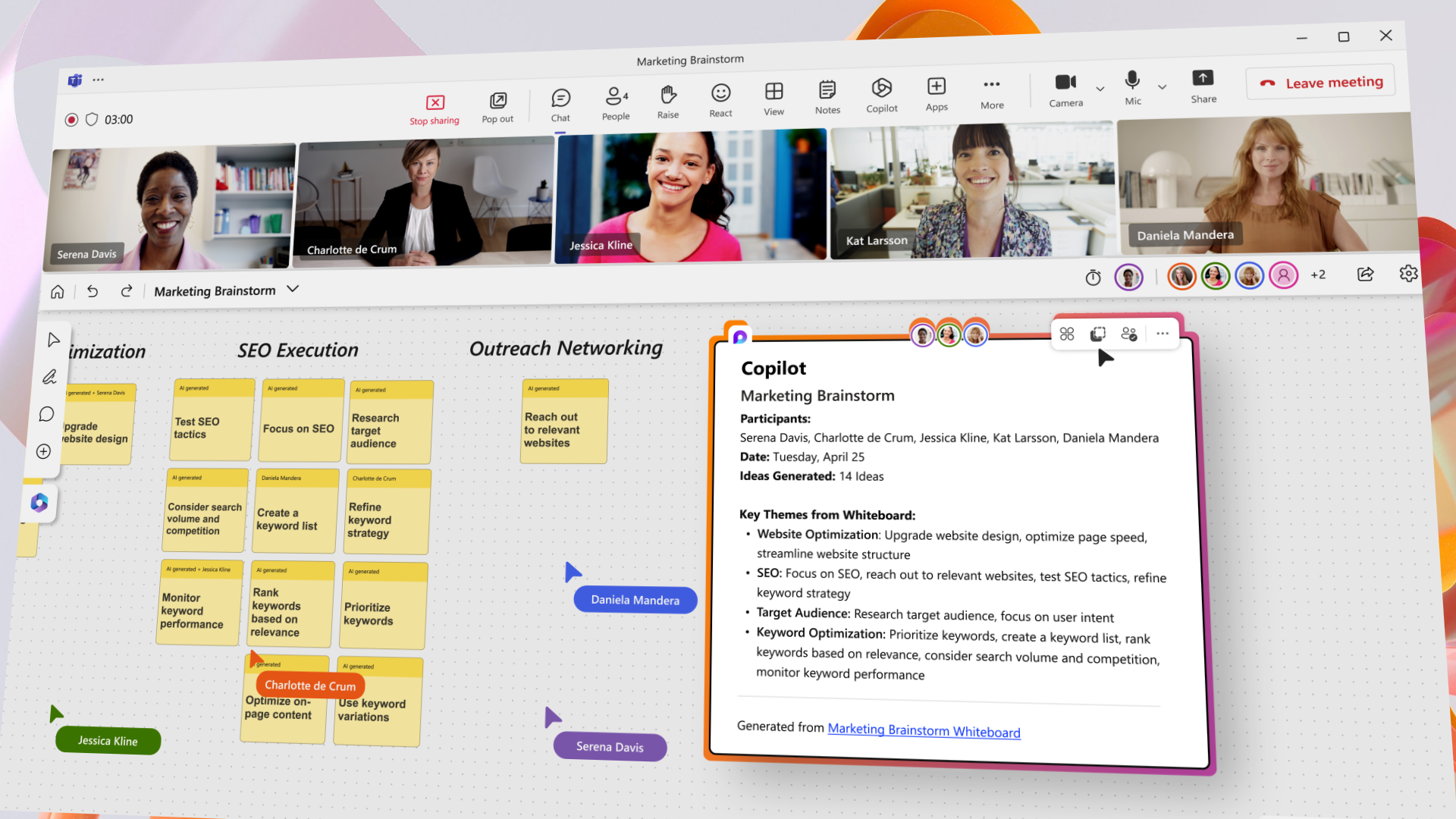
Teams Copilot sneak peak

Microsoft shows some of the new AI smarts coming to #MicrosoftTeams too. Some this is expected very soon such as meeting recap in Teams Premium. Here’s the sizzle for the new AI powered Teams Copilot.

Copilot in Microsoft Teams

Will Copilot by free?

From a cost perspective, we simply don’t know yet. Some of the features (such as meeting recap) are available soon in Teams Premium (a premium sku) but we don’t know yet what will be included across the core Microsoft 365 apps).

I suspect (this is just my opinion), Copilot will be incuded free in the core office apps (for personal and business subscribers) but corporate apps like Teams, PowerBI, Power Automate etc will be chargeable, as leveraging the wider OpenAI and ChatGPT APIs that are now available within Azure.

When will Copilot be available?

Microsoft have said the roll out will be controlled and very phased starting with small. Private previews to ensure they perfect the model and make sure the experience is the best it can be.

Update: In May 2023, Microsoft extended the pilot to another 600 US organisations.

More resources

  • Watch the recording of the March 16 event to hear Satya Nadella and Jared Spataro discuss how AI will power the next generationof modern work
  • Get full details about this exciting news by reading posts on the Official Microsoft Blog and the Microsoft 365 Blog.
  • Check out WorkLab to get expert insights and Microsoftโ€™s research about how AI will create a brighter future of work for everyone.

Microsoft is hosting a “The Future of Work: Reinventing Productivity with AI” event

Microsoft is hosting a “The Future of Work: Reinventing Productivity with AI” event this week where they will no doubt start to talk about how their new ChatGPT-like AI will transform and adapt the traditional productivity apps like Word, Outlook, Excel, PowerBI, PowerPoint and of course Teams and Dynamics 365.

After announcing and making available in preview their Prometheus Model which is already available in the “new Bing” and Skype apps, last month, Satya Nadella and Jared Spataro, are running an hour-long online event on Thursday 16th March at 3pm UK time (8am PT) to talk more about the AI in Modern Work.

There’s already AI in some core products

Microsoft Teams has been given some AI love already within the new Teams Premium included new AI driven meeting insights and auto action taking.

Dynamics 365 apps have also seen some AI capabilities announced too, to help human workers delegate tedious tasks to machines. This new AI automation tool come in a preview form in a release called Dynamics 365 Copilot, and Microsoft sees automated content creation and algorithmically driven behaviour to help employees using customer relationship management (CRM) and enterprise resource planning (ERP) systems streamline work.

Copilot brings the power of next-generation AI capabilities and natural language processing to Dynamics 365, working alongside business professionals to help them create ideas and content faster, complete time-consuming tasks, and get insights and next best actions โ€“ just by describing whatโ€™s needed,” explained Emily He, corporate VP of business applications marketing at Microsoft, in a recent blog post.

What do you hope to see?

With the event just around the corner, followed by Enterprise Connect in a couple of weeks, what do you think will be announced.?

I asked Bing and here’s what it told me.

Windows 11 gets new AI infused features and more in “moments 2” update

As an “evergreen” Operating System, Microsoft is continually enhancing and improving Windows 11, with the help of user feedback, community voice and the work it does with the @WindowsInsider community to make Windows better and better. Microsoft released the Windows 11 2022 Update at the end of last year which featured loads of improvements and features.

Windows 11 Moment 2 Update

As the hybrid workplace continues to adapt and change, it will come as no surprise that there are a tone of further updates planned for Windows 11 in 2023 which will see Microsoft ramp up the pace of update releases rather than the “traditional” annual update cycles.

It’s all about “moments”.

Outside the core update cycles, Microsoft will also be shipping more frequent updates known as and enhancements known as “Moment updates“. The first moment update shipped in October 2022 and included a number of highly requested features such as tabs in File Explorer – which, just like in an Edge browser, help users stay more focussed and organised when working with files and folders and negates the need to have multiple instances of File Explorer open – also thereby preserving system resources and saving energy.

As get well in to the first quarter of 2023, Windows 11โ€™s โ€˜Moment 2โ€™ update is expected to to ship sometime in March and has been being tested by Windows Insiders for a couple of months now. To be released via Windows Update, the moment 2 update will include another set of highly requested features and improvements. Having been part of the testing and feedback panel on this, I wanted to share some of the key things coming imminently…

Taskbar enhancements
There a bunch of new customisation features and adaptive enhancements in this update.

On of my biggest favourites is some big enhancements to the taskbar.

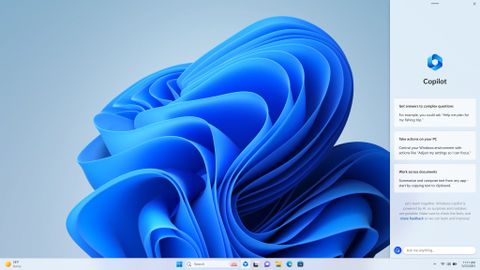
First up is that Microsoft is bringing the new AI-powered Bing experience directly into the search bar in Windows 11.

New AI powered bing in Windows Search bar

Second is improved the experience when the Windows device is in “tablet mode” – which is most applicable to users with devices like the Surface Pro an other 2-in-1 devices. This works really well and makes Windows 11 much more intuitive when working in different orientations. It has come a long way since Windows 10.

Windows 11 Tablet optimised taskbar

With this update, users will see a new adaptive Taskbar that is better optimised for tablet use and touch. The key change here is ensuring that the Taskbar no longer gets in the way when in tablet mode, making better use of the screen real estate.

Third up, the Taskbar is also getting 4 new search bar options (which Microsoft have been experimenting with for a few months with Insiders. These will include options for no icon, a search icon, a search icon with label, and traditional search box.

Next up (I said there were loads), users will be able to swipe up on the Taskbar to get access to their pinned and running applications icons for simple interaction and by continuing the swipe up action, you are seamlessly transitioned to the Start Menu automatically.

Finally, users will have the ability to pin and unpin background apps to the taskbar via the Settings app. This useful for users that aren’t a fan of the System Tray overflow menu. As such users will now have the choice of disabling this feature. Windows 11โ€™s overflow flyout view will also now allows for more icons to be shown.

Task Manager and Settings app changes

This update will also see some new enhancements to Task Manager, including a new search bar at the top which will allow users to quickly carry out searches on files without having to navigate or use menus. Microsoft have also updates some of the new popup dialogs to keep it in line with the fluent design. Accent colour matching has also been improved.

The Settings app also gets a handful of updates all centred around enhancing the userโ€™s experience and how they interact with the OS based. One of the new key features in this update is the inclusion of a new Energy Recommendations feature that is now included within the Power & Sleep section – see the little video below.

New Energy Tools in Windows 11

This enables users to easily view and adjust energy efficient settings (which is also guided by the aid of a little wizard) and allows aspects like changing the time it takes for the device to go to sleep, what happens to USB de

vices in sleep mode when it canโ€™t detect any input.

Other updates across the OS

File Explorer has also been further enhanced. For example, when you type into the search box, the results will be displayed instantly. The search box also appears to have reduced in size.

Other key changes include expanded voice commands supported by the Voice Access feature, the Snipping tool now comes with two buttons, Snip and Record. This means you can now screen record your display, and even pause and play it, though it is a real same that there is no simple blur tool to mask out any private information without the need to use third party tools….. [please add this Microsoft]

Snipping Tool with record function

Keep up to date

To find out more about the Windows Insider Programme and to follow the updates to Windows 11, check out the Windows Insider Blog

New Microsoft Teams Client will be economically streamlined and AI infused!

Microsoft is working on a new version of their Teams client that has been rebuilt from the ground up – according a report by Tom Waren over at The Verge. A preview of the new version should start rolling out in preview as soon as March and has been in internal testing with Microsoft for several months already.


The new version of Teams is a complete rewrite of the application, and in internal tests, is claimed to run at twice the speed whilst using 50 percent less memory, less CPU power, and in return be more battery efficient life than the current version. Microsoft had previously contacted their intent to move towards Webview2 technology from the the current Electron version and will also leverage React rather than JavaScript.

New Teams client performance vs old.

Power to the users

Teams now has 280 million monthly active users, up from 270 million monthly active users in January 2022.

Microsoft are expected to initially allow businesses (who represent the core of its user base) to have the option over when to shift to the new version of the app to ensure there is time to fully test the app and update users on the changes to the UI, to ensure that the transition to the new Teams goes smoothly. This will likely be a combination of a global setting, preview users and user opt in.

Premium AI features will bring further enhancements

Microsoft is also working on enhances to the newly released Teams Premium and have all ready shared their plans to incorporate more AI features into Teams which includes features like, auto generated meeting notes, recommended tasks, and after meetin, personalised highlights.


Read more?

Source : The Verge Article

What is Teams Premium

Office.com is getting a huge AI powered overhaul

Microsoft are releasing a huge overhaul and new look for the Office.com (and the office app) experience.ย  This will make it even easier to find all the content associated with you and your teams, simplify and enhance the search experience and bring all your apps, tasks, templates and actions together in one place.

New Office.com experience

AI Overhaul

The main thing you notice first off is how much more simple and intuitive the Office.com pages now look.

Microsoft goal here has been to put you and your most important work at the forefront of the experience. The power of Microsoft 365 will anticipate which files (and people) are most important to your work at a given moment based on your habits and routines, the docs or projects you are working on, the activity happening within them and what you need to do to accomplish your work.

On the left pane, is a familiar navigation pane where users can quickly get to things like the new My Content page and Create Pages making it simple and easy to search for or create new content across Microsoft 365. As new fluid components like Loop (also annouced last week), these will also surface themselves here.

Home page updates includes new or overhauled sections around providing:

  • Recommended Actions
  • Quick Access
  • My Content
  • Creating content

Recommended Actions

Recommended actions analyse and bring together anything that needs (or may need) your attention or action. From here you can jump into your upcoming meeting, add (or complete) a To-Do or Planner task, reply to recent comments in documents, and see potential actions you have discussed in an email.

In addition to the Recommended Actions on the home page, you can also find content actions in line on any of the content lists within Office.com by clicking on the “triple dot” menu.

Quick Access

The Quick Access section let’s your easily collaborate on content by Sharing via Teams or booking time to review content with your team or manger. This section is all about helping you jump into and review content that’s important to you.ย  This content can be viewed as either a list or adaptive cards for a more visual layout depending on your preference.

Microsoft have made it really easy to filter this content by recently opened content, content you have shared with others, content around a particular topic, or person and group and even your favourite content.

My Content

Here you can view all your content and again view it by recently opened, shared, and favourites or custom filters to find what you need. As with quick access, you can leverage the powerful filters to quickly find the content you need.

As above, you can easily filter by type of document, activity and time and unlike most searches there no need to set a number of results as it the results like just adapts as you scroll.

The power and depth of search filters is very extensive and even contains specific filters like document you are @mentioned in or where an action was assigned.

You also have the ability to browse by People and Meetings. When you click on People for example you can view an easy to digest card view of people and documents that have been shared. When you click on Meetings, you can find all meeting content like recordings, shared documents or adaptive components, notes, and chat from your previous meetings.

Microsoft have also added some cool quick access tools, for example you can convert docs to PDF, Share docs straight intoย  Teams, Add things to your Calendar, and Add to To Do lists.

Creating content

This update makes it easier than ever to create new content across all the Office suite. As well as being able to create new blank documents, users can so create content using an extensive set of new tools and templates. Everything from surveys and brainstorming sessions, Power BI reporting dashboards, project plans and dynamic presentations. IT can also customise the templates to allow employees to have quick access to templates from your organisationsย  branded content by having all corporate templates in one place central place.

Availability and Release

At Ignite last week, Microsoft said this new experience would start rolling out in the comingย  weeks to insiders and then targeted release channels before making its way to everyone BY January 2022.

You can watch a video from Ignite on the new experience here.

Microsoft has just made a HUGE acquisition in the AI space in the region of $20Billion.

Microsoft has just acquired voice AI expert Nuance for just shy of $20Billion which should be completed by the end of 2021.

This is part of Microsoft’s continued “big bet” on healthcare. In fact, Nuance and Microsoft have been partnering on products relying on voice AI for a while, but the acquisition gives Microsoft access to Nuanceโ€™s extensive portfolio of tech to complement its drive for more of the enterprise AI market.

Gartner analyst Gregg Pessin said that “The healthcare industry is primed for digital transformation. All of the digital giants have healthcare initiatives. This acquisition moves MS forward in that effort,” and “provides Microsoft access to Nuance’s well-established healthcare client base โ€” think EHRs with digital transcription capabilities“.

Announced earlier this year, but now formally approved, this is one of Microsoft’s biggest acquisitions to date, though it is still shy of their biggest acquisition to date, which was their acquisition of LinkedIn for $26.2 billion.

Who is Nuance?

Nuance is known by many as the company that “helped make Apple’s Siri”, but in fact their voice technology is used in several ways and across many different industries including the health, science, and medical sector.

Microsoft has been working with Nuance since 2019 and has worked vigorously in the health care industry (a huge focus sector for Microsoft) to help doctors capture medical information from patients during care. Microsoft has said that bringing the Nuance technology and people into Microsoft will enable further rapid worldwide adoption of the technology across more professional industries.

As part of the announcement today, Microsoft’s Satya Nadella said:ย “Together, with our partner ecosystem, we will put advanced AI solutions into the hands of professionals everywhere to drive better decision-making and create more meaningful connections, as we accelerate growth of Microsoft Cloud for Healthcare and Nuance.”

Just health or wider applications?

Microsoft announced the “Cloud for Health” about a year ago – so this leap make sense in starting to put some more “guts” to their health proposition.ย  There is clearly a lot of value in the AI technology that enables Nuance’s products to achieve the high NLP accuracy levels needed for medical/healthcare and medicine terminology transcription.

That said, it clearly would make sense i think that Microsoft might leverage this AI to work in a comparable way in other verticals which inhibit similar complex language and terminology such as legal – another sector Microsoft is heavily focusing on.ย 

Other areas where this technology acquisition could help is in bringing smart AI and voice telemetry to their Windows 11 and Office applications such as Cortana.ย 

For the most through, we will have to wait to see how this technology weaves its way into the rest of the Microsoft 365 and Azure Cognitive services stack, I guess.ย