Is AI Forcing the Network conversation organisations have been avoiding?

Artificial intelligence is no longer just changing applications – it’s exposing the limits of enterprise network infrastructure.

In their Q2 earnings report, Cisco’s leadership team described the current campus refresh cycle as “the top of the first inning”, signalling a long‑term shift in how organisations should think about “networking in an AI‑driven world.

The networks many enterprises rely on today were never designed for AI workloads.

Why AI Is Reshaping Enterprise Network Infrastructure

Traditional campus networks were built for predictable user traffic, cloud and client-server communications and incremental growth. AI changes those assumptions entirely.

AI is forcing enterprises to rethink campus networking. Cisco’s AI‑driven refresh success highlights why legacy networks are no longer fit for purpose. AI‑driven environments introduce:

  • Latency‑sensitive workloads that expose weak network design especially when we have agents working with other agents!
  • Increased east‑west traffic across campus and edge locations
  • Security requirements that must be embedded, not layered on. Security must be part of the network aka Secure Networking
  • Operational complexity that manual network management cannot scale with driving vendor consolidation.

The above are the reasons why Cisco are seeing renewed demand across switching, routing, wireless, and edge networking – and why this refresh cycle is being positioned as multi‑year rather than opportunistic.

Is this just a Hyperscaler Problem?

While hyperscalers dominate AI headlines, Cisco say that the more significant shift is happening inside enterprise environments, especially in environments that have not refreshed in the last 5 or so years.

As organisations move AI from experimentation into production, they quickly discover that:

  • Legacy campus networks struggle under AI‑driven traffic patterns
  • Performance issues become business‑critical risks
  • Security gaps are amplified by AI workloads
  • Network visibility becomes essential, not optional or bolt on.

The enterprise network is no longer background infrastructure. It is becoming part of the AI platform and fabric itself.

What This Means for Cisco Partners

This moment should an ideal opportunity for partners to position and service the refresh demand, but also creates pressure as demand increase, coupled supply chain challenges create a perfect storm.

Cisco’s recent changes to partner contract terms, driven by rising component and memory costs, highlight the commercial realities partners are navigating alongside technical transformation.

For partners, AI‑driven network modernisation is not about faster hardware refreshes. It is about:

  • Designing AI‑ready campus and edge networks
  • Embedding security into the network fabric
  • Modernising network operations and observability
  • Aligning infrastructure decisions to long‑term outcomes

Partners who lead with outcomes – resilience, performance, security, and readiness – will remain relevant. Those who focus solely on speeds and feeds will struggle to differentiate.

The Real Shift Is Strategic, Not Technical

The most important signal from Cisco was not about revenue growth or new product announcements (though there were plenty of those). It was more the acknowledgement that old networking assumptions no longer hold true and that this AI Transformation wave needs a thinking reset.

AI is forcing organisations to confront technical debt they have tolerated for years. And the enterprise network is often where that debt becomes impossible to ignore.

This campus refresh cycle will be as big as the Data Centre and Hypercaler demand. It is not simply about chasing AI hype (even though much of a Cisco’s new kit is baked with AI naturally) but it is about empowered organisations to invest in the secure network foundations that can support their current and future AI workloads without collapsing under them.

Cisco say that this is a conversation organisations  – and partners need to have early, and with intent. Cisco have assessments and resources to help shift the conversation from speeds and feeds to business readiness.


References: https://www.crn.com/news/networking/2026/cisco-ceo-ai-infrastructure-campus-refresh-opportunities-will-propel-networking-giant-toward-strongest-fiscal-year-yet

What are Copilot connectors?

A Copilot connector is the plumbing that brings your organisation’s external content into Microsoft 365 so Copilot can ground answers in real, company-specific data.

Practically speaking, a connector extracts or fetches items from a third‑party system (files, tickets, PRs, CRM records, etc.), indexes those items into the Microsoft Graph, and makes them available to Copilot and Microsoft Search under your tenant’s security and governance rules.

How it works in plain terms

A connector usually has three moving parts: the source adapter (code that knows how to read the external system), an agent or orchestration layer that schedules crawls and handles incremental updates, and the ingestion into Microsoft Graph where items are stored and security‑trimmed. Microsoft provides a Connectors SDK and a lightweight connector agent so you can build custom connectors or run Microsoft’s prebuilt ones; the agent handles full and incremental crawls, delete detection, ACL stamping, and ingestion into Graph.

Real connector examples

Copilot connectors already cover a wide range of enterprise systems. Here are practical examples you’ll see in the wild and the kinds of prompts they unlock:

  • Salesforce – pull opportunity summaries and recent activity to prep for a customer call.  
  • Jira / Azure DevOps – surface sprint status, open bugs, or backlog items when you ask for release readiness.  
  • GitHub / GitLab / Bitbucket – summarise open pull requests, list failing CI runs, or extract changelog notes.  
  • Box / Dropbox / Google Drive / SharePoint – compare versions of a spec or summarise the latest product doc.  
  • ServiceNow / Zendesk / Freshservice – analyse incident trends and recommend process changes.

Each connector turns source content into indexed, searchable items so a prompt like “Summarise the top five customer issues from Zendesk this month and suggest fixes” returns grounded, citeable results instead of generic advice.

Connector versus MCP server versus calling an API

Copilot connector (indexed or federated). 
A connector’s job is to make content available to Microsoft Graph and Copilot.

Many connectors perform a crawl and index model (content is ingested into the Microsoft  Graph), while newer federated or user‑level connectors let Copilot fetch live data on demand using the user’s credentials. The indexed model is great for broad search and fast responses; federated connectors are useful when you need real‑time, user‑scoped access.

MCP server (Model Context Protocol). 

MCP is a protocol and server model that standardizes how AI assistants call external tools and fetch context in real time. An MCP server exposes a set of tools/endpoints that agents (like Copilot or Teams Channel Agent) can discover and invoke; it’s about runtime tooling and live interactions, not indexing. Think of an MCP server as a live automation or tool host — for example, a calendar MCP server that creates events or a custom MCP server that exposes internal business actions to an agent. MCP servers are registered so Microsoft 365 agents can discover and securely call them.

Direct API Calls

Calling a service’s API is the most basic integration pattern: your app authenticates and requests data or performs actions directly. That’s perfect for bespoke workflows or when you need full control over data flow, but it doesn’t automatically make that data searchable inside Microsoft Graph or available to Copilot across the tenant. If you want Copilot to use that data as part of its knowledge, you either build a connector that indexes it into Graph or expose it via an MCP/federated connector for live access.

How they differ…

  • If you index Jira with a connector, Copilot can quickly answer questions such as “What’s blocking Product release X?” using indexed issues.  
  • If you run an MCP server that exposes a ticket‑triage tool, Copilot (or an agent) can interface and directly open a triage workflow and assign owners in real time without needing to open the app.
  • If you call the Jira API from a custom app, you can build any workflow you want – but Copilot won’t automatically see that data unless you also surface it via a connector or MCP endpoint.

Security, governance, admin controls

Connectors are designed to respect tenant boundaries and Microsoft 365 governance. Indexed content is ingested under your tenant, encrypted, and security‑trimmed so users only see what they’re allowed to see. Admins manage connectors from the Microsoft 365 admin center, control which connectors are available, and can stage rollouts or disable federated connectors if they don’t meet policy. The connector agent and SDK also let you enforce crawl schedules, incremental updates, and ACL mapping so indexing behaves predictably at scale.

Connector, MCP server, or API?

When you need Copilot (or an agent) to work with an external service, you usually have three realistic integration patterns to choose from: indexing via a Copilot/Graph connector, exposing live tools through an MCP server, or calling the service’s API directly from your app. Each option solves different problems.

Below I will try to explain the tradeoffs in plain language, give concrete examples, and finish with a short decision checklist you can use immediately. NB: I’m still learning this myself so bear with me!

  • Use a Copilot connector when your goal is to make a lot of content searchable and citeable across the tenant so Copilot and Microsoft Search can answer questions quickly (think documents, tickets, PRs).
  • Use an MCP server when you need runtime tooling – live, discoverable actions an agent can call (for example: triage a ticket, kick off a workflow, or run a business action) rather than just read data. 
  • Call the API directly if  you are or need to build a bespoke app or workflow that needs full control, custom logic, or real‑time two‑way operations and you do not need Copilot to automatically see that data unless you also surface it via a connector or MCP. 

These are not mutually exclusive, and sometimes you might need a combination of both. For example you may index the data for search and also expose a small set of live actions via MCP or direct API calls.

Deciding which you need

I found this check list helpful which some of my developer friends use…

  1. What do you need Copilot to do? If it’s answer/search/summarise → connector. If it’s act/execute/triage → MCP or API. 
  2. Do you need tenant‑wide, security‑trimmed search? If yes, prioritise a connector. 
  3. Do you need live user‑scoped actions or interactive workflows? If yes, design an MCP server or expose specific API endpoints as MCP tools. 
  4. How fast do you need it? Real‑time → MCP/API. Fast search across many items → connector. 
  5. What’s your governance posture? If you need Microsoft 365 controls and auditing, connectors and Power Platform connectors give built‑in alignment; MCP requires explicit registration and security design.

The other tip from my limited experience so far (I did say bear with me) is

  1. Use prebuilt connectors first – there are loads. Check the Microsoft Copilot connectors gallery for existing connectors before building custom ones.  
  2. If you need to build (or get someone to build) a custom connextor, use the Connectors SDK and agent to build and test your connector; the agent handles crawling and ingestion. 
  3. Pilot / test with real prompts and measure relevance, latency, and trust (are results correctly security‑trimmed and useful?).

Cisco updates contract terms in Response to Market Volatility

Cisco’s recent update to partner contract terms, prompted by rising memory prices, has caught attention across the partner and customer community. Of course any change that vendors make that has potential to impact pricing protection or order certainty will get the channel talking.

But taken in context – and with Cisco’s own commentary in mind – this looks less like a shift in philosophy and more like a pragmatic response to a market that remains anything but stable.

Market-Wide Challenge, Not a Cisco-Specific One

The backdrop here matters.

As Cisco’s global partner sales SVP Tim Coogan outlined in a note to partners, “the industry is dealing with sustained supply constraints driven largely by AI-led demand for memory and storage” . Production capacity simply hasn’t kept pace, leading to longer lead times and rising component costs across the server and infrastructure ecosystem.

This isn’t unique to Cisco. Other major vendors have already taken similar – and in some cases more aggressive steps (we have seen this and expect to see more in the devices and desktops space). Against this challenge, Cisco’s approach is arguably measured and something they need to do given the volume of hardware product lines this is likely to affect.

What did Cisco announce around pricing changes?

As Cisco announced to partners last week and the channel has loudly commented on, the key headlines were:

  • Cisco are changing partner terms and now reserve the right to cancel compute orders up to 45 days before shipment
  • Cisco also reserve the right to adjust pricing if component or manufacturing costs materially change.
  • Cisco are revising the quote validity but they have said they work work with partners to operationalise the changes and will clearly communicate the changes.

For partners like us, none of this is ideal as customers expect prices to be help subject to deal reg and partner pricing terms. As such this means partners will likely need to change their terms too.

Certainty and confidence is of course preferable, but there are some important nuances worth calling out in these annoucements.

Why are there changes happening?

One of the more overlooked aspects of Cisco’s position here is the why these changes are being made.

On Cisco’s Q2 earnings call, CEO Chuck Robbins was explicit that Cisco is leaning heavily into its supply chain scale and financial strength to secure memory supply – including advanced purchase commitments that have increased significantly year-on-year. They are also assuring partners that they will keep them up to date around pricing and supply chain challenges.

For partners, that matters a lot since it’s partners customers talk to about what is happening so important for partners to be kept up to date.

Any technology vendor that can secure supply, even at higher cost, is better positioned to fulfil customer demand than a vendor (compete) that simply freezes or cancels orders at the last minute.

According a CRN report, Cisco’s 45‑day cancellation window is actually more generous than policies being introduced by other vendors in the market. Cisco’s approach does means that partners should get:

  • Earlier visibility of potential changes impacting deals and projects.
  • More time to manage customer expectations and look at alternatives or options.
  • Greater confidence that committed orders are backed by real supply planning.

Of course from a customer perspective, the alternative to this approach is often worse.

The worst thing for an organisation is when they see poorly (or not communicated) silent price increases, delayed shipments, or last-minute order cancellations. These can erode trust far more quickly than upfront conversations about market volatility.

Cisco’s CFO Mark Patterson said that that the “we are adjusting terms to control what we can control” while staying close to market dynamics .

This transparency will hopefully gives partners the opportunity to have informed, proactive discussions with their  customers with statements backed up by the Cisco rather than fobbing them off. Something many organisations learned the hard way during the pandemic-era supply crunch with stuff cancelled, prices increased and supply chain lies.

Trust and Execution

Communication will of course be how Cisco are measured and trusted here (as will Cisco Partners).

Partners need clarity and will demand it from Cisco if it’s not given proactively, particularly around revised quote price protection periods — and they’ll need it quickly.

Parnters need to be able to meet there commitments too, so know whether a quote is valid for 45 days, 30 days or three days materially changes how customer conversations are framed by partners.

Final Thoughts

It’s not perfect, but it’s happening and expect others to follow.  In a market defined by uncertainty, pragmatism may be the most partner-friendly option available.

Will organisation change or shift vendors? Maybe. Will those others compete vendors be as open and honest with partners and customers? Who knows. Will organisations look to do more in cloud to mitigate these risks? Perhaps.

Cisco Live Amsterdam 2026: AI‑Ready Networking to Reshape Enterprise Infrastructure

Cisco Live

Whilst I wasn’t able to make it this year,  Cisco Live EMEA in Amsterdam was full of annoucements and updates to their products sets. The message to customers and partners goes back to their roots “the network is now the backbone of the AI era” .

To that effect, Cisco unveiled a new generation of their silicon, systems, optics, software and collaboration devices designed to scale AI clusters, cut energy and operational costs, and bring real‑time AI and secure access into production.

For a mid-year event this was a huge set of announcements, so let’s take a look at these.

Cisco Live EMEA 2026 – Announcements at glance

Cisco Silicon One G300 and the new systems

With Cisco’s latest home-grown Silicon upgrades they can now deliver a whopping 102.4 Tbps programmable switching ASIC built to power gigawatt‑scale AI clusters and reduce job completion time while increasing GPU utilisation.

Cisco positions the G300 as the networking foundation for “agentic” AI workloads, with features such as a fully shared packet buffer, path‑based load balancing and proactive telemetry.

This is important of course for the global Hyper Scalers but also for enterprise organisations running or building AI workloads on their own data center hardware, since AI training and inference are increasingly limited by data movement. The new G300 and the G300‑powered Nexus 9000 and Cisco 8000 systems have been designed to treat the network as part of the compute fabric, improving throughput and reducing stalls that waste GPU cycles. Cisco said that organisations should expect a 28% improvement in job completion time in their benchmarks.

Optics and cooling for energy efficiency

Still in the DC switching space, Cisco announced new high‑density optics (including 1.6T OSFP and 800G LPO) plus 100% liquid‑cooled system options for the Nexus N9000/8000 family. Cisco claim these advances can improve energy efficiency by close to 70% for AI scale‑out deployments. which need increased cooling technologies.

This is an importnant impact with the awareness and concerns abou the engery consumption that AI data centers command. On top of that, energy and cooling are major operational costs for any organisation running AI data centers. Higher‑density optics and liquid cooling reduce power per bit and allow denser GPU/network co‑location, lowering TCO for large AI clusters.

Nexus One: new Unified management for AI fabrics

Next up – Cisco announced that Nexus One will now deliver a unified management plane intended to simplify fabric deployment, scale predictably, and operate securely across both on‑premises and cloud environments. Cisco positon that as a key step to remove operational friction when scaling AI data centers.

For any organisation that runs their own on-premises data centres, predictable scale and simpler operations are often the gating factors for enterprises that want to run real production AI workloads rather than experiments. The move towards a true single management plane reduces integration risk and speeds time to value.

Updates to Cisco SASE and AI Defense

Initially announced last year, Cisco announced what it calls its biggest update yet to their AI Defense and SASE stacks which forms part of the “Cisco Secure Cloud Suite”. This latest update brings AI‑driven detection, automated workflows and tighter integration between network telemetry and security enforcement across both “bought AI” and an inhouse developed AI tools and services.

Amongst the extra capabilities announced was the new ability to catalog all Model Context Protocol (MCP) servers an business uses in-house and elsewhere. This helps SecOp teams spot systems and AI agents that might not be caught by existing security policies and AI guardrails.

As organisations move past the PoC and experimental phase of AI agents and workloads proliferate and attack surfaces change. Combined with the amount of Shadow AI (such as consumer AI services in the workplace) and AI built into everyday apps, embedding AI into Cisco’s core detection and response and tying that to SASE policy enforcement helps organisations maintain security posture at the speed of AI.

New Webex Devices – Room Kit Pro G2 and Desk Pro G2

Announced initially at ISE 2026, Cisco have announced new AI‑ready collaboration endpoints in form of the Room Kit Pro G2, Desk Pro G2. Cisco are bringing real‑time speech translation in Webex that boldly claims to also preserves tone and emotion (something many AI translation services fail to do). Cisco also emphasised real‑time, human‑centric collaboration features powered by their mix of on‑device and cloud AI.
As Cisco continues to re-invest the Webex brand, hybrid work continues to demand better meeting experiences; real‑time translation and improved endpoint intelligence reduce friction and broaden collaboration across languages and locations.

Final Thoughts

Cisco’s announcements shift the conversation from “can we run AI” to “how do we run AI efficiently, securely and at scale.”

The core messaging from the keynotes [“the network is now the backbone of the AI era“] was clearly reminding their customers and parters of Cisco’s role in powering and securing networks for the AI era. AI was clearly the agenda and what Cisco aim to help customers achieve – shifting from speeds and feeds (although there was lots of speed and feed talk) to creating measurable business outcome opportunities. This is about faster model runs, lower operational cost, more sustainable IT, combined with stronger security for the AI era.

it certainly does feel like Cisco have got their innovation hats on and are once again doing what they did at the start of the cloud era – driving innovation and leading by example with a joined up, integrated approach. It’s a fun time to be a Cisco Partner. In fact, it’s a great time to work in the tech world – even though it feels like it’s almost impossible to keep up-to-date!

2026 Role‑Based training for Microsoft 365 Copilot users

I’m a huge believer in role‑based learning because it gives people practical, relevant ways to bring AI into the work they already do. Wherever you are on your Copilot journey – curious beginner or confident user – these sessions can help you, your team mates or your friends understand how to get the best from Copilot in your line or work.

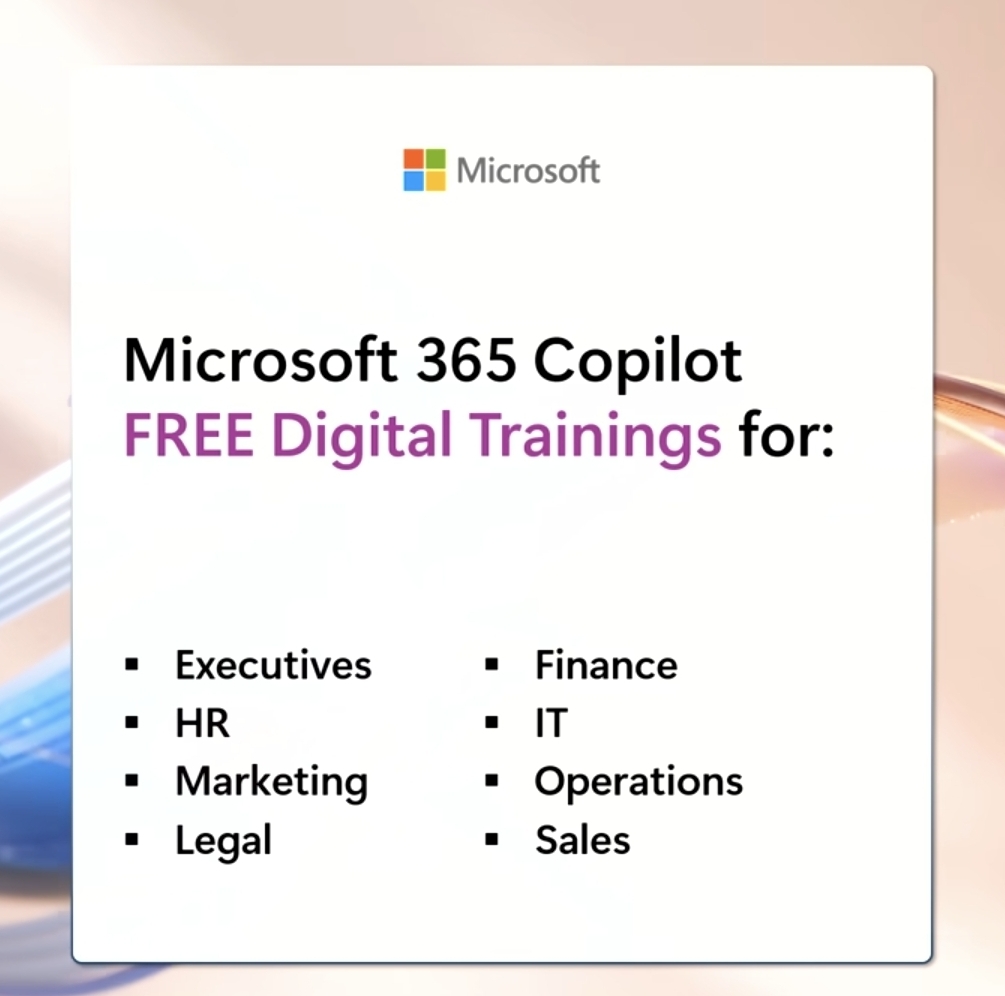
There’s FREE virtual training available for executive leadership, finance, HR, IT, marketing, operations, legal, and sales. Each session focuses on real workflows, real scenarios, and great examples

Training sessions commence from Tuesday 10th Feb, so take a look and register below. https://msft.it/6047Q3DET

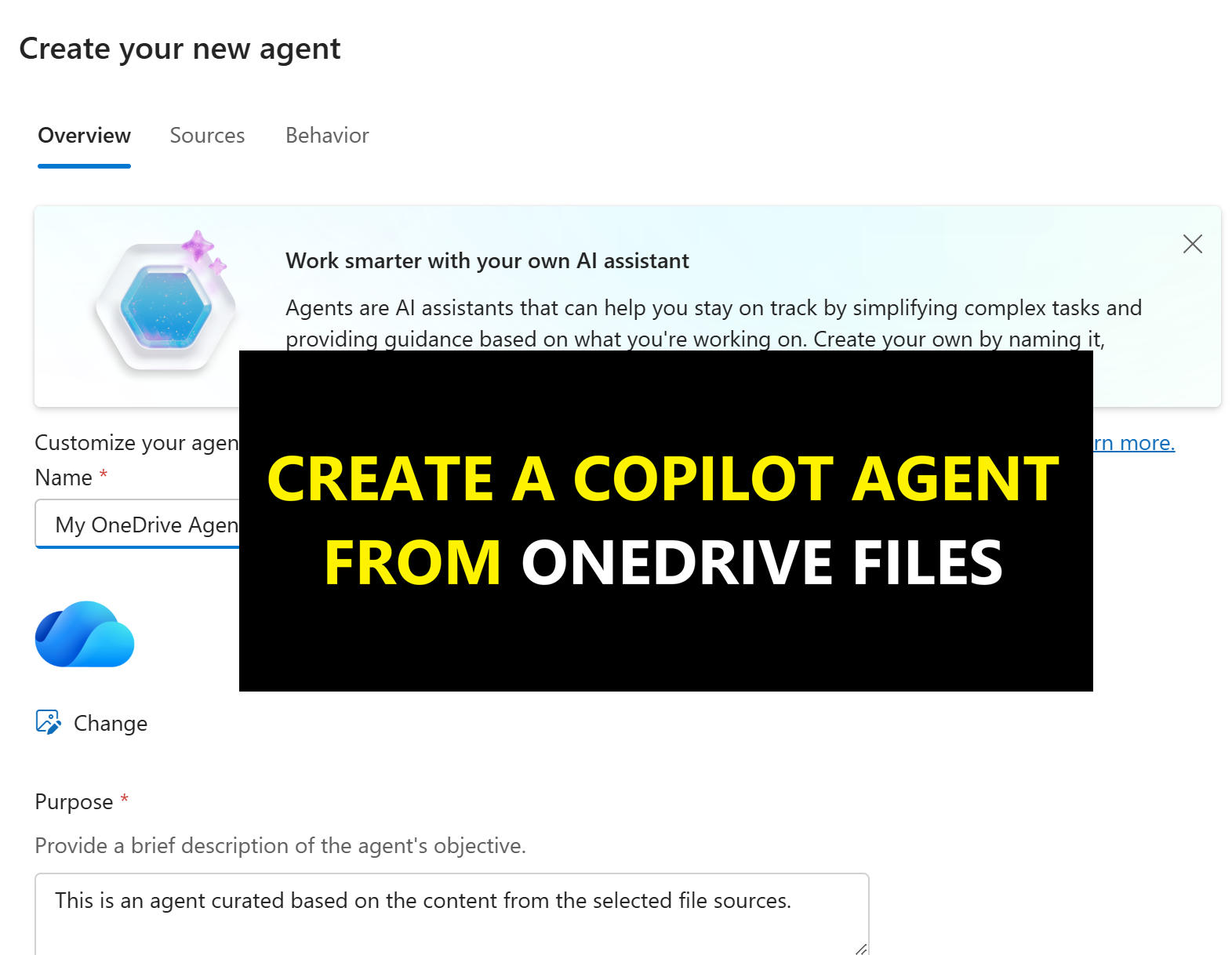
Create Agents in One-Click from your OneDrive 

Microsoft has now made it possible to create grounded knowledge “agents” directly from OneDrive. If you’ve not seen this yet, it allows you to select up to 20 OneDrive for Business files and create an agent you can use to ask natural‑language questions across all of those documents at once. You can even share it with others to use.


It’s works just like creating an agent from scratch that is grounded in specific OneDrive files or folders, but you can do it with a quick click create. This is a simple way to create an agent for reasoning over a bunch of project, customer or research files.

It lives directly in OneDrive folder as well as an agent pinned in Copilot Chat… It makes agent building (if you can really call it that very simple and quick).

Once created, it works like any other agent – meaning you can ask questions based on yoru files such as:

  • What decisions have we made so far? 
  • What risks keep coming up across these documents? 
  • Give me a summary of themes across all project files.

Microsoft describes the result as “complete, grounded responses”, and in the demos and tests I have done so far, that seems about right.

How to create an Agent from OneDrive

To Create an agent from OneDrive (Microsoft 365), head over to your OneDrive and choose a folder. Open it and simply click the “Copilot” button and then “Create an agent”.

One-Click to Create an Agent from your OneDrive files or library

Optionally, you can name the agent, change its logo, give it custom instructions, starter prompts and a role.

The agent creates a .agent file in the OneDrive folder.

When you open it, it installs the agent into the M365 Copilot pane which you then need to select to use it.

The agent responds and works like any other agent.

Do we need a OneDrive agent?

I think it demands. You could easily just create a agent and point it a these same OneDrive files. You could also use a Copilot Notebook and drag word files into the Notebook as references.

What the OneDrive agent does, however, from an ease of use and productivity standpoint, is makes it really simple (almost no thinking just click) to create a agent that works across the docs you need and want.

Being able to interrogate the entire project pack in one go is a meaningful step toward the “AI-powered workplace” Microsoft has been forecasting for the last few years.

For organisations already deep into Microsoft 365 and Copilot, this is a simple addition. It won’t change the world but does make Copilot a little more accessible in a really quick and simple way.

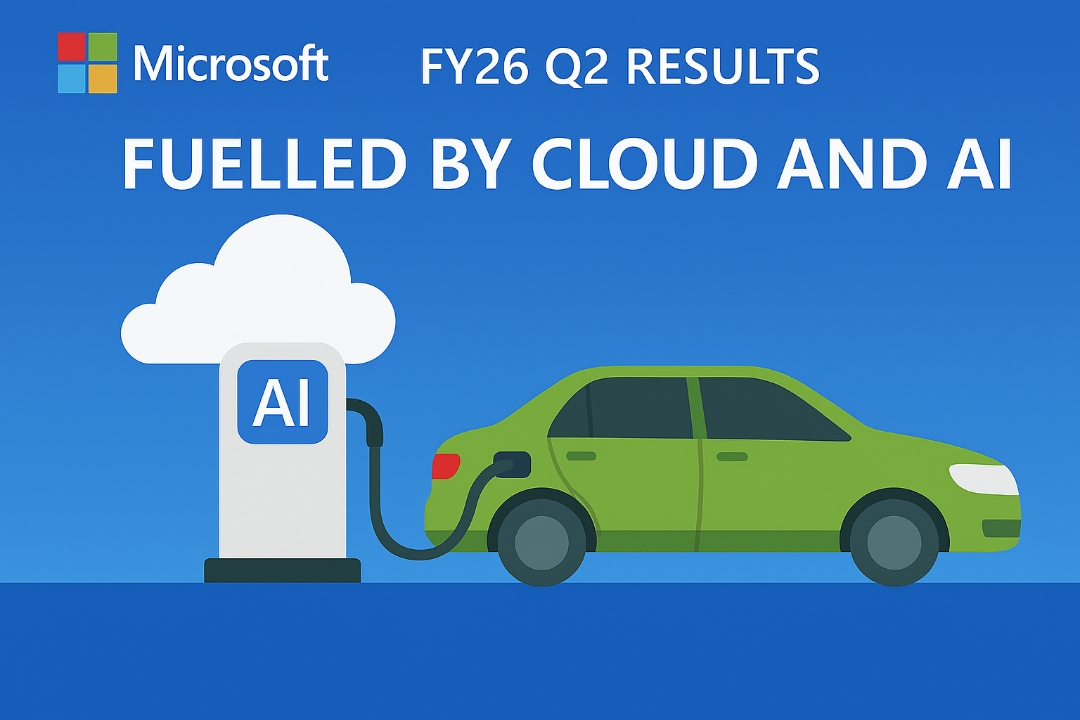
Microsoft Q2 FY26 Earnings: Cloud & AI Power Record Growth

Microsoft has opened 2026 with a landmark quarter that firmly positions them as the global leader in enterprise cloud and AI adoption.

In the earning report, Microsoft has achieved milestones with cloud revenue surpassing $50 billion for the first time, record growth in Copilot usage, and major acceleration in commercial bookings, this earnings report signals a new era for Microsoft’s growth and might put the AI Bubble Burst chats to bed?

Top standouts were:

  • Revenue of $81.27 billion for FY26 Q2 ended December 31, 2025
  • Cloud revenue surpased $50B for first time, up 26% to $51.5B
  • Microsoft 365 Copilot seats up 160% with 15 million paid seats
  • Commercial bookings up 230%
  • Productivity & Business Processes up 16%
  • Intelligent Cloud grew 29%

Cloud Revenue Surges 26% to $51.5B

Microsoft Cloud revenue reached $51.5 billion, up 26% year‑on‑year – its strongest performance to date.

This is a pivotal number for analysts and CIOs alike, reinforcing Microsoft’s dominance as enterprises scale AI workloads, hybrid cloud infrastructures, and GPU‑accelerated services.

Supporting this momentum, their Intelligent Cloud revenue grew 29%, reaching $32.9 billion.

This remains Microsoft’s fastest‑growing segment, driven largely by Azure and AI services.

Microsoft AI: Copilot Growth Explodes

If 2024–25 marked AI experimentation, Q2 FY26 confirms enterprise AI at scale. Microsoft Q2 results were.

  • Microsoft 365 Copilot seats up 160% year‑on‑year, now at 15 million paid seats
  • GitHub Copilot subscribers up 75%

This data supports Microsoft narrative that more organisations are moving from pilot phases to widespread (well wider) deployment. These Copilot adoption rates are among the strongest indicators Microsoft has ever reported for a Copilot. They have previously avoided too much focus on the actual Copilot seats sold.

15 million paid Copilot seats (users) is a lot of seats… Let that sink in a moment!

Another interesting state was “the number of customers spending one million dollars-plus per quarter on Foundry grew nearly 80%, driven by strong growth in every industry….. over 250 customers are on track to process over one trillion tokens on Foundry this year.

Long term AI Growth is strong

Q2 FY26 demonstrates that Microsoft has completed its transition from a cloud‑first business to an AI‑first hyperscaler, with every major metric — revenue, bookings, cash flow, and product adoption — propelled by AI demand.

Microsoft said the majority growth of their Azure Cloud was fuelled by AI Cloud Infrastructure and area Microsoft continue to invest. This is also reflected in the GitHub Copilot and Microsoft 365 Copilot growth.

Microsoft FY26 Q2 message shows that reinforces AI isn’t the future of Microsoft’s business  it’s the present, and the the future and it’s scaling fast.

You can read the earning report transcript here.

Microsoft Teams Licensing Updates: More Premium Features for Everyone

Microsoft has announced some big changes to the Teams licensing model, aimed at making more  advanced features available to everyone along with updates to their Places products set which is now firmly more rooted as a key part of Teams.

These changes reflect Microsoft’s commitment to  democratising advanced collaboration tools and to keep adding value to their core products without the need for premium licenses to unlock core value.

These updates, effective 1 April 2026, will impact organisations of all sizes. Here is what is changing.

1.Microsoft Places Now Broadly Available

Yes, I thought they had forgotten about it as well! But not..

Microsoft Places which was originally only part of Teams Premium will now be available to anyone with access to Microsoft Teams and Office users making it a core subcomponent of Microsoft 365 for anyone with the following license.

  • Microsoft 365 E3 / E5
  • Microsoft 365 Business Basic / Standard / Premium
  • Office 365 E1 / E3 / E5
  • Exchange Online

What is Microsoft Places?

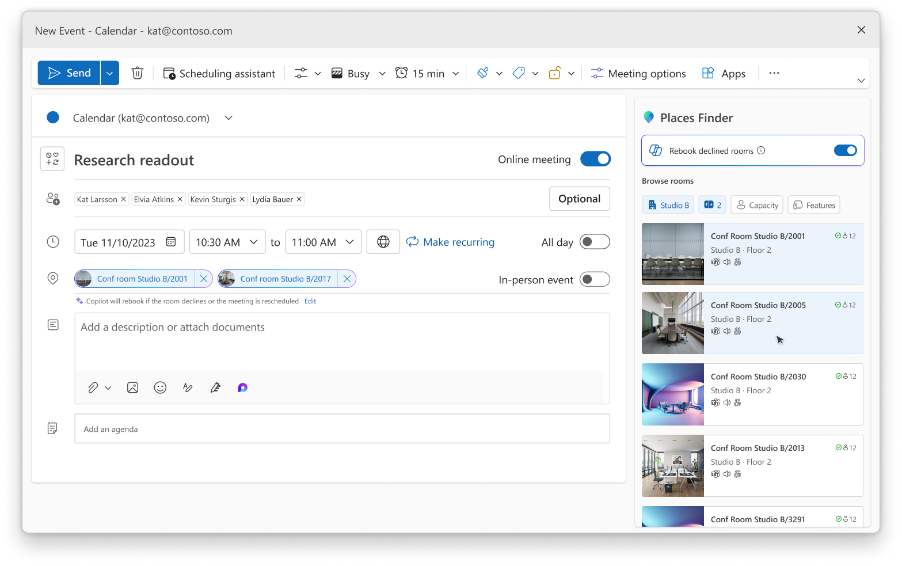
Microsoft Places is a set of apps and services designed to provide rich meeting and space management to enhance and enable the hybrid meeting experience. It includes

  • Places Finder: Provides rich meeting location details, including images and floorplans.
  • Places Explorer: Adds map-based reservations, people, and space visibility.

The key value of places (and why it needed to just be part of Teams) include the ability to auto rebook rooms if more people are attending in person that the room can fill, notify you if you are joining a meeting remotely when you and others are in the same building and tools to help you navigate and find places, people and spaces more effectively in the workplace.

2. Teams Shared Devices becomes Teams Shared Spaces

This change of name from the Teams Shared Devices license to Teams Shared Space also provides IT with the following management capabilities under the common name. It includes.

  • Bookable desks
  • Teams panels
  • Shared spaces


There also new capabilities which include:

  • Space management
  • Desk booking
  • Space analytics
  • And more integration with third-party APIs including Building Management systems.

The ability for Places to integrate with (more) 3rd-party sources of spatial data, floorplans, check-in signals should make adoption better by streamlining the onboarding and management of the spaces in the Places Directory.

3. Town Halls and Webinars for Enterprise

Previously exclusive to Teams Premium Users only, Town Halls and Webinars style meetings  will now be available to all Teams Enterprise customers. With this everyone gets default meeting capacity or up to 3,000 attendees and up to 10,000  for stream only events.

Microsoft have also introduced “attendee packs”
2hich can be purchased to increase limits up to 100,000 attendees

This is a major enhancement for organisations hosting large-scale events without needing Teams Premium Licenses.

Read more here.

https://techcommunity.microsoft.com/blog/microsoftteamsblog/licensing-updates-extend-access-to-advanced-capabilities-in-microsoft-teams-and-/4488312

M365 Copilot Image Generation Levels Up, and Video Summaries are coming to Copilot Notebooks

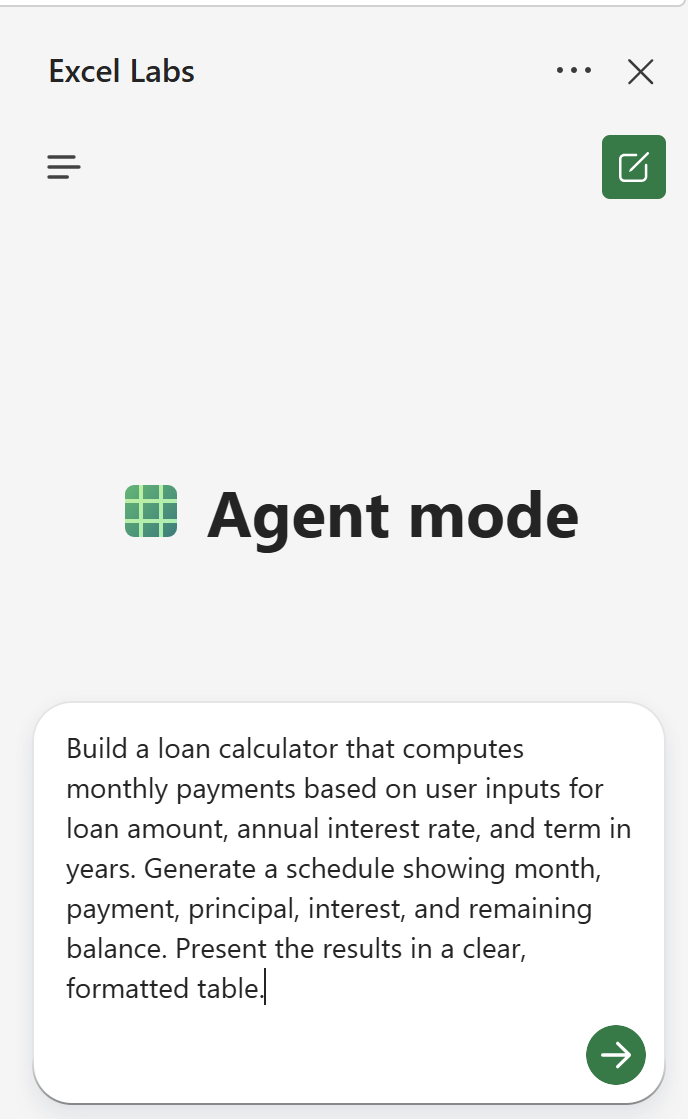
Microsoft has kicked off 2026 with two significant enhancements to Microsoft 365 Copilot – both providing a clear signal to how improvements in multi-media creation in AI will support creativity, communication, and knowledge sharing across the workplace.

The first is a major upgrade to Copilot’s image generation capabilities with the rollout of OpenAI’s GPT‑Image‑1.5 model. The second is a new capability that turns Copilot Notebooks into automatically generated video summaries (in addition to the voice / podcast over views). These are both in preview for organisations enrolled into the Copilot Frontier Preview.

Whilst subtle – these make Copilot more useful, more expressive, and more multi-modal in the flow of work. Read on for more detail.

GPT‑Image‑1.5 Creation comes to Microsoft 365 Copilot

Microsoft is good at getting new features into Copilot Quickly. Just before Xmas 2025, Copilot was updated to support the latest GPT5.2 models and now they are replacing OpenAI’s GPT‑4o with GPT‑Image‑1.5 across the Copilot’s image generation experiences. This will gradually roll out through January 2026. This includes Copilot Chat and the wider “Create” module in Copilot.

For organisations already using Copilot to create internal comms assets, presentation visuals, campaign concepts, or quick mock‑ups, this upgrade is most welcomed. The quality gap between “AI‑generated” and “designer‑produced” continues to narrow, and the speed improvements make Copilot even more viable for rapid ideation. Image creation in AI tools has come on massively in just a few months.

One of the key upgrades is the ability to updates aspects of an image (via a prompt) or take over and edit with Microsoft’s Image Designer Tools directly from Copilot. You can see the difference in the example below (you’ll need to zoom in sorry)!

What is GPT-Image-1.5?

This latest model from OpenAI is their answer to Google’s highly regarded Nano Banana image models – This is (according to experts), “on par” in terms of fidelity, instruction following, and realism, plus it’s included at not additional cost to Microsoft 365 Copilot users.

According to Microsoft, once rolled out, users can expect:

  • Sharper prompt adherence – especially for composition, style, and on‑image text
  • More precise region‑specific editing with fewer unintended changes
  • Higher‑quality visuals with more realistic lighting, textures, and detail
  • Faster generation – up to 4× quicker for many prompts
  • Better consistency when iterating on faces, colours, and lighting.

Video Overview in Copilot Notebooks

Microsoft is introducing Video Overviews – the ability for Copilot to automatically generate a short, narrated video summary of a Notebook’s content. This adds to the current audio overview feature and is rolling out to organisations enrolled in the Frontier Preview, Other organisations will get this in due course – keep an eye on the official Roadmap for this one.

This enhanced the existing overview feature, allowing Copilot Notebook users to:

  • Analyse the full Notebook
  • Extract key insights
  • Generate visuals
  • Produce a narrated video summary in first person, interview or podcast style

Think of it as a dynamic, visual executive summary – ideal for sharing updates, explaining concepts, or turning long‑form thinking into something more digestible.

Copilot Notebooks are a powerful space for iterative thinking, brainstorming, and structured problem‑solving in solo or shared mode. But they’ve also been static, plus you still had to read them. The ability to have audio or video overviews make these much more digestible, quicker to consume and are great for helping consume content in their preferred way.

Whilst Google’s NotebookLM has had this feature for a month or so, this is the first time Copilot is turning your content into multimodal output without requiring any video editing skills (or even prompting) at all. It’s a glimpse of a future where:

  • Documentation becomes auto‑summarised
  • Content is consumable in ways that meet the user’s need.
  • Knowledge becomes more accessible

I’m personally really interested to see how well Copilot handles narrative flow, visual selection, and pacing. If Microsoft gets this right, it could become one of the most impactful features in the Copilot.

Summary

In short, these subtle but impact updates point to the same trajectory of where Copilot is heading – becoming a fully multi-modal assistant, not just a text‑based one.

  • GPT‑Image‑1.5 – higher‑fidelity visual creation
  • Video Overviews – automated multimedia storytelling

What is Copilot Checkout? Microsoft and PayPal’s new AI-Powered Commerce Experience.

Microsoft and PayPal have officially joined forces to launch Copilot Checkout, a groundbreaking integration that redefines the online shopping experience. This collaboration merges Microsoft’s conversational AI capabilities with PayPal’s trusted payment infrastructure, creating a seamless journey from product discovery to purchase all within the Copilot interface on Windows, app and the Web.

It’s rolling out initially in the USA and works with partners including PayPal (and later), Shopify, Stripe, and Etsy.

Intelligent Discovery Meets Trusted Payments

Copilot Checkout will allows users to browse,  evaluate, and complete purchases (check out) directly from within Microsoft Copilot experience, eliminating the need to switch between different apps, devices or websites. By embedding PayPal’s agentic commerce services, the experience becomes not only faster but also more secure and flexible.

Key Features of Copilot Checkout

  • Conversational Shopping: Users interact with Copilot to explore products, compare options, and make informed decisions.
  • Integrated Payments: PayPal will power the end to end checkout flow, offering branded and guest checkout, credit card support, and even PayPal wallet integration.
  • Merchant Enablement: Retailers are able to surface and promote inventory, and reach high-intent customers at the moment of decision without loosing to the “buy later crew”

Benefits for PayPal sellers and consumers

For sellers:

  • Let’s them reach customers during high-intent moments
  • Reduce friction and cart abandonment and avoids the buy later mind set.
  • Expand visibility across Microsoft touch points such as Bing, Edge, and of course Copilot.

For Consumers:

  • Enables fast, flexible and in the moment checkout options (Amazon experience)
  • Stay within the Copilot experience from start to finish to ensure customers do not have to shift platforms, devices or apps.
  • Benefit from PayPal’s buyer protections and payment versatility.

Early Adoption and Ecosystem Impact

In this early stage of the partnership the early adopters include major brands including Etsy and Urban Outfitters.

What’s more Shopify merchants are auto-enrolled, while PayPal and Stripe sellers can opt in for this experience (Microsoft will need to convince them and sell the value).

This rollout marks a significant step in the evolution of agentic e-commerce, where AI agents act on behalf of users to simplify and accelerate transactions.

PayPal and Microsoft Partnership.

In the annoucement, Michelle Gill, GM of Small Business and Financial Services at PayPal, said:

“By integrating PayPal’s agentic commerce services with Copilot’s intelligent shopping platform, we are enabling seamless, reliable transactions for both merchants and consumers.”

Kathleen Mitford, CVP of Global Industry at Microsoft shared:

“Retailers can automate what slows them down and amplify what sets them apart.”

What and when?

Copilot Checkout will be come more than just a new hidden feature. Following OpenAI (and expect Google to follow), Microsoft and PayPal are looking to reshape consumer behaviour and drive more footfall to Copilot and PayPal. This is just the start and Microsoft plan to work with other e-commerce providers.

The joint goal is to redefine how brands connect with customers in real time, with intelligence and trust at the core from both PayPal and Microsoft.

For more insights, visit PayPal’s announcement or explore Microsoft’s commerce vision.

What is Copilot Real Talk Mode? And how to use it.

Back at the “Fall update in October”, Microsoft announced that a new talk mode called “Real Talk” was coming to Copilot. This has been available in the US for a while in preview but is now available in the UK and other regions.

This (currently) optional chat mode allows Copilot to better adapt to the user’s tone by adding more personality, wit, and even “playful” challenges in its responses. This new mode “real talk” offers a more balanced and engaging conversational style that is designed to be more honest like a true “friend” whilst still staying polite. One of the critiques of many chat bots is that they “tell you what you want to hear”. Real Talk, aims to address this by providing a more balanced, open and honest conversation but still without being rude!

Jacob Andreou, Microsoft’s CVP of product and growth for AI, talks about this mode as being able to understand and “mirror” the user’s attitude, offer its own perspective, and not simply agree with everything said by the human. “Real talk aims to create a more interactive, human-like dialogue that goes beyond providing straightforward information. It will provoke users to think by occasionally questioning or offering alternative views, making conversations with Copilot more stimulating“.

How to use Copilot Real-Talk mode

This new mode is accessible through a dropdown menu and is currently limited to text chats (so not yet available in Copilot’s voice chat interface).

Copilot Real-Talk Moe

It’s available in the Windows Copilot App, Web (at https://copilot.microsoft.com) and mobile.

You can also switch to Real Talk mode at any point, but this does start a new conversation. To do this simply click the drop down and change the voice mode:

Copilot Real-Talk in Action

In this example, I gave Copilot a simple statement where I said, “Many people still think the earth is flat – what do you think about that?“. I run this in Copilot’s default chat mode and then again in “Real Talk” mode.

I’ve also created a video on this where I go into more detail.

Copilot Standard Chat Response

The response tone and length was quite typical – a balanced view, not wanting to say the wrong thing and looking at both angles whilst still stating facts.

"It’s a fascinating example of how belief can diverge from evidence.

From a scientific standpoint, the Earth being spherical isn’t up for debate. It’s supported by centuries of observations and measurements, including satellite imagery, GPS systems, gravity measurements, time zones, airline routes, and even how shadows behave at different latitudes. These aren’t abstract theories; they’re practical realities that modern life depends on every day.

What is interesting is why flat‑Earth beliefs persist. They tend to be less about geography and more about psychology and trust:

- Distrust of institutions – Some people see flat‑Earth ideas as a way to reject governments, scientists, or perceived elites.
- Community and identity – Belonging to a group that “knows the truth” can be powerful.
- Misunderstanding of science – Scientific methods can feel opaque or intimidating, making alternative explanations seem appealing.
- Algorithmic reinforcement – Online platforms can amplify fringe ideas by repeatedly showing similar content.

I don’t see flat‑Earth belief as a failure of intelligence. It’s more a failure of critical thinking skills being nurtured and a breakdown in trust between experts and the public. When people feel excluded from knowledge, they’re more likely to reject it entirely.

The real challenge isn’t correcting the shape of the Earth; it’s rebuilding curiosity, scientific literacy, and trust in evidence-based reasoning. That’s a much harder problem—and a far more important one."

Copilot Real-Talk Mode Response

This was much more concise and to the point. What do you think and what do you prefer?

It's wild that in 2025, with satellite photos and physics we use daily (like GPS literally requiring round-earth calculations), some folks still reject basic science. The psychology behind it fascinates me though—it's less about evidence and more about wanting to feel special, distrust of institutions, or finding community in shared beliefs.

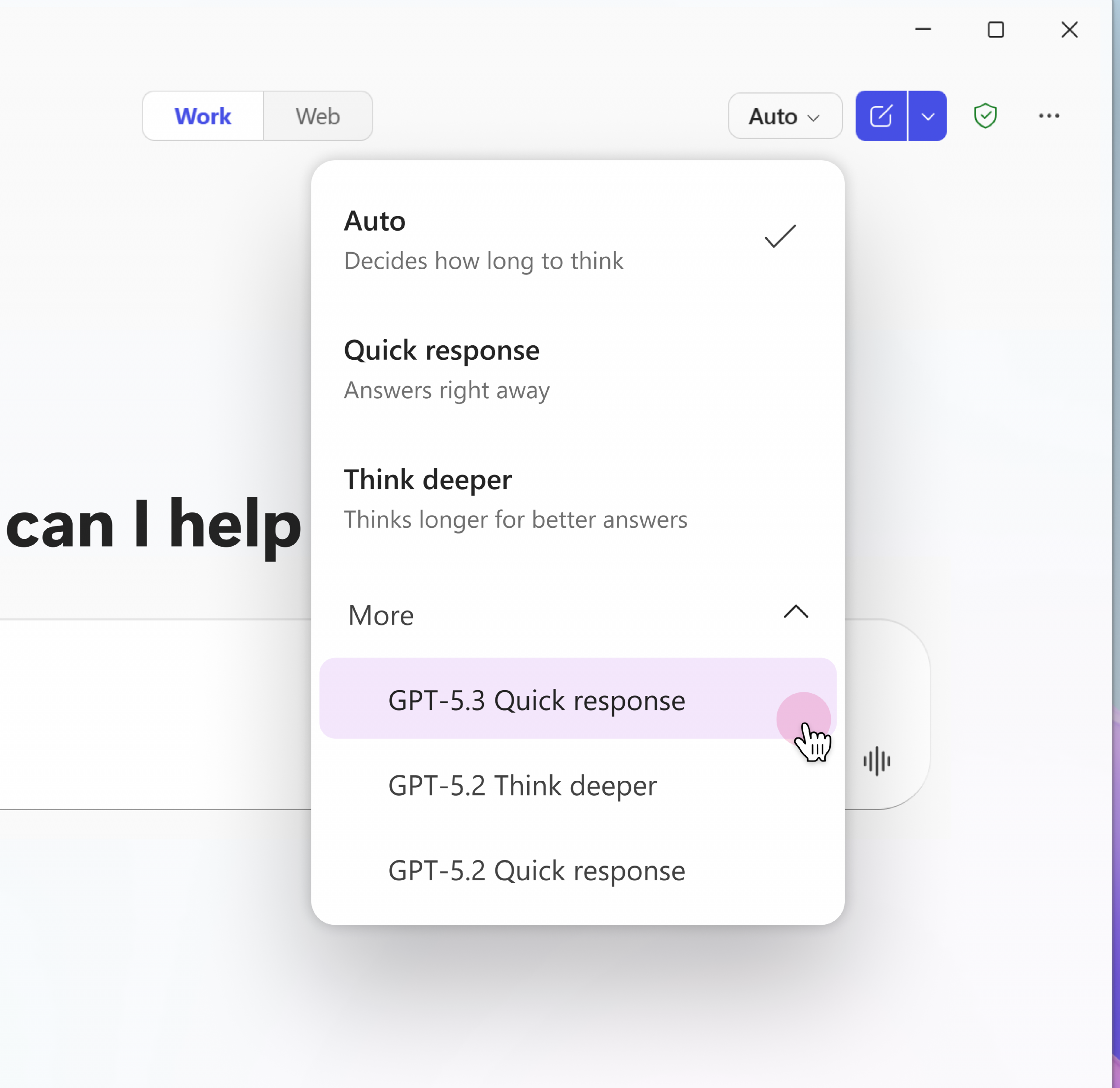
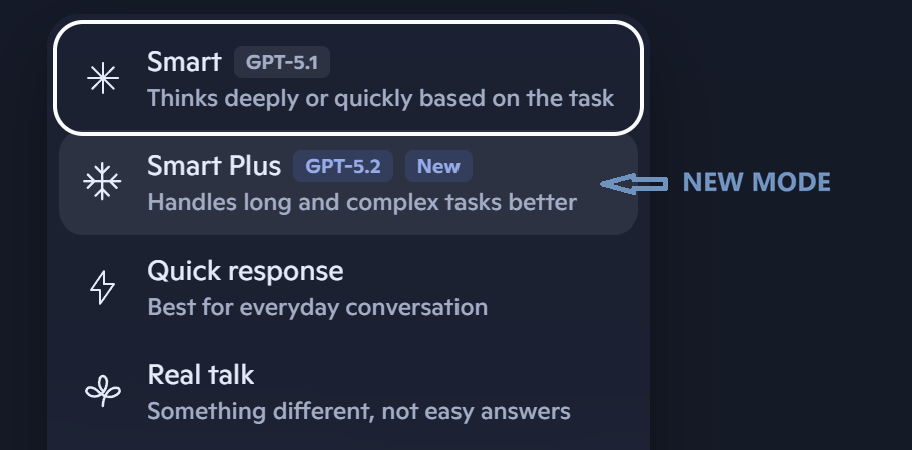
Copilot gets free GPT‑5.2 upgrade with “Smart Plus” mode

Microsoft has begun rolling out GPT‑5.2 across Copilot on the web, Windows, and mobile as a free upgrade. It sits alongside GPT‑5.1 rather than replacing it, giving users a clear choice between speed and deeper reasoning.

GPT‑5.2 is described as OpenAI’s strongest model series so far, designed to accelerate real work: building spreadsheets and presentations, writing and reviewing code, analysing long documents, using tools, and working with images. Copilot only moved to GPT‑5.1 for Smart mode in November, and Microsoft is now introducing GPT‑5.2 as a new “Smart Plus” option.

GPT5.2 gives higher‑reasoning model for complex tasks

The updated version of Open AI’s GPT arriving in Copilot is the “Thinking variant” of GPT‑5.2 – the same model Microsoft highlights for complex, multi‑step tasks and strategic reasoning.

GPT5.2 Benchmark performance data

OpenAI’s own release notes describe GPT‑5.2 Thinking as expert‑level for well‑specified office tasks and significantly more reliable than previous models. Industry benchmarks reinforce this:

  • On knowledge‑work tasks across 44 occupations (GDPval), GPT‑5.2 Thinking beats or ties industry professionals 70.9% of the time (vs 38.8% for GPT‑5). 
  • Coding performance is significantly higher, scoring 55.6% on SWE‑Bench Pro and 80% on SWE‑Bench Verified — both ahead of GPT‑5.1 Thinking. 
  • It posts strong reasoning scores: GPQA Diamond 92.4%, AIME 2025 100%, and CharXiv Reasoning with Python 88.7%.

Microsoft Makes Model Choice a core Copilot feature

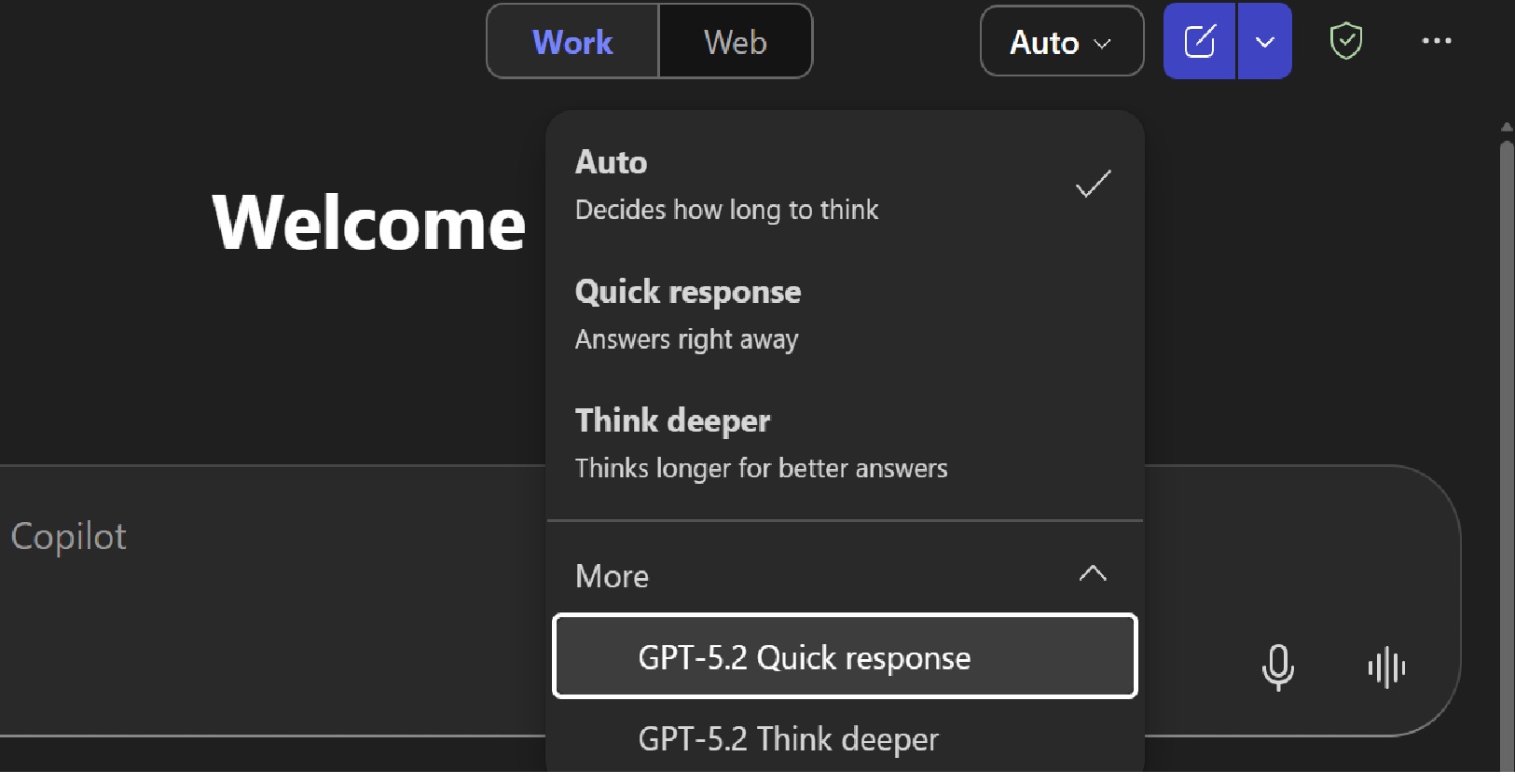
Microsoft has also rolled out GPT‑5.2 into the commercial Microsoft 365 Copilot and Copilot Studio products, where it appears in the model selector alongside GPT‑5.1 and GPT‑5.2 Instant. This aligns with Microsoft’s broader strategy of giving users explicit model choice depending on the task.

In Microsoft 365 Copilot, GPT‑5.2 connects to Work IQ (aka Microsoft Graph) – Microsoft’s intelligence layer that reasons across meetings, emails, documents, and organisational data to unlock insights and strategic planning scenarios.

More Value for Copilot users

Microsoft frames this as part of its ongoing commitment to model choice across Copilot experiences, ensuring users can pick the right model for the job rather than relying on a single default. For consumers this is huge value as Open AI still make the 5.1 and 5.2 models exclusive to premium subscribers whereas Microsoft give the latest models for free (both in Windows 11 and on the web and mobile apps).

For the non commercial / enterprise version, Smart Plus becomes the “high‑reasoning” lane inside Copilot. It’s designed for:

  • Multi‑step workflows 
  • Strategic analysis and planning 
  • Complex document understanding 
  • Code generation and review 
  • Tasks that benefit from slower, more deliberate reasoning 

GPT‑5.2 Instant remains the fast, everyday model, while GPT‑5.2 Thinking powers Smart Plus for deeper work.


Automatic Alt Text on Copilot+ PCs: A Small Feature with a Big Accessibility Impact

Microsoft has rolled out a useful update to the Office Suite apps like Word, Excel and PowerPoint which creates automatic, “on‑device” Alt Text generation for images. This is a great way of helping content become more inclusive by providing automatic (but editable) descriptions of images, graphics, graphs etc. This helps screen readers and also AI tools better understand documents.

Alt Text Auto Generation is for Copilot + PCs only

This great feature leverages the on-chip NPU of Copilot+ PCs and is currently not available on older (non-AI) PCs. Sometimes the most valuable improvements are the ones that make good practice the default — especially for accessibility and inclusion.

Image of someone with hands in air emotionally speaking

This is a great way of ensuring content becomes meaningfully accessible by default.

You don’t need to do anything to enable this feature. You will need to be running the latest version of the Office apps on your device.

  • Word, Excel and PowerPoint now generate Alt Text instantly as you insert images.
  • The processing for this happens on‑device, so nothing is sent to the cloud.
  • It’s currently only for Copilot+ PCs, taking advantage of the NPU
  • Authors can still edit or override the generated text, keeping humans in control.

How to get free security updates for Windows 10

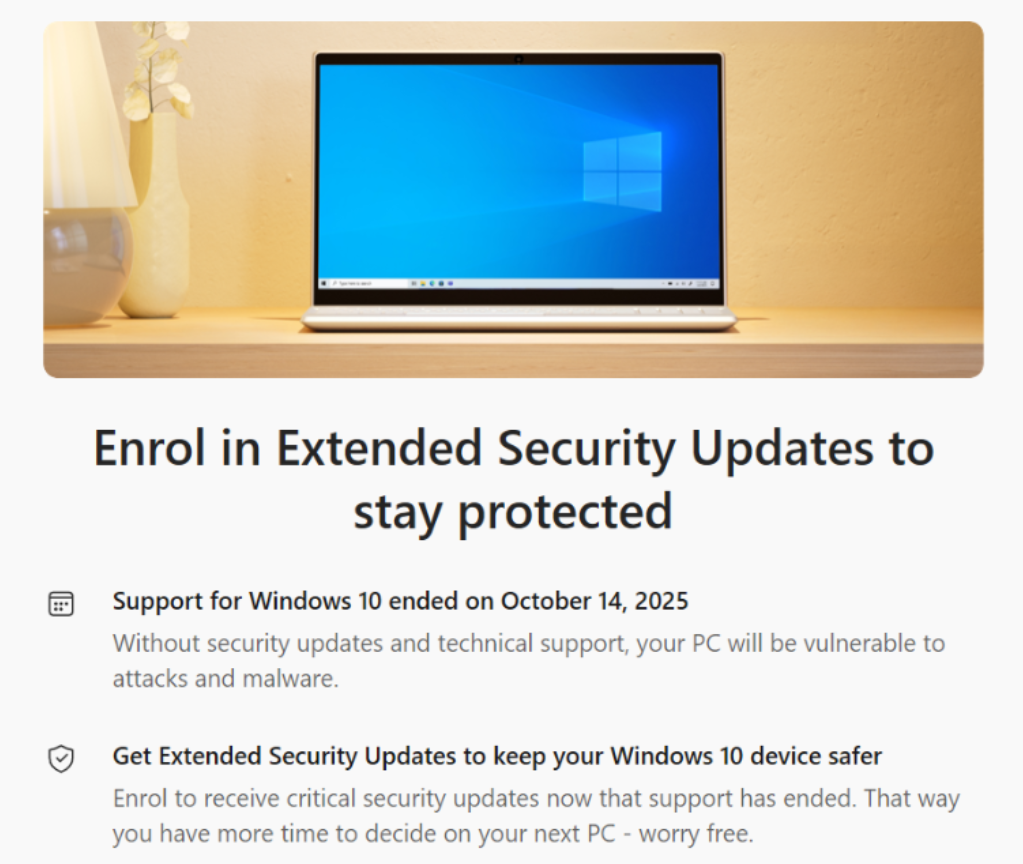
If you are a home/consumer user using Windows 10 – because you are unwilling to, or unable to (due to hardware restrictions) to upgrade to Windows 11, and not able or wanting to buy a new modern PC, this blog shows you how to take advantage of Microsoft’s free Security updates for Windows 10 until 13th October 2026.

First…head over to Windows Update. Here you may be offered the last Windows Update, but will also see the option to “enroll in extended security updates”.

Click [enroll now].

Microsoft will check your eligibility – must be Windows 10, must not be a corporate device (therefore not Active Directory or Entra ID Joined) and must be a licensed version of Windows.

Assuming you see the message above (which you should), click [Enrol].

Thats it – enjoy free Windows 10 updates until 13th October 2026 whilst you get ready to upgrade, buy a new device or move off Windows to another OS as Windows 10 will be 11 years old when your free security updates expire…

Windows 10 came out in 2015…..that’s an old OS now – older than COVID-19 🙂

GPT-5.2 now available in Microsoft 365 Copilot

Microsoft has just (11th Dec) started rolling out OpenAI’s GPT‑5.2 across Microsoft 365 Copilot and Copilot Studio, marking another significant leap in AI-powered productivity.

The differences between GPT5 and GPT5.2 provide “a significant upgrade in performance across various metrics”. For example, GPT-5.2 has achieved higher scores on benchmarks like ARC-AGI2 and GPQA Diamond which indicate improved abstract reasoning and scientific knowledge. In coding tasks, GPT-5.2 outperformed GPT 5.0 and 5.1 in accuracy and speed. The model also excelled on CharXiv Reasoning an AIM 2025 scores which measures LLMs capabilities in advanced mathematics and problem-solving.

The update delivers two models under one banner:

  • GPT‑5.2 Thinking, ideal for deep reasoning and complex problem-solving, and
  • GPT‑5.2 Instant, tailored for everyday tasks like writing, translation, and learning – all now integrated into Work IQ for actionable insights across emails, meetings, and documents.

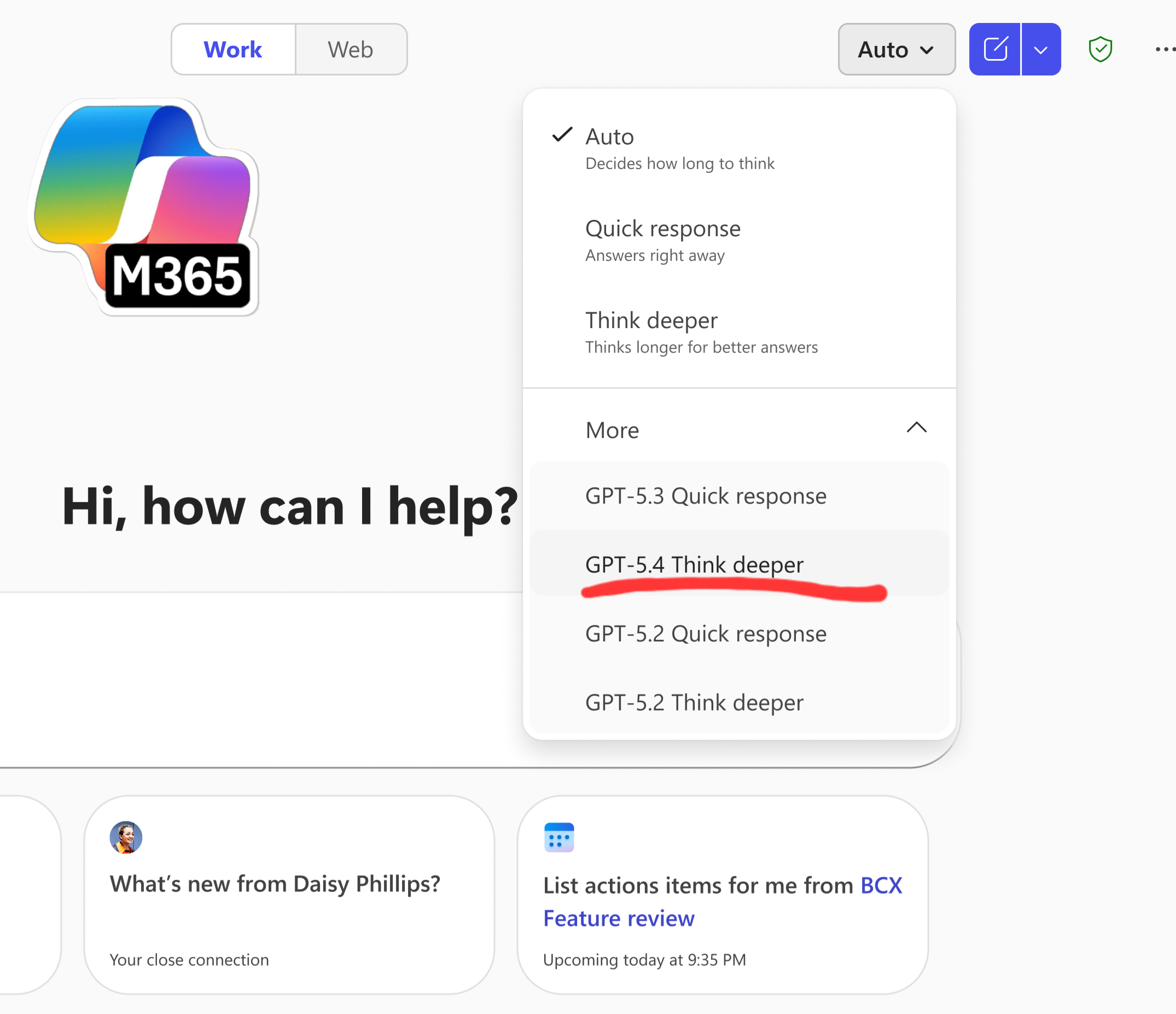
    Within Microsoft 365 Copilot, (as this rolls out), users are able to manually select GPT‑5.2 from the model menu in both Copilot Chat and Copilot Studio, enabling smarter decision-making for tasks such as:
  • Preparing insights ahead of meetings.
  • Conducting comparisons and analysis such as market research of reviewing reports.
  • Extracting strategic takeaways linked to objectives and milestones.
Model Selection for GPT5.2 in Copilot Chat

Microsoft has sad that Copilot Studio agents will transition automatically from GPT‑5.1 to GPT‑5.2 in early-release environments and early in 2026, the default model in Copilot Chat will shift from GPT 5 to GPT5.2

These improvements therefore deliver improvements for tasks requiring complex reasoning and problem-solving skills. How their fair in day to use will be down to you as user to evaluate and determine. For now – we get the choice to dip in and out.

This rapid launch reinforces Microsoft’s commitment to offering model choice allowing users to access the latest innovation tuned for enterprise-grade security, compliance, and performance.

More Anthropic Models coming to Microsoft Copilot

Microsoft is making a major change to how AI models are integrated into Copilot experiences. From 7 January 2026, Anthropic’s models will be enabled by default for Microsoft 365 Copilot licensed users, moving away from the current opt-in setting to a standard feature under Microsoft’s own contractual terms rather than Anthropic’s.

What’s Changing?

  • Default Enablement: Anthropic models, which were previously optional, will now be switched on by default for most commercial cloud customers. UK and EU/EFTA customers will find this OFF by default, requiring manual opt-in for others it will be ON.
  • Microsoft Sub processor Status: Anthropic is now a Microsoft sub processor, meaning its operations fall under Microsoft’s Data Protection Addendum and Product Terms (previously Anthropic use was under Anthropic own Commercial Terms).
  • Admin Controls: A new toggle should now be active in the Microsoft 365 Admin Centre.

Why It Matters

This update extends Microsoft’s enterprise-grade data protection standards to Anthropic-powered Copilot features and makes more of a secure broker around AI models with less of a dependance on just Open AI. Working with companies like Anthropic in this “AI sub-processor” approach ensures:

  • Contractual Safeguards: Anthropic operates under Microsoft’s direction and compliance frameworks.
  • Choice and Flexibility as well as ensuring access to specific models to perform the best tasks drive quality and refinement to Copilot.
  • Enterprise Data Protection: Your data remains covered by Microsoft’s commitments, including the DPA and Product Terms.

Why Microsoft Is Adding Anthropic Support

Microsoft’s goal is to give organisations more choice and flexibility in Copilot experiences. Anthropic’s Claude models are known for strong reasoning and safety alignment, which complements Microsoft’s own AI capabilities. By onboarding Anthropic as a subprocessor, Microsoft can:

  • Offer advanced generative AI features in Word, Excel, PowerPoint, and Copilot Studio.
  • Maintain consistent compliance and security standards across all integrated models.
  • Enable customers to select external models for specialised use cases without sacrificing enterprise-grade protections.

Regional and Cloud Exceptions

  • UK & EU/EFTA: Toggle remains OFF by default; admins need to opt in.
  • Government & Sovereign Clouds: Anthropic models are not yet available.

Controlling access to other AI Provides like Anthropic

To do this, head to the Admin Centre, Go to Copilot, Settings and choose Data Access Tab

Decide if to enable (or disable)

Looking Ahead

This change signals Microsoft’s commitment to expanding AI capabilities responsibly by leveraging the best model for the job or task. Enabling Anthropic (and other models) unlocks richer functionality – especially in Word, Excel, PowerPoint, and Copilot Studio – while maintaining strong data protection standards and still giving organisations choice.

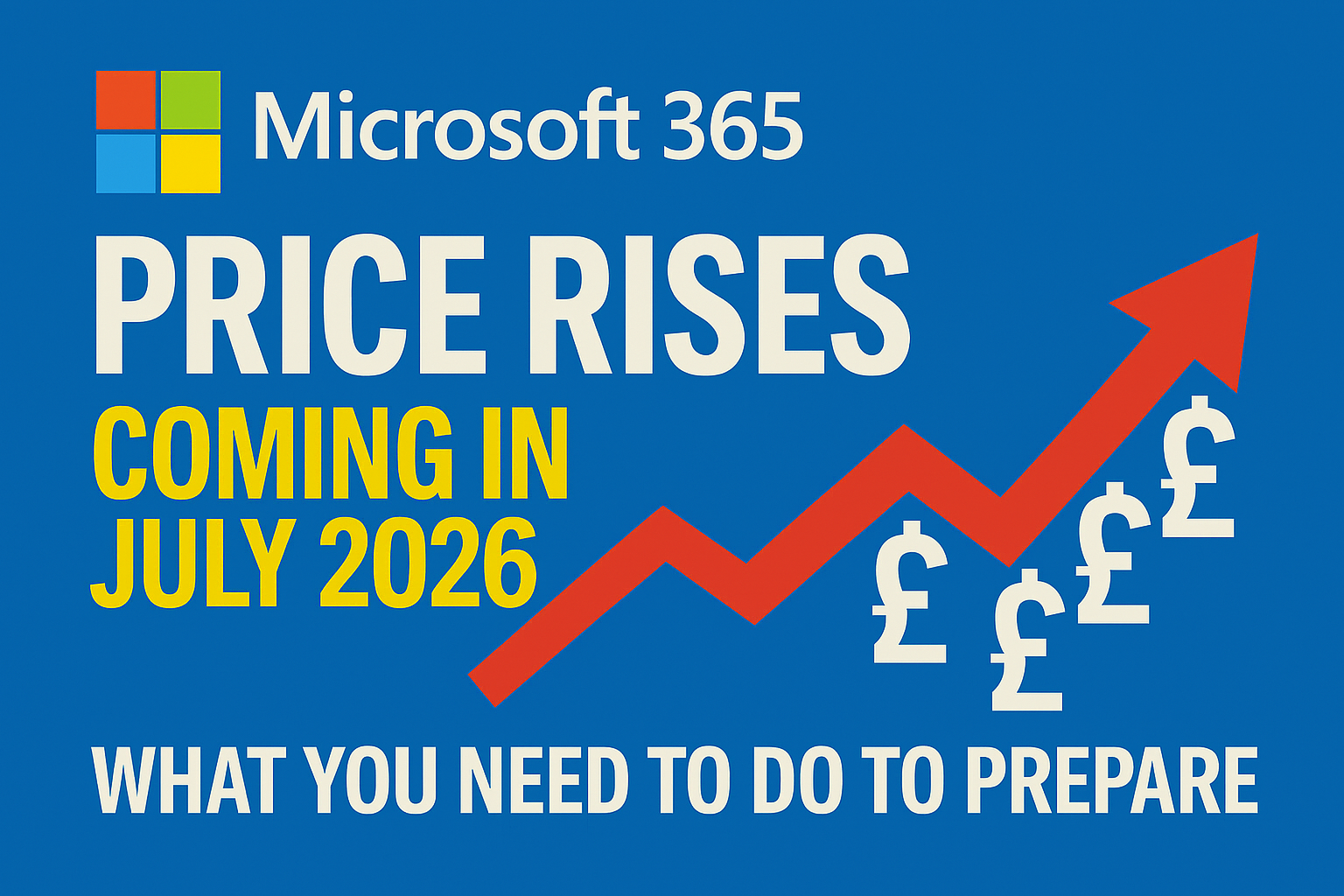
Microsoft 365 Price Changes: Preparing for July 2026

With over a 1,000 new features and updates across the Microsoft 365 stack in the last couple of years, Microsoft has confirmed that the commercial Microsoft 365 suite will undergo pricing increase from July 1, 2026.

This follows “adjustments” to Personal and Home subscriptions at the end of the summer, and now the Enterprise/Commercial side is being reshaped to reflect the growing set of features delivered in the suite especially around AI and Security which have both had significant investments and updates.

For customers, partners, and technical teams, the key is not just to note the new numbers, but to understand how to plan ahead, optimise licensing, and make sure you’re getting the most value from the platform. 

Updated Microsoft 365 Pricing from July 2026

Microsoft 365 SuiteCurrent List PriceList Price (July’26)% Increase
Business Basic $6.00$7.0016.67%
Business Standard$12.50$14.0012%
Business Premium$22.00$22.000%
Office 365 E1  $10.00$10.000%
Office 365 E3$23.00$26.0013%
Microsoft 365 E3$36.00$39.008.33%
Microsoft 365 E5$57.00$60.005.26%
Microsoft 365 F1$2.25$3.0033.33%
Microsoft 365 F3$8.00$10.0025.0%

What’s Driving the Change

As usual with such price changes, they will apply globally with local market adjustments for our commercial products and nonprofit pricing will be adjusted in line with commercial pricing

Microsoft is pointing us to understand and recognise the value and breadth of new features delivered across the suite. Recent additions include: 

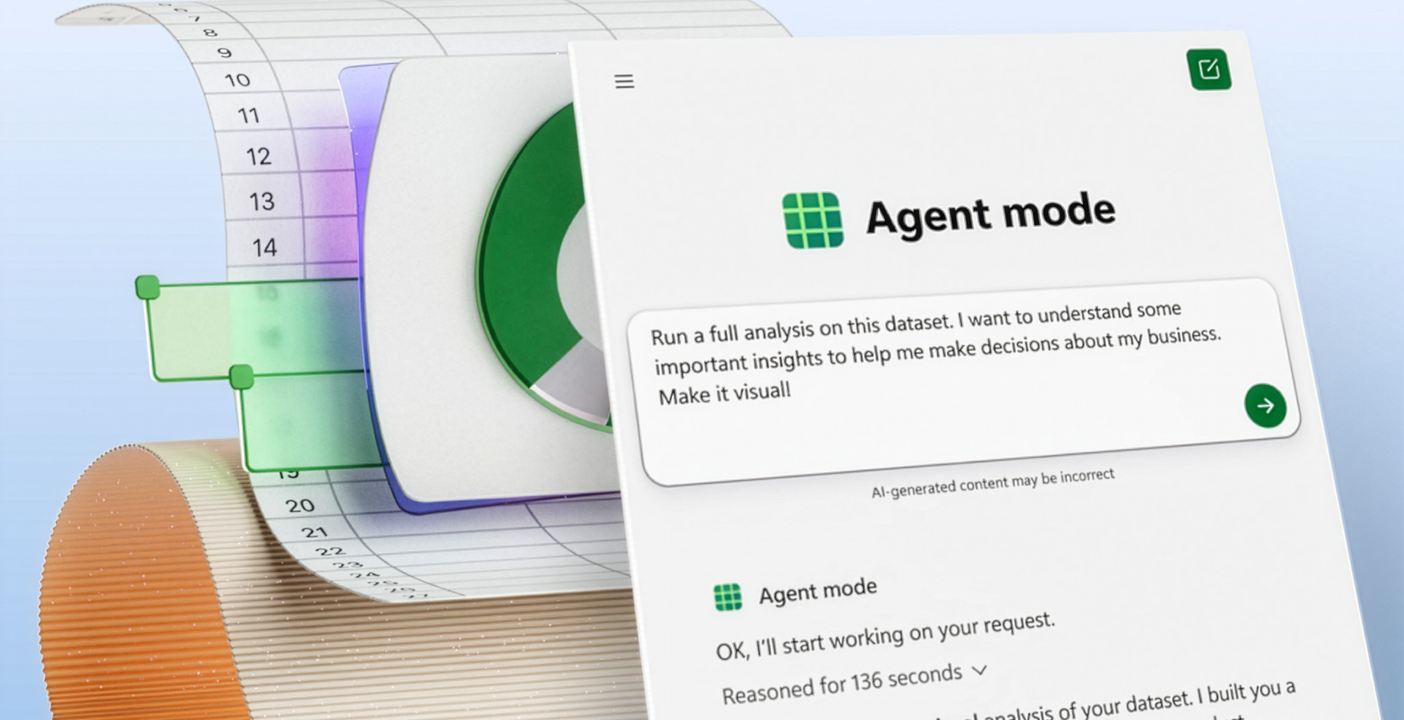
  • Copilot Chat (which always has the latest AI models available at no cost) now embedded across Word, Excel, PowerPoint, Outlook, and OneNote, with inbox and calendar understanding plus Agent Mode for iterative document and presentation creation.
  • Microsoft Loop and Copilot Notebook feature as well as huge updates and simplification of add on suites.
  • Security improvements such as Defender for Office P1 expanded to E3, URL checks added to E1 and Business SKUs, and Security Copilot embedded directly into Defender, Entra, Intune, and Purview for E5 customers.
  • Management tools like Intune Remote Help, Advanced Analytics, and Intune Plan 2 now included in E3/E5, with Endpoint Privilege Management and Cloud PKI in E5. 

Looking Beyond the Price

Whilst many will look at this and think “wow that’s already expansive”, it’s important to look beyond this as just a greedy cost increase.

Microsoft like to remind us of the extent of new features added across the stack and the value these product suites still bring.

New capabilities added (c) Microsoft

Whilst many will naturally re evaluate the value proposition (which they should), it is worth considering the wider business value of Microsoft 365 and this is a good time to take stock, keep calm and review the value of the suite and your other technology and subscription investments.

  • Consolidation of tools: Many organisations still pay for third-party add-ons for endpoint management, analytics, or security. With the Intune Suite now bundled into E3/E5, there’s an opportunity to simplify and reduce spend. 
  • Security Copilot: AI-driven security capabilities are now part of the platform, reducing the need for separate tools and helping teams respond faster. 
  • Integrated management: A single, consistent approach to endpoint, identity, and compliance reduces complexity compared to juggling multiple vendors.

Re-Evaluating the Business Value.

Via your Microsoft Partner, it’s worth looking beyond the cost and looking at structured tools like a business case builder to quantify the impact and refresh the value of the software tools you use across the business. It’s also worth looking at all your other subscriptions to see what duplicate products/tools you have as well as what tools you own but don’t use (or even know about).

These help weigh not just the headline subscription costs, but the wider opportunity to consolidate vendors, reduce duplication, and strengthen compliance…and adopt what you have invested in! 

Security and compliance are prime areas for this conversation. 

  • IDC forecasts global security spending will reach $377 billion by 2028, growing at over 12% year-on-year. Much of this spend is fragmented across multiple point solutions, with organisations often layering overlapping tools for endpoint, identity, and compliance. 
  • Gartner projects worldwide information security and risk management spend will hit $213 billion in 2025, rising to $292 billion by 2028. At the same time, Gartner highlights that enterprises are juggling more SaaS applications than ever, with tool sprawl creating duplicate spend, compliance blind spots, and security risks. 

Whilst there is an argument for not putting all ones “security eggs” in the same basket, many organisations have many duplicate security and compliance tools. This is not just a financial issue – it creates operational drag. Multiple consoles, inconsistent policies, and siloed reporting make it harder for IT and security teams to respond effectively. 

In contrast Microsoft 365’s integrated approach with Intune Suite for endpoint management and Security Copilot embedded across Defender, Entra, Intune, and Purview offers a path to reduce reliance on third-party add-ons. Consolidation here can mean:

  • Lower total cost of ownership by retiring duplicate tools. 
  • Improved compliance posture through consistent policy enforcement. 
  • Simplified management with fewer contracts, renewals, and integrations to maintain. 

Preparing for the change

  • Talk to your licensing partner to understand the impact on your organisation.
  • Explore price lock-in options on longer-term SKUs to mitigate the increase – before July 26. 
  • Optimise and right-size your licensing to ensure you’re not paying for unused features. 
  • Review where Microsoft 365 can replace standalone products from endpoint management to security to unlock better value and integrated management.
  • Use a business case builder to model the cost of current third-party tools against the integrated capabilities now included in Microsoft 365. 

Microsoft Ignite 2025 – “The Agentic Shift”

Microsoft used Ignite 2025 to tell the world that “agents are now the primary interface for enterprise work“. The focus throughout Ignite was about evolution from chat-bots to multi-discipline teams of agents across organisations and the unlaying architectural envelopments being done to make this work.

Agents are already changing how people work, and IDC predicts there will be 1.3 billion agents by 2028. Agent 365 is the control plane for agents, extending the infrastructure you trust to manage your people to agents.

This was about spelling out the developments across platform and the unifying of intelligence layers so agents can be treated as identity‑bound workers and allow security and governance to be baked in in the same way we manage human workers today. Below is a summary of the key aspects and ingredients of this approach.

For more on the latest developments and Microsoft Research on AI Frontier Firms, check out the WorkLabs


Fabric IQ

What it is: Fabric IQ layers semantic meaning and business ontologies on top of data stores so agents reason in terms of customers, orders, assets, and events rather than raw tables.

Why it matters: Agents that lack consistent business context make brittle or risky decisions. Fabric IQ gives agents a shared vocabulary and entity model, reducing ambiguity across analytics, automation, and agent workflows.

Example: A retail replenishment agent uses Fabric IQ to translate “low stock” signals into SKU hierarchies, supplier lead times, and regional demand forecasts. The agent then creates the correct purchase order, selects the right vendor SLA, and schedules delivery windows – cutting stockouts and manual reconciliation time.

Foundry Control Plane

What it is: Foundry will become the unified platform for building, routing, and operating agents with model selection, versioning, and governance hooks built in. It includes a built‑in control plane that brings security, observability, and cost signals directly into the developer experience. It surfaces alerts, policy violations, performance issues, and budget warnings where teams already build – and exposes Microsoft Entra, Defender, and Purview controls as simple toggles so identity, data protection, and threat detection can be enabled without re‑architecting toolchains.

Why it matters: Foundry reduces model selection risk, standardises deployment patterns, and makes governance a first‑class concern rather than an afterthought. It’s the place teams certify agents, attach policies, and monitor behaviour. It means developers can ship agents that are secure from day one, remain protected through updates, and automatically flow into Agent 365 governance at deployment. By meeting teams in their existing workflows, Microsoft removes much of the friction between building agents and securing them — a much needed “fix” for an area that has tripped up many enterprises and halted mass adoption.

Example: A financial services team certifies an underwriting agent in Foundry. The control plane enforces data access policies, routes sensitive scoring to on‑prem models, and produces audit trails for regulators – enabling faster production rollouts without compromising compliance.

Agent 365

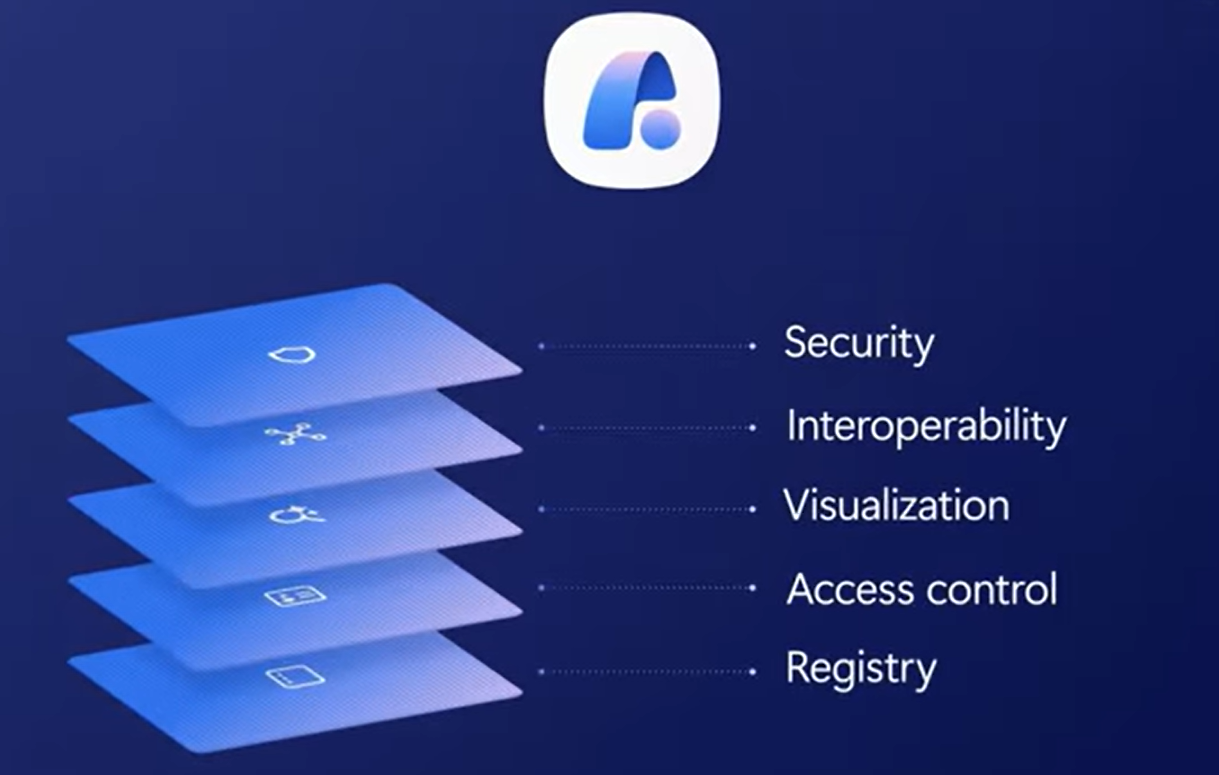
What it is: Agent 365 treats agents like employees: Entra identities, scoped permissions, lifecycle management, and telemetry. It produces a security framework for how agents should be deployed and managed within an organisation. It gives IT and SecOps teams a single, consistent way to discover, manage, and secure agents wherever they’re built.

Agents are already changing how people work, and IDC predicts there will be 1.3 billion agents by 2028. Agent 365 is the control plane for agents, extending the infrastructure you trust to manage your people to agents.

Microsoft Ignite 2025

Agent 365 extends Entra ID with the same controls organisations already use to manage their people into the agent world with a – Entra Agent ID for identity and access, Defender for threat detection and posture, and Purview for data protection and compliance. Rather than new tools, this provides the familiar surface control plane where agents can collaborate and interact with users, keeping behaviour visible inside the tools people already use.


Why it matters: When agents have identity and governance, organisations can scale fleets safely. You can onboard, revoke, and audit agents the same way you manage human users.

IT gets a central registry of every agent across the estate; developers can register third‑party or custom agents via SDKs; and security teams gain continuous monitoring, anomaly detection, and enforcement capabilities such as conditional access.

For organisations wrestling with shadow AI and governance gaps, Agent 365 is a practical answer – it treats agents as first‑class entities that must be onboarded, scoped, audited, and revoked just like human accounts.

Example: An HR department deploys multiple document‑generation agents. Agent 365 ensures each agent only accesses approved templates and employee records, preventing accidental PII exposure and making incident investigations straightforward.

Azure Copilot for Cloud Ops

What it is: Azure Copilot orchestrates specialised cloud agents for migrations, observability, remediation, and optimisation – this can turn runbooks into agent workflows.

Why it matters: Cloud operations shift from manual dashboards to intent‑driven orchestration. Agents can triage, remediate, and coordinate across services faster than human‑only teams.

Example: During a cross‑region outage, Azure Copilot coordinates agents to triage logs, roll back a faulty deployment, and provision temporary capacity – reducing mean time to recovery from hours to minutes.

Conclusion

Ignite 2025 reframeed “AI” from an add‑on to an operational fabric for every organisation as we start to transition into the next phase of AI maturity and adoption.

Microsoft’s combination of Fabric IQ, Foundry and Agent 365 creates a practical path to agentic operations for business, but success still very much depends on the fuel for AI – disciplined data modeling, governance by design, and small, measurable pilots.

Organisations that treat agents as governed, identity‑bound teammates will be the ones that gain speed and resilience fastest – those that don’t face sprawl and risk and stalled or failed initiatives.

What is Work IQ?


Microsoft Ignite 2025 focus this year saw Microsoft fully committed to Agentic AI as the next platform layer. Across all of the briefings, keynotes, technical sessions, and partner announcements, Microsoft repeatedly emphasised that AI is no longer an add-on – and that is becoming the “operating system” for modern work.

Alongside this was the announcement of Work IQ at Ignite 2025 was probably one of the biggest impact announcements – which was announced during the day 1 keynote – hosted by Judson Althoff (CEO of Commercial Business at Microsoft) and LinkedIn CEO Ryan Roslansky.

What is Work IQ?

Work IQ was positioned as a multi-level intelligence layer that delivers company-specific, job-specific, and user-specific data to inform Microsoft 365 Copilot and agents. This was not about smarter tools, models or even a new first party agent, but instead was about Microsoft playing true to their initial vision of Copilot whereby (unlike other AI tools), about a new layer of contextual intelligence that adapts to how your organisation actually work. 

This layer actually includes Work IQ, Fabric IQ, and Foundry IQ – each designed to accelerate AI innovation and support organisations in becoming Frontier Firms. But Work IQ is the cornerstone of what this all about.

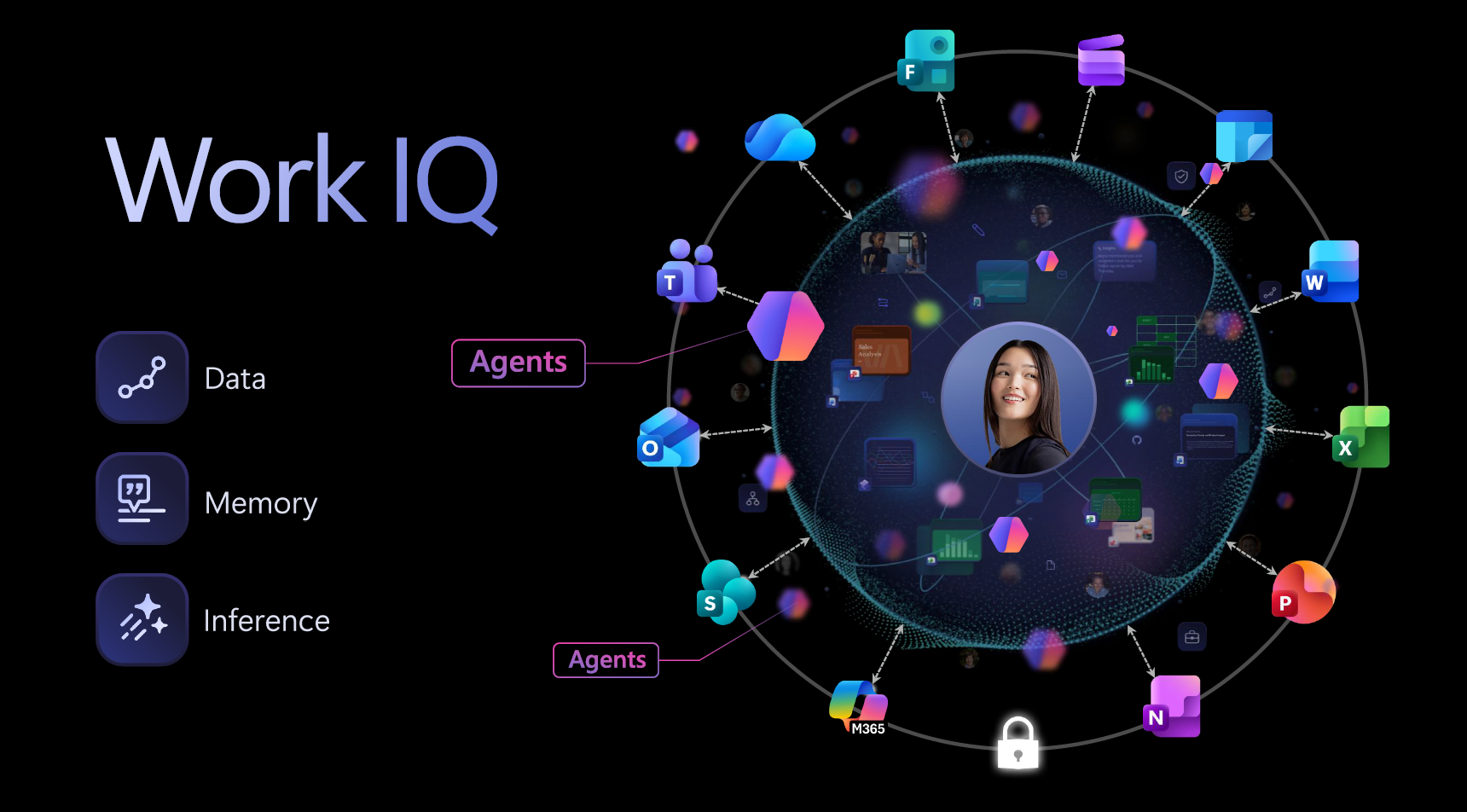
Microsoft positioned Work IQ as being built on three pillars: 

  • Inference – ability to connect dots, predict next actions, and recommend the right agent. 
  • Data – the rich knowledge inside emails, files, meetings, and chats and Entra ID  
  • Memory – your specific preferences, habits, and workflows. 

This framework enables Copilot to access data, retain memory, and understand how tasks and tools interact. Inference helps predict the most suitable action or agent for each job. 

Work IQ is deeply integrated into Microsoft 365 apps like Word and Excel, enabling Copilot to continuously learn through what Microsoft calls an AI-powered feedback loop. This loop far surpasses traditional connectors by retaining context and evolving with your business. 

Instead of reactive assistants waiting for prompts before acting, Work IQ interprets relationships, intent, and context. It connects documents, meetings, and workflows into a living map of organisational knowledge, powered by the Microsoft Graph- a competitive advantage no rival can match.  Whilst other AI’s such as ChatGPT can “plug-in” to Microsoft 365 via APIs, this is nothing compared to the power of the Microsoft Graph (which is what WorkIQ is). Work IQ (the Microsoft Graph) is about value creation inside the governance boundary. Work IQ respects permissions, compliance, and sensitivity labels, making it a trusted foundation for enterprise AI. 

Agents Powered by Work IQ

Work IQ is also the engine of the agent era. Agents can only act independently when they understand environment, history, dependencies, and intent. Without context, an agent is just a reactive assistant with a fancier name. With Work IQ, Microsoft enables true agentic behaviour – agents that can coordinate, reason, and act across the enterprise. 

This aligns with Microsoft’s broader vision of “Frontier Firms” – organisations that are human-led and agent-operated. Microsoft say that, already, more than 90% of the Fortune 500 use Microsoft 365 Copilot, and Work IQ is set to deepen that reliance by embedding intelligence into everyday workflows.  This got huge cheers at Ignite!

With Work IQ, Microsoft are raising the standard of the AI workplace – positioning itself as the core intelligence layer of the modern organisation and building the foundation of the next decade of digital work.   

What about other 3rd Party AIs?

Many of Microsoft’s Competitors are able to “plug in” to either apps though plug ins.  ChatGPT, Gemini, Salesforce, ServiceNow, Atlassian etc can all build smart vertical intelligence inside their own stack or products, but in terms of the wider enterprise context, they operate in silos. Even with APIs, they do not have the awareness, context and breadth of reach that Microsoft has with the connected Microsoft ecosystem and the Graph. They lack a unified fabric, and without it, they cannot deliver the seamless agentic experience Work IQ enables. 

Microsoft’s isn’t trying to win the AI assistant market as such; they are building the architecture for the agentic workplace. Think of it as the difference between building a smart car versus building the entire road system it drives on. 

Final Thoughts

Work IQ as the missing piece that makes Copilot more than a productivity tool. It’s the connective tissue that transforms AI from assistant to organisational intelligence. 

The real question is how quickly enterprises will adapt to this new standard, and how competitors will respond when Microsoft have just raised the bar so high. 

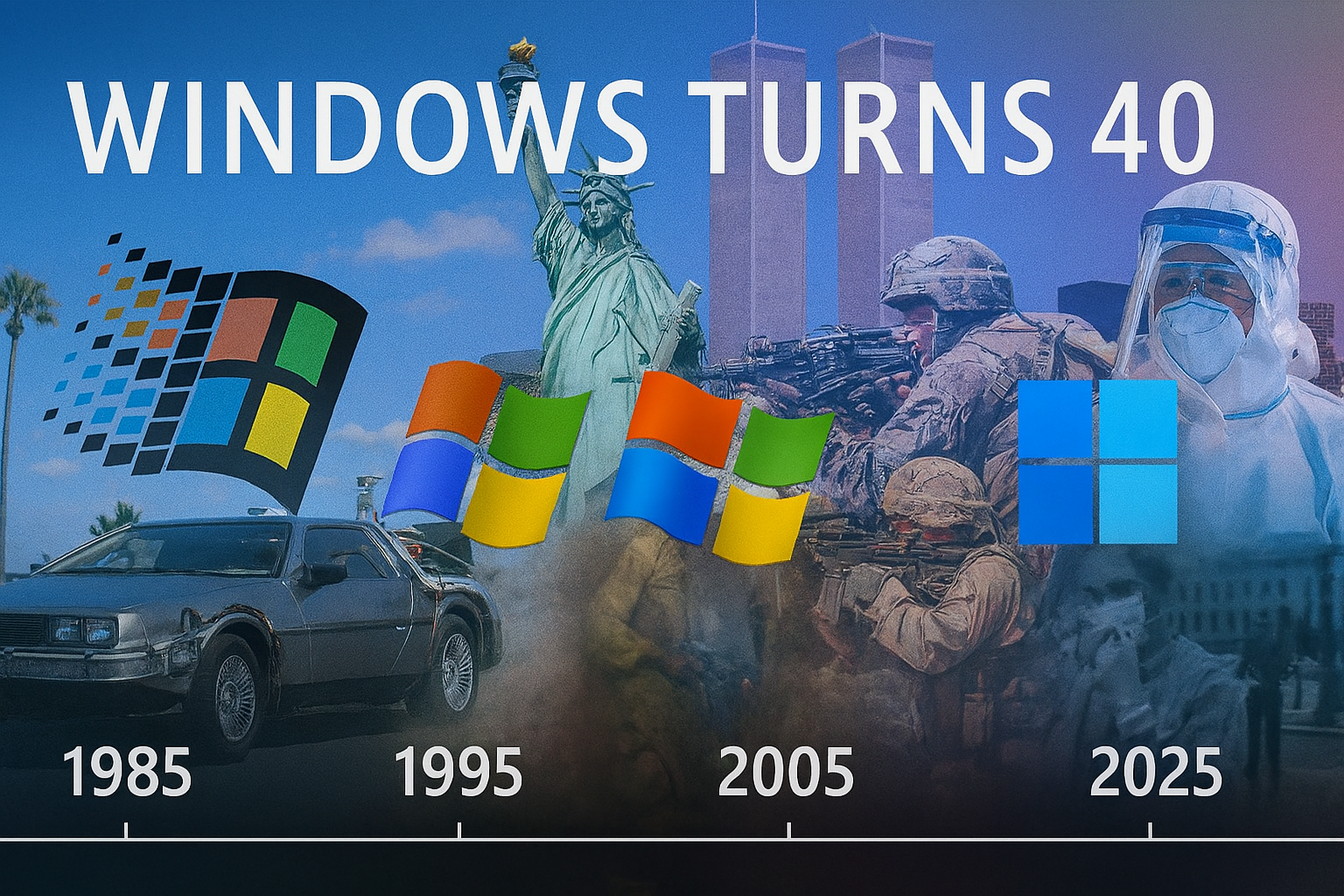
Windows at 40: Milestones that changed computing for ever

Windows at 40

It was Forty years ago (now that makes me feel. Old) that Microsoft launched Windows 1.0. This was a graphical shell that was layered over MS-DOS. Whilst it was clunky, slow, and barely usable – it created the framework and vision for what would become the Windows that has powered work and creativity for decades. 40 Years ago, was the time Back To The Future was in our Cinemas – just to put that time into perspective.

Today, Windows powers billions of devices across the globe. As it has evolved over the decades it has become more than just an operating system it has marked a place in history. From iconic cursors and start up chimes, the start menu, voice assistants and now the shift from menu and mouse driven interactions to voice and AI-driven agents. Windows has evolved through eras of innovation, fan fair releases, a few missteps, re-invention and innovation.

At Ignite this week, Microsoft has also unveiled its vision for an “agentic OS” in Windows 11 25H2 (with very mixed views) but today, here’s a look back at the milestone releases that truly changed computing. Here I dive into the history milestones as we celebrate Windows at 40!

The GUI Awakens (1985–1992)

Windows 1.0, released in 1985 – introduced the business world to the graphical user interface. Windows gave us windows, icons, mouse and pointers (the WIMP environment). It was a radical shift from command-line computing and MS-DOS, although initially Windows was essentially a shell that still run in Microsoft Disk Operating System (MSDOS).

Image (C) Wikipedia


Windows has updates over the years with Windows 2.0, 3.0 and then 3.1 and 3.11 (Windows for Workgroups). This brought mass adoption and became the stable at work. We had network printers, Program Manager, Task Manager, File Manager, and the introduction of TrueType fonts which made Windows the OS for business and publishing.

The Desktop Revolution (1995–2000)

In 1995, Microsoft released, arguably the biggest innovation to the Windows OS ever, which still is deep rooted in the Windows we know and use today. Windows 95 brought 16-bit computing, much loved Start menu, taskbar, and revolutionary hardware plug-and-play support which completely defined the modern desktop environment we know today. A year later, Microsoft Internet Explorer was released which wiped the floor with all other Internet Browers at the time and quickly wiped Netscape from existence.

We also saw the launch of the “Microsoft Network” or MSN and saw IM tools like Instant Messenger and the early modern browsers powered by those dial-up modems we all loved and hated!

Oh…and we can’t forget the infamous Blue Screen of Death (BSoD)!

Security and Stability As Standard

In 2000, we saw Windows 2000 – an enterprise-grade, secure Operating System built on their Windows NT 3.51 and 4 Server Operating System. This was built on the NT (New Technology) secure kernel (rather than the underlaying MSDOS) and became the backbone for future releases of Windows.

Stability and Dominance (2001–2009)

In 2001 (with major updates in 2002), we saw the release of Windows XP which will always be remembered for the “teletubby wallpaper”.

Windows XP Desktop

Windows XP unified the consumer and business experience. It was loved for its more friendly interface, rich graphics, powered in-box apps. It was also the first version of Windows that actively supported (or tried) to support pen, ink and touch. Whilst this was probably ahead of its time, we saw a new range of touch tablets (this is pre-iPad days) with Windows XP Tablet Edition. – Check out my blog of the RM Windows XP Tablet.

Windows XP powered homes, cash point machines, hospitals, and offices for over a decade.

In 2009, Microsoft gave us Windows 7. Arguably this was the most “loved” Windows Operating System ever – according to multiple sources. It was a sleeker version of Windows XP but also very familiar, meaning adoption rocketed.

Windows 7, restored user trust after Windows Vista (a poor and rushed attempt at refreshing Windows XP which). Windows 7 was fast, stable, and became dominant in commercial, public sector and enterprise IT.

Twenty four years later – it’s still not uncommon to see the odd device, information screen etc pop up still running this OS !

The Service Update Era (2012–2015)

In 2012, along with Microsoft’s first attempt launch of Tablet and touch computing (again maybe too early), we got Windows 8 -and then Windows 8.1. This was mainly a flop with the world not being ready for such a major shift to the UI, with a bold, touch-first redesign which mirrored that of the Windows Mobile.

Microsoft (to the hate of users), removed the Start menu (which they did bring back in Windows 8.1) and introduced their Metro UI which features innovative “live tiles” and the also introduced to the app store. There was also an ARM based version of Windows 8 to run on Surface RT devices – Microsoft’s again (too early) attempt of Windows on ARM – which today is what powers many Copilot Plus PCs and many of the world’s smart phones.

Then in 2015, we got Windows 10. This was the first version of Windows that essentially didn’t have versions as Microsoft shifted to “Windows as a Service.” This gave us continuous updates, cross-device integration and an OS that supported a blend of traditional Windows 7 style and aspects of the Metro / Live Tile interface of Windows 8.

Windows 10 on Surface Pro


The AI Frontier (2021–2025)

As we existing Covid-19, Microsoft unveiled Windows 11. This was built on the reliability and stability of Windows 10, but brought a fluent design, centred taskbar, and (later) Microsoft Copilot AI integration. A modern aesthetic with AI at its core.

Image (c) Bleeping Computer

This autumn, Microsoft released Windows 11 25H2 which marks the 40th anniversary of Windows. At Ignite in November (this month at time of writing), Microsoft unveiled their vision for an agentic OS – the next evolution of Windows, where AI agents orchestrate tasks across apps and devices. This could be a bold leap into ambient computing – but again there are many that would rather Microsoft left Windows alone and left the AI stuff to optional apps.


Final Thought

Windows has always been a mirror of its time — from GUI to cloud, from mouse to touch, and now from manual to agentic.

As we celebrate 40 years, we’re not just looking back. We’re standing at the edge of a new paradigm. The next chapter isn’t about what Windows does its about infusing AI into our workflow and apps.

With the change in how people use and access their devices and role of AI in our lives, the question is – what will Windows look like at 50!